There is something quiet but powerful about graphic design. It doesn’t speak in words, yet it says everything about a brand. Before anyone reads your copy or listens to your pitch, they’ve already formed an opinion—shaped by colors, fonts, images, and the spaces in between. It happens fast, like a spark. And sometimes, that spark fades as quickly as it appears because of small but damaging graphic design mistakes.
- Why Good Graphic Design for Business Is Crucial for Brand Perception
- Mistake #1: Inconsistent Brand Visuals
- Mistake #2: Typography Mistakes
- Mistake #3: Poor Image Quality in Design
- Mistake #4: Ignoring Visual Hierarchy in Graphics
- Mistake #5: Skipping Mobile-Optimized Design in Graphics
- Bonus Tips: What’s Next in Graphic Design for Business for 2025?
- Final Thoughts: Are Design Errors That Hurt Sales Costing You Conversions?
These kinds of branding design errors can create significant brand identity problems, leading to visual branding issues that undermine your business’s credibility. By addressing these common design flaws, you can ensure your brand stands out for the right reasons.
We live in a visual economy. Social feeds, websites, ads, even business cards—each one is a silent invitation to trust or to move on. When the design feels careless, when branding design errors creep in, they erode trust in ways you might never measure directly. But you feel the effects: less engagement, lower conversions, a sense that your brand identity problems are holding you back. These visual branding issues can create design errors that hurt sales, making it critical to address them promptly.
The comforting truth? These graphic design mistakes aren’t unfixable flaws. They are common, recognizable, and often solved by paying closer attention to how your visual branding issues show up. Think of this as an audit of the invisible signals your business is sending out. Let’s walk through the graphic design for business mistakes that cost more than they seem, and see how to fix them with intention, using design tips for businesses to guide the way.
Why Good Graphic Design for Business Is Crucial for Brand Perception
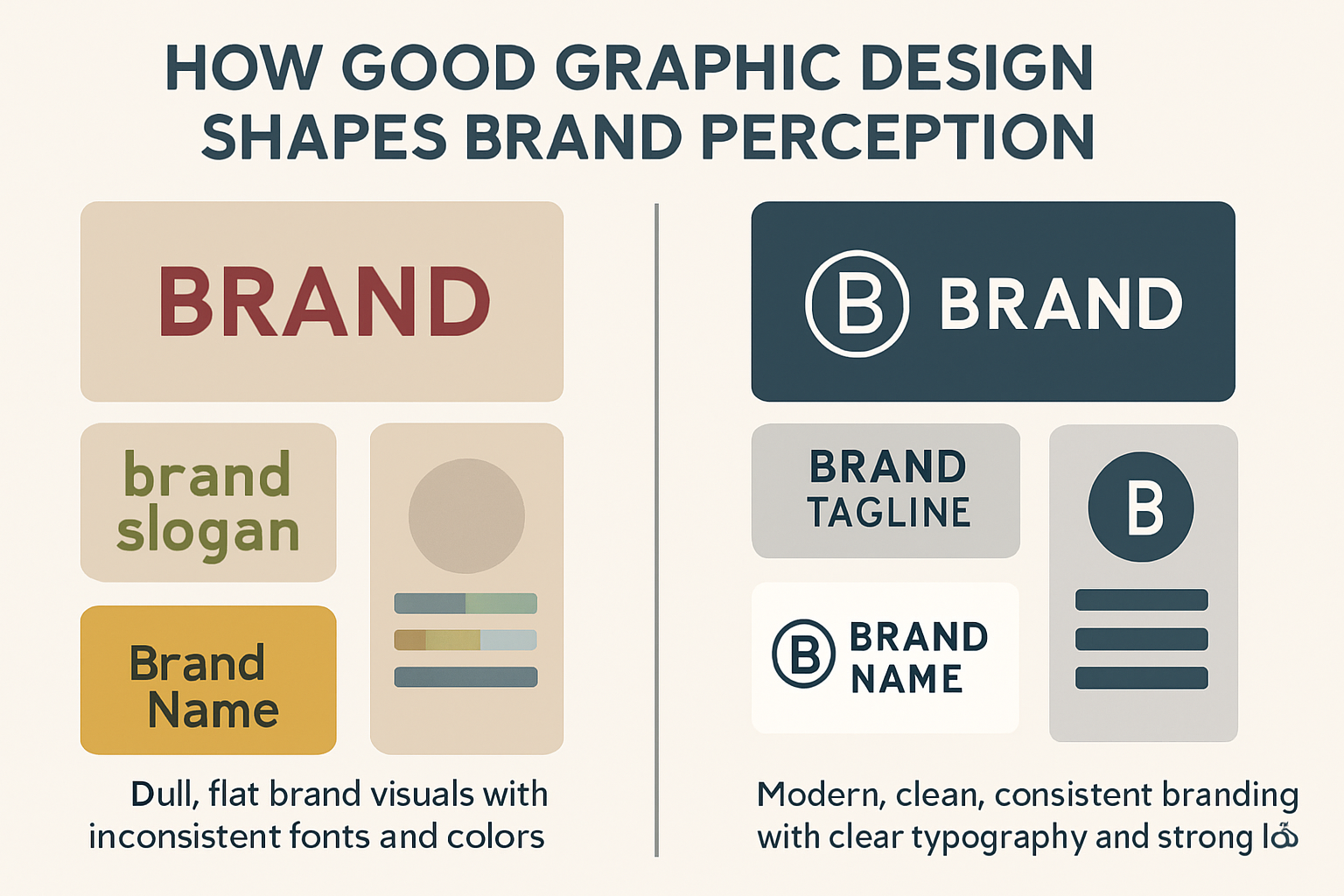
A brand without good graphic design for business is like a conversation without tone. The words may be there, but the meaning feels flat. Design shapes perception in ways we can’t always articulate, yet we all respond to. It’s the shorthand our eyes read before our minds catch up, addressing brand identity problems before they become entrenched.
How Visual Communication Builds Trust
Trust is delicate. It grows slowly but can vanish instantly. Graphic design for business is part of this fragile balance. Clean layouts, logo consistency, and responsive graphics—these are not superficial. They are designed as trust signals. When you see them done well, you lean in. When you see them missing, you hesitate, highlighting the importance of avoiding visual branding issues.
First Impressions and Visual Language
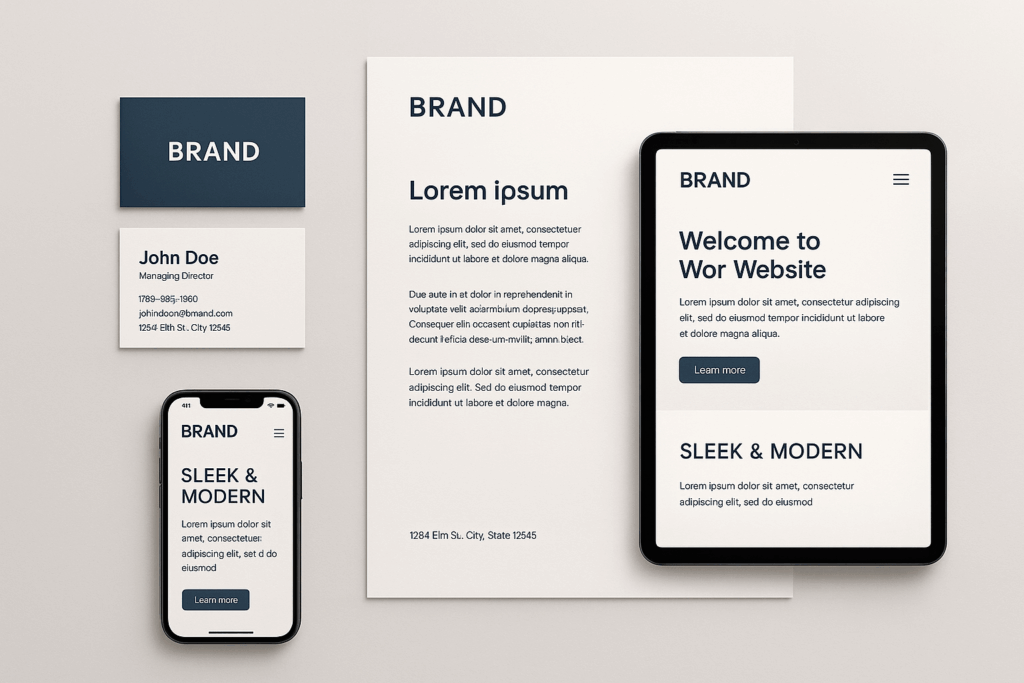
First impressions are rarely fair, but they are real. A poorly aligned logo or a stretched photo tells a story of neglect—a classic example of bad design. The visual language you use is the voice your brand speaks before you open your mouth. It should be steady, not fractured, to avoid branding design errors that dilute your message.
Evoking Emotion Through Design
Design is also about emotion. A warm gradient feels inviting. A minimalist space feels calm and ordered. A chaotic layout feels rushed, like someone shouting over themselves. What emotions do your visuals stir? That answer might matter more than the text that follows, especially when graphic design mistakes disrupt the user experience in design.
The Cost of Inconsistent Brand Visuals Across Channels
Audiences today don’t experience you in one place. They bounce from website to Instagram, from LinkedIn to a printed flyer at an event. Each touchpoint is part of a larger narrative. If they clash, if your visuals contradict each other, trust frays, creating brand identity problems that stem from inconsistent brand visuals.
Website, Social Media & Print Synergy
When your feed matches your site, when your brochure echoes your digital presence, a rhythm is established. It feels coherent. And in branding, coherence feels like confidence, which is essential in graphic design for a business to succeed.
Brand Confusion from Mixed Messaging
The opposite is confusion. If your logo changes colors, if your typography shifts dramatically, you invite doubt. It may not be conscious, but people notice. And once confusion enters, attention drifts, visual branding issues rise, and this leads to design errors that hurt sales.
Mistake #1: Inconsistent Brand Visuals
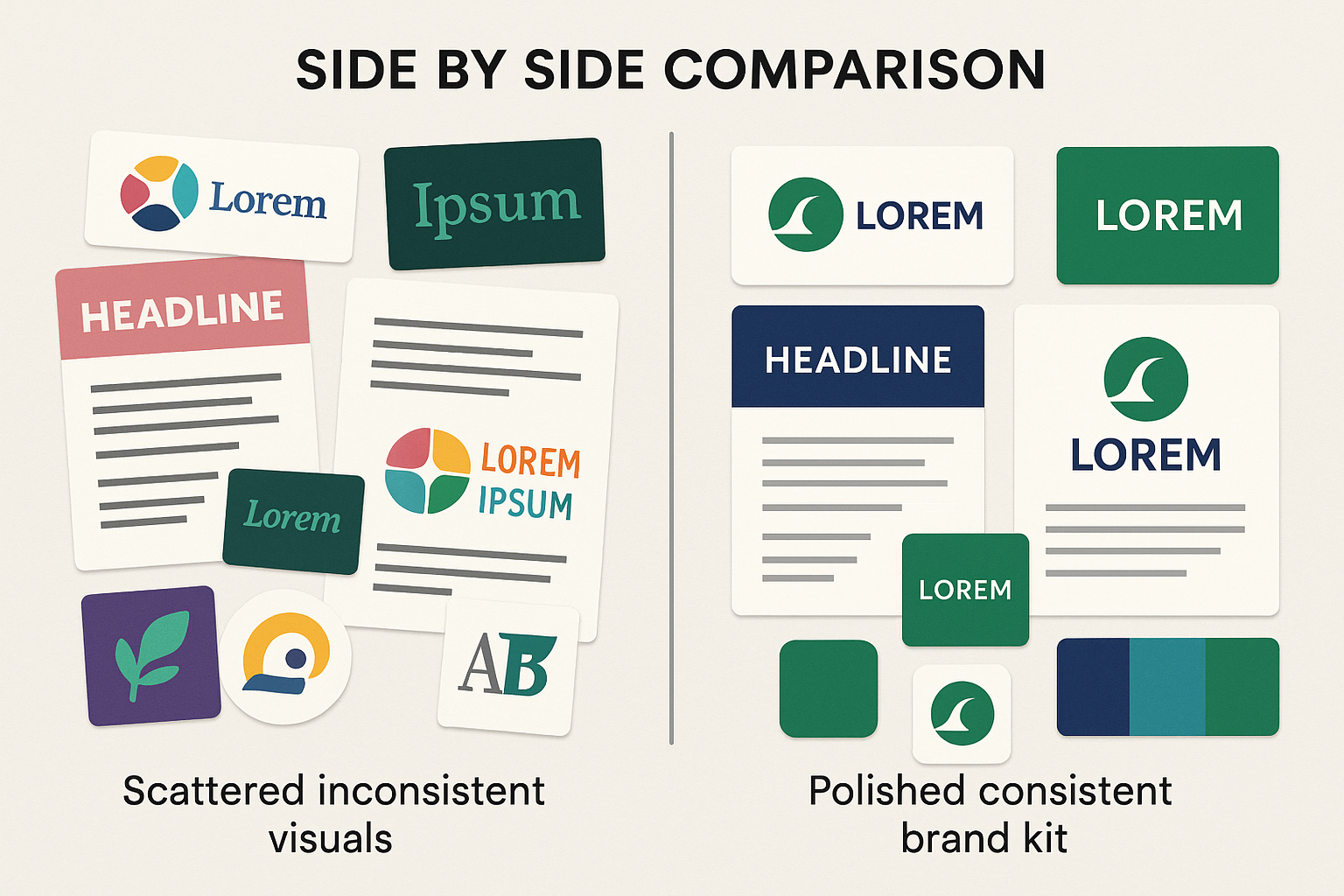
This is one of the most common branding design errors businesses stumble into. In the rush of growth, design becomes scattered. One person updates the website, another creates a presentation, and a third manages social media. Each one does their best, but without guardrails, the brand identity problems start to splinter, leading to inconsistent brand visuals.
What Visual Identity Dilution Looks Like
Visual identity dilution is when your brand starts to lose its shape. The logo looks different in one place and unrecognizable in another. Fonts change so often that people forget which one belongs to you. Colors drift until your palette no longer feels like your own. Each shift weakens the bond with your audience. What once felt clear now feels scattered. And scattered brands are quickly forgotten, a direct result of graphic design mistakes.
Misaligned Logos, Fonts & Color Palettes
Think of it like a choir where everyone sings a different song. Logos used in the wrong proportions. Fonts swapped depending on mood. Color palettes tweaked to “try something new.” It’s noise, not music, and it’s a prime example of branding design errors that harm graphic design for business.
The Impact of Mixed Messaging
Mixed messaging isn’t always intentional, but it’s damaging. Imagine a wellness brand using bold neon fonts one day and soft muted pastels the next. What do they stand for? Serious health guidance or playful lifestyle content? Without alignment, the answer blurs, creating visual branding issues.
How to Fix It with a Centralized Brand Style Guide
Consistency requires a brand style guide. A central document that says, “This is who we are, visually.” It doesn’t restrict creativity; it anchors it, helping to eliminate brand identity problems.
Must-Have Elements in Your Brand Style Guide
-
- Clear logo usage rules
- Defined primary and secondary color palettes
- Approved font pairings for headlines and body text
- Visual direction for photography and illustrations
Brand Style Guide Tools: Canva, Figma & More
You don’t need enterprise budgets to make this happen. Canva, Figma, and similar tools allow you to create and share brand kits that anyone in your team can use. It’s a small investment with outsized returns, addressing graphic design mistakes effectively.
Mistake #2: Typography Mistakes
Typography is one of the most overlooked aspects of graphic design for business. Yet it shapes how words are seen, read, and felt. Typography mistakes often slip under the radar, but they carry weight. They can make a message inspiring—or invisible, contributing to brand identity problems.
Why Typography Affects Readability & Tone
Typography shapes how your words are seen. The wrong font can make content hard to read. The right one can make it feel effortless. Fonts carry emotion and set the mood. A playful font feels light. A bold font feels strong. When the tone and typography align, the message lands with power. When they clash, the message loses its voice, a clear example of branding design errors.
Selecting Fonts to Match Your Brand Personality
Fonts have personalities. Some whisper; others shout. A serif font may signal tradition and stability. A clean sans-serif often conveys modernity. The key is alignment. A playful brand with stiff fonts feels off. A law firm with comic-style typography feels untrustworthy, highlighting visual branding issues.
Common Font Pairing Pitfalls to Avoid
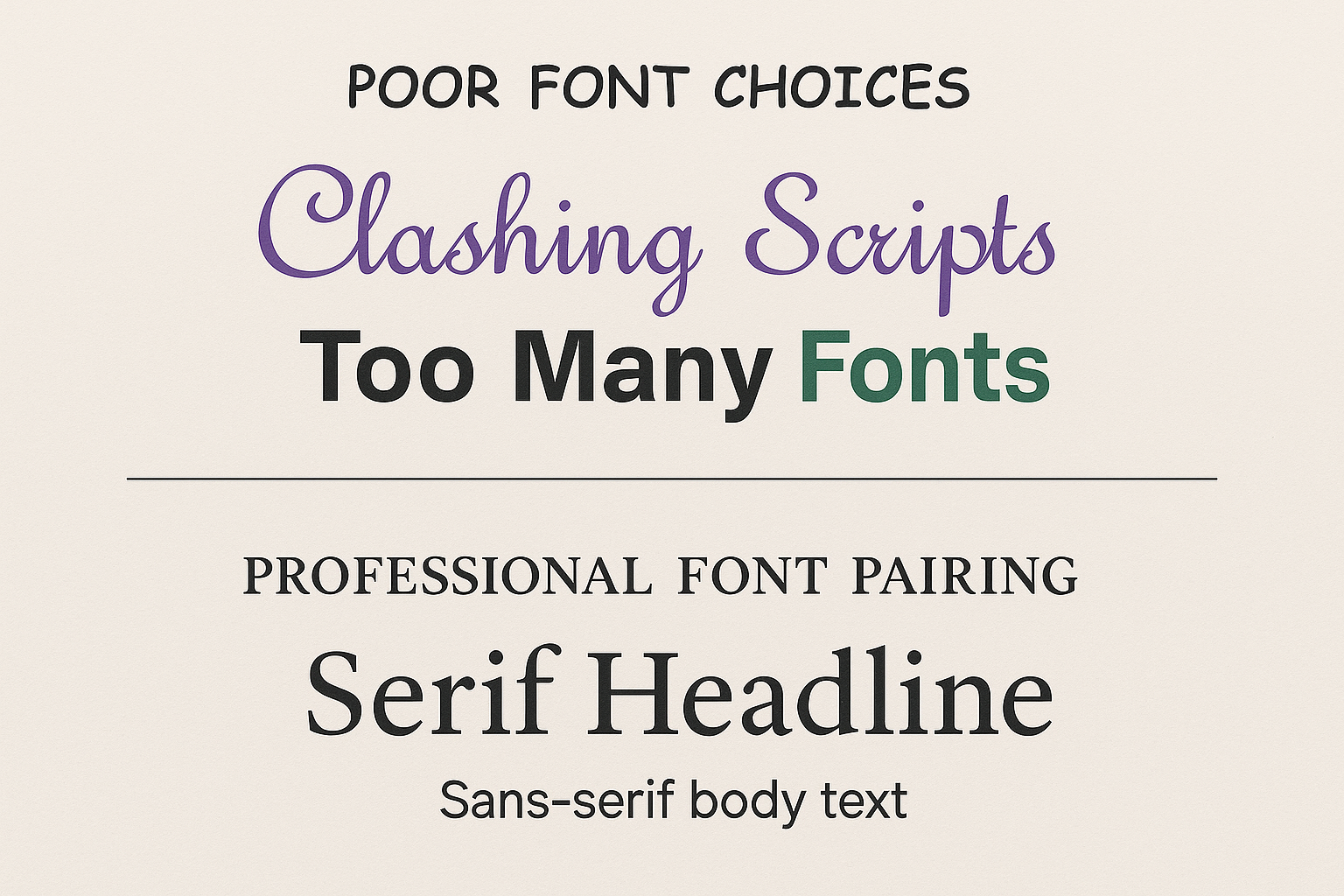
The temptation is to mix and match endlessly. But too many fonts clutter rather than clarify. Stick to two or three, carefully paired. Anything more feels like trying too hard, a mistake that can aggravate graphic design mistakes.
How to Pair Fonts Like a Pro
Pairing fonts is about balance. One font should lead, and the other should support. A strong headline font grabs attention. A clean body font keeps the words easy to follow. Too many fonts create noise. Two well-chosen fonts create harmony. The contrast between them makes the design clear and inviting. The goal is not just style. The goal is readability with personality, essential for graphic design for business.
Serif vs. Sans-Serif Pairing Examples
Classic pairings endure for a reason. A serif for headlines, a sans-serif for body text—balanced, readable, timeless, and a way to avoid typography mistakes.
Free Font Resources: Google Fonts, Fontpair
Tools like Google Fonts or Fontpair offer tested combinations. Use them as starting points, not as limits. The art lies in choosing what fits your identity, not just what looks “nice,” helping to resolve brand identity problems.
Mistake #3: Poor Image Quality in Design
Images are emotional shortcuts. They bypass logic and go straight to the heart. But when the visuals are poor, the shortcut collapses, leading to poor image quality in design and visual branding issues.
How Bad Visuals Undermine Credibility
Bad visuals break trust fast. A blurry image makes your brand look careless. A stretched logo feels cheap and unprofessional. A watermark left behind tells people you cut corners. Low resolution signals low standards. Each mistake chips away at credibility. People may not say it out loud, but they notice. And once trust is lost, it rarely returns, a direct result of graphic design mistakes.
Pixelation, Watermarks & Low Resolution
We’ve all seen it—logos stretched until blurry, photos lifted with watermarks still faintly visible. It screams “cheap” and “careless.” It makes the brand feel smaller than it is, a clear example of branding design errors.
Overused Stock Photos & Why They Look Inauthentic
Then there’s the problem of stock images. The too-perfect office handshake. The staged group around a whiteboard. They are bad design examples because audiences recognize them instantly. They don’t signal authenticity; they signal laziness, contributing to brand identity problems.
How to Invest in High-Quality Visuals
High-quality visuals are not a luxury. They are an investment in trust. Original photos tell a story only you can own. Custom illustrations make your brand stand apart. Professional design shows care and attention. Even stock images can work if chosen wisely. The key is authenticity. People connect with visuals that feel real. When your visuals rise in quality, your brand rises with them, addressing visual branding issues.
When to Hire a Photographer or Illustrator
Custom photography, illustrations, or even infographics crafted for your brand—these are investments in uniqueness. They stand out because they can’t be replicated, helping to avoid graphic design mistakes.
Stock Photo Tips: When to Use Free vs. Paid
That said, not every brand can afford custom visuals for every need. Paid stock libraries often provide fresher, less overused images than free ones. The trick is to choose with care—select images that look candid, real, and aligned with your story, ensuring graphic design for business success.
Mistake #4: Ignoring Visual Hierarchy in Graphics
Design without visual hierarchy in graphics is like a story without punctuation. You can read it, but it’s exhausting. Visual hierarchy in graphics tells the eye where to go, what to notice first, and what to hold onto, preventing brand identity problems.
Why Layout & Flow Matter in Design
Layout and flow decide how people see your message. A good layout feels natural and easy to follow. A poor layout feels heavy and confusing. Flow guides the eye step by step. Without it, the design feels lost. With it, the design feels alive. People stay longer when the path is clear. The message sticks because the journey feels smooth, a key aspect of graphic design for business.
Understanding User Scanning Behavior
We skim before we read. Our eyes dart across pages, searching for anchors. Without a clear structure, we miss the message entirely, leading to visual branding issues.
Flat vs. Structured Layout Examples
Consider a flyer with text all the same size. It’s a wall of words. Compare that with a design that uses larger titles, subheadings, and breathing space. The latter feels approachable, demonstrating design trust signals.
How to Guide Your Viewer’s Eye
Guiding the eye is about control. Contrast pulls attention to what matters most. Size creates a clear order of importance. Spacing gives each element room to breathe. Bold headlines stand out first. Subtle details come later. White space keeps the design calm and focused. A clear path keeps viewers engaged from start to finish, avoiding branding design errors.
Using Contrast, Size & Spacing
Hierarchy is crafted through contrast, scale, and deliberate spacing. A bold headline. A quiet body copy. Space between elements that lets each one stand on its own, enhancing user experience in design.
Leveraging White Space & Grid Systems
White space isn’t empty; it’s intentional silence. It lets the design breathe. Grid systems, meanwhile, offer balance—a rhythm for the eye to follow. Together, they turn chaos into calm, addressing graphic design mistakes.
Mistake #5: Skipping Mobile-Optimized Design in Graphics
Mobile-optimized design is no longer optional. Most users will first meet your brand on a phone. If your graphics fail here, they fail everywhere, leading to significant brand identity problems.
What Happens When Designs Fail on Mobile
When designs fail on mobile, the damage is instant. Text shrinks until it is impossible to read. Images crop in awkward ways that feel sloppy. Buttons hide off-screen and frustrate users. Slow loading makes people give up. Search rankings drop because mobile-first branding comes first. A design that works on desktop but fails on mobile is a design that fails overall, a critical graphic design mistake.
Illegible Text & Cropped Elements
Small text that no one can read. Images are cropped awkwardly. Buttons hidden off-screen. These small errors create frustration—and frustration leads to exits, exacerbating visual branding issues.
Poor Performance in Mobile-First Branding
Search engines have adapted. They prioritize mobile-first branding. If your graphics aren’t responsive, your visibility itself suffers, a direct result of branding design errors.
How to Design Responsively for Every Screen
Mobile-optimized design means thinking beyond one screen. Graphics must adapt without losing clarity. SVGs keep lines sharp at any size. Optimized files load fast and hold attention. Test across phones, tablets, and desktops. Each device should feel equally natural. A design that bends without breaking builds trust. True responsiveness shows respect for every user, ensuring graphic design for business success.
SVGs, Scalable Assets & Optimized File Sizes
Scalable assets like SVGs maintain clarity on every device. Optimized file sizes keep loading speeds fast. Both are essential for modern design trust signals, addressing visual branding issues.
Testing Graphics Across Devices
Don’t assume. Test. Preview your designs across phones, tablets, and desktops. A single adjustment can make the difference between usable and unusable, preventing brand identity problems.
Bonus Tips: What’s Next in Graphic Design for Business for 2025?
Design evolves. Trends come and go, but paying attention to the horizon keeps you relevant, helping to avoid graphic design mistakes.
Top Visual Trends to Watch (Gradients, Motion, Minimalism)
Gradients are returning with subtlety. Motion graphics are becoming commonplace. Minimalism remains timeless because simplicity always feels modern, a key aspect of design tips for businesses.
How to Ethically Leverage AI in Design
AI tools can accelerate creativity. But the ethics matter. Originality, copyright, transparency—these can’t be overlooked. Use AI as a collaborator, not a replacement for human vision, to enhance graphic design for business.
Essential Tools to Elevate Your Graphics
The right tools turn ideas into impact. Adobe Express makes quick edits simple. Figma brings teams together in real time. Canva gives anyone the power to design with ease. MidJourney pushes creativity into new territory with AI. Each tool serves a different need. Together, they cover speed, collaboration, and innovation. Strong tools create strong graphics. Strong graphics create strong brands, addressing branding design errors.
Adobe Express, Figma, Canva & MidJourney
The design toolkit keeps expanding. From lightweight editing in Canva to advanced prototyping in Figma, to experimental creation with MidJourney—these tools expand what’s possible without inflating cost, helping to resolve visual branding issues.
UX Writing & Microcopy Tools for Designers
But remember: visuals and words work together. UX writing tools like Hemingway or Grammarly help polish the voice behind the visuals. They make the design not only look good but also read effortlessly, enhancing user experience in design.
Final Thoughts: Are Design Errors That Hurt Sales Costing You Conversions?
Graphic design for business isn’t about decoration. It’s about identity. It’s about whether people trust you enough to take the next step. The graphic design mistakes we’ve covered are common, but that doesn’t make them harmless. In fact, they’re the silent culprits behind lost sales and weaker engagement due to design errors that hurt sales.
5-Point Checklist to Audit Your Branding
-
- Consistent logos, fonts, and colors
- Typography that matches your tone
- High-quality, authentic images
- Clear visual hierarchy in graphics
- Graphics optimized for mobile-optimized design
Quick Steps to Fix Each Mistake
You don’t need to rebuild overnight. Start small. Replace a font. Align your color palette. Test your graphics on mobile. Each change sharpens your identity and restores clarity, addressing brand identity problems.
How Turain Software’s Design Experts Can Help
Sometimes, seeing your own graphic design mistakes is difficult. That’s where outside eyes help. Professionals can spot gaps and inconsistencies you’ve grown blind to, resolving branding design errors.
Our Proven Process to Strengthen Your Brand
From deep audits to building full brand style guides, the process creates not just consistency but confidence. When your visuals align, your message resonates louder, enhancing graphic design for business.
Call-to-Action: Claim Your Free Brand Audit
If you suspect design errors that hurt sales and are costing you, this is your chance. Claim a free brand audit. See where your brand stands. And take the first step toward a sharper, stronger identity, free of visual branding issues.