By using this site, you agree to the Privacy Policy and Terms of Use.
Accept
Turain Software Pvt. Ltd.Turain Software Pvt. Ltd.Turain Software Pvt. Ltd.
  • HOME
  • ABOUT US
  • SERVICES
    • Digital Marketing
      • Search Engine Optimization (SEO)
      • Social Media Marketing (SMM)
      • Google Paid Search (PPC)
      • YouTube Promotion
      • Content Marketing
    • Telecom / SMS Service
      • Bulk SMS Service
      • Transactional SMS
      • Rich Communication Services
      • DLT Registration
      • WhatsApp Marketing
      • OTP SMS
      • Voice SMS
      • Toll Free Number with IVR
      • Cloud Call Center Solution
    • Products
      • Biomax
      • Others
    • Web Design & Development
      • Web Development
      • E-Commerce Website
      • Informative Website
    • App Development
      • Mobile App Development
      • Web App Development
      • Custom Software Development
    • Graphics Design
  • BLOG
  • CONTACT US
Search
  • DND Search
  • Bill Track
  • Privacy Policy
  • Terms and Conditions
Copyright © 2025. All Rights Reserved Turain Software Pvt. Ltd.
Reading: TLV Parameters SMPP in Kannel
Share
Notification
Font ResizerAa
Font ResizerAa
Turain Software Pvt. Ltd.Turain Software Pvt. Ltd.
  • HOME
  • ABOUT US
  • SERVICES
    • Digital Marketing
    • Telecom / SMS Service
    • Products
    • Web Design & Development
    • App Development
    • Graphics Design
  • BLOG
  • CONTACT US
Follow US
  • DND Search
  • Bill Track
  • Privacy Policy
  • Terms and Conditions
© 2026 Copyright © 2025. All Rights Reserved Turain Software Pvt. Ltd.
Turain Software Pvt. Ltd. > Blog > Blog > TLV Parameters SMPP in Kannel
Blog

TLV Parameters SMPP in Kannel

Turain Logo
Last updated: September 22, 2025 12:21 pm
Tarun Karan
Share
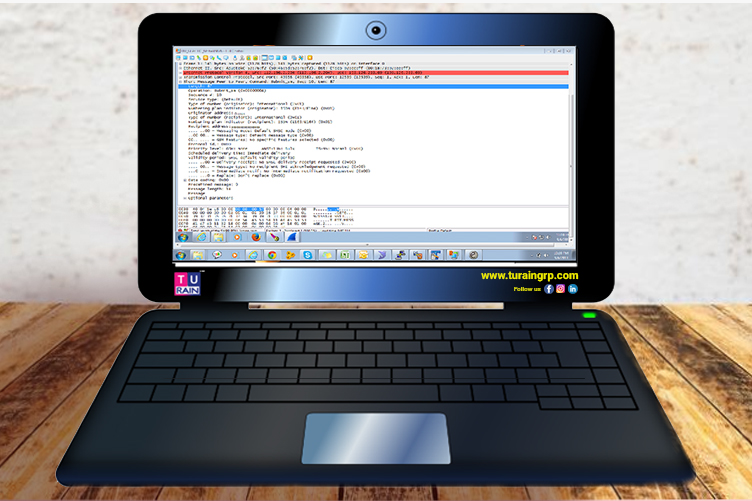
Tlv parameters smpp in kannel copy
SHARE

My SMS service provider asked me to set the below TLV parameters while connecting to him over SMPP: PRICEPOINT (0x1400) PRODUCT (0x1401) PARTNER ROLE ID (0x1402) How to configure the same in Kannel as it is the first time for me using this SMPP client app, I set the below data in Kannel.conf file, but when I pushed/sent a message, the gateway didn’t feel the TLV which I have set. group = smpp-tlv name = PRICEPOINT tag = 0x1400 type = integer length = 4 smsc-id = SMSC01 group = smpp-tlv name = PRODUCT tag = 0x1401 type = integer length = 4 smsc-id = SMSC01 group = smpp-tlv name = PARTNERROLEID tag = 0x1402 type = integer length = 4 smsc-id = SMSC01 You did the right thing with the configuration but what it does is that it simply informs Kannel as to what possible TLV parameters exist for the SMSC. To actually use them, you have to set the values in the sendsms call in a meta-data parameter formatted like this ?smsc-type?key1=value1&key2=value2&key3=value3… You must take into account that when constructing this string, the smsc-type, the keys and the values must be urlencoded, and then the whole resulting string has to be urlencoded again. In your case it would look something like this: http://host:port/cgi-bin/sendsms?username=user&password=password&to=recipientphone&
from=senderphone&text=content&smsc=smsc&meta-data=%3Fsmpp%3FPRICEPOINT%3D1%26PRODUCT%3D2%26PARTNERROLEID%3D3.
The %3Fsmpp%3FPRICEPOINT%3D1%26PRODUCT%3D2%26PARTNERROLEID%3D3 in the example is urlencoded ?smpp?PRICEPOINT=1&PRODUCT=2&PARTNERROLEID=3. Here’s the relevant section in the documentation: http://kannel.org/download/1.4.4/userguide-1.4.4/userguide.html#AEN6370

Significance of Google My Business for Enhanced Business Sales
Attractive SMS Templates To Promote Travel Packages
Update on Omicron
How to Craft SMS Messages That Drive Click‑Throughs?
Top Bulk Messaging Company In India

Sign Up For Daily Newsletter

Be keep up! Get the latest breaking news delivered straight to your inbox.
* indicates required
By signing up, you agree to our Terms of Use and acknowledge the data practices in our Privacy Policy. You may unsubscribe at any time.
Share This Article
Facebook Copy Link Print
What do you think?
Angry0
Cry0
Dead0
Embarrass0
Happy0
Joy0
Love0
Sad0
Surprise0
Shy0
Sleepy0
Wink0
Turain Logo
ByTarun Karan
Follow:
Tarun Karan is a technology writer and digital innovation enthusiast who covers emerging AI tools, automation platforms, and modern no-code workflows. With a strong focus on user-centric storytelling, Tarun simplifies complex concepts and translates them into clear, practical insights for creators, businesses, and learners. His writing aims to help audiences understand how new AI ecosystems—like Google’s experimental platforms—shape the future of productivity and digital creation.

Previous Article Bulk sms copy Bulk SMS Services
Next Article Happy new year text message ideas and templates blog copy Happy New Year Text Message Ideas and Templates
Leave a Comment

Leave a Reply Cancel reply

Your email address will not be published. Required fields are marked *

Stay Connected

25KLike
9KFollow
3.2KFollow
Turain-Software_WhatsApp-API

Latest News

Cover graphic for network apis + cpaas showing a smartphone with api network icons for number verification, sim swap checks and fraud-safe messaging.
GSMA Open Gateway Network APIs: How Number Verification & SIM Swap Checks Enable Fraud-Safe Messaging
bulk SMS Bulk SMS Service
Before-and-after dlt sms template showing “rejected” vs “approved” after pre-tagging variables and whitelisting urls and numbers.
TRAI DLT Variable Tagging 2026: How to Whitelist URLs & Numbers and Stop SMS Rejections
DLT
Whatsapp business calling api turning chat leads into calls inside whatsapp.
WhatsApp Business Calling API: Turning Click-to-Chat Leads into Calls Inside WhatsApp (New Conversion Playbook)
WhatsApp Business API
Whatsapp business pricing 2026 concept banner with chat and pricing cards.
WhatsApp Business Pricing in 2026: How to Reduce Cost Per Lead with Flows + Smart Templates (RCS/SMS Backup)
whatsapp marketing

You Might also Like

Storytelling in marketing
BlogBrandingMarketing

How Indian Brands Use Storytelling to Build Customer Loyalty

Turain Logo
Tarun Karan
21 Min Read
Read More
Dlt
Blog

New TRAI Rules (DLT)

Turain Logo
Tarun Karan
1 Min Read
Read More
Google ads new update
Blogdigital marketingGoogle AdsPerformance marketingPPC Campaign

Everything You Need to Know About Google Ads Web and App Integration

Turain Logo
Tarun Karan
19 Min Read
Read More

+91 9230996919
+91 6290384889

sales@turaingrp.com
support@turaingrp.com

6/12 Poddarnagar, Kolkata-700068, WB, India.

Tower 1, 36/5, Hustle hub Tech Park,

Somasundarapalya Main Rd,

Bengaluru, Karnataka 560102

Others Platform
glassdoor
yourstory
ambitionbox

Information

  • Home
  • About Us
  • Services
  • Portfolio
  • Blogs
  • Brochure

Services

  • Bulk SMS
  • WhatsApp Marketing
  • Digital Marketing
  • Web Development
  • App Development
  • Graphics Design

Other links

  • DND Search
  • Bill Track
  • Privacy Policy
  • Terms and Conditions

Registered in

msme
trai

Our Other Business

dreamlink
Copyright © 2026. All Rights Reserved Turain Software Pvt. Ltd.
Welcome Back!

Sign in to your account

Username or Email Address
Password

Lost your password?