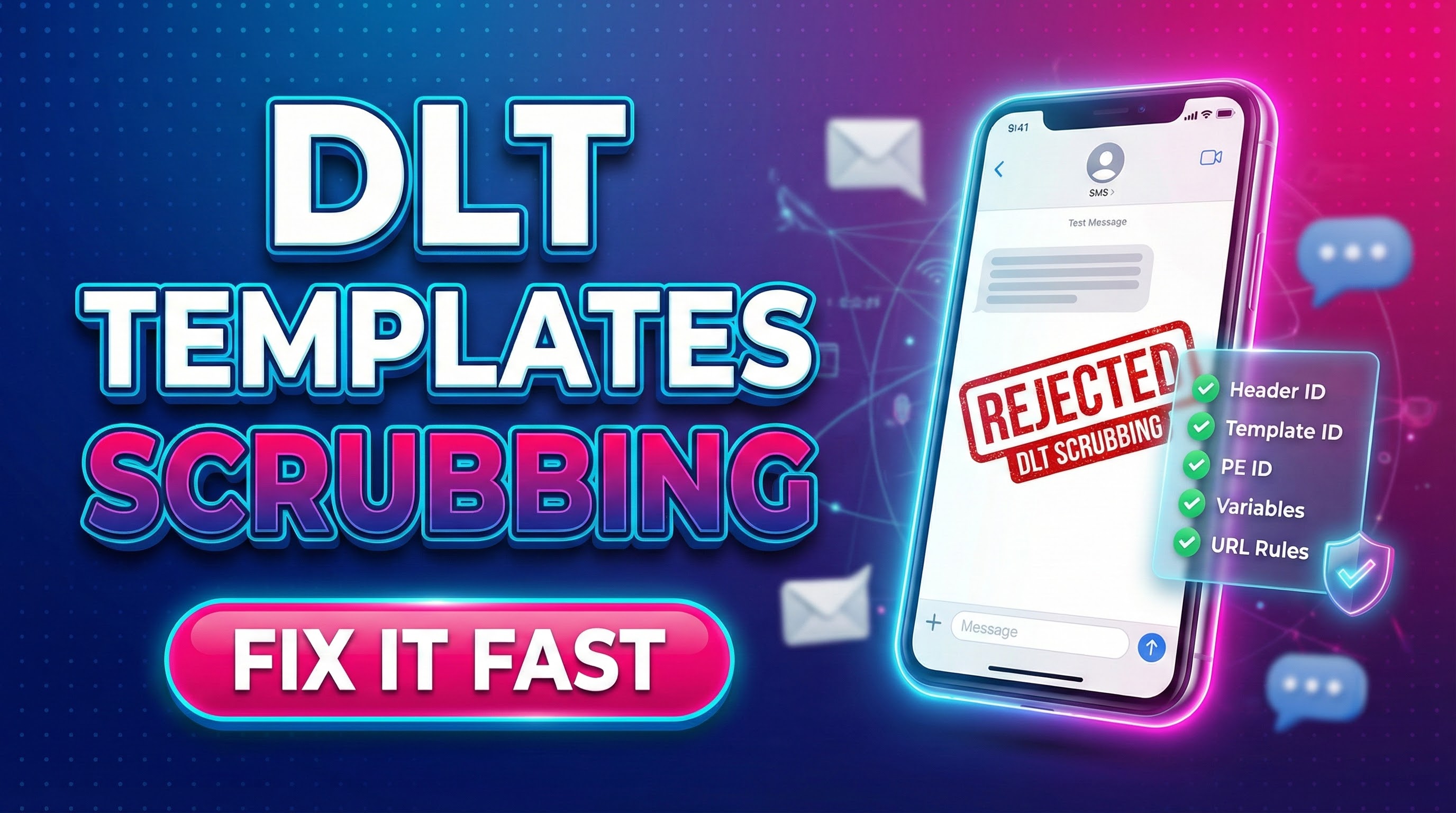
Fast Fixes for DLT Template Mismatch
If your SMS is rejected, do this in order:
- Fast Fixes for DLT Template Mismatch
- Want a quick audit?
- What is DLT Scrubbing (and why it blocks SMS)?
- What “DLT Template Mismatch” really means?
- Why your SMS gets rejected (top reasons + what it looks like)?
- 1) Missing Template ID (or wrong ID)
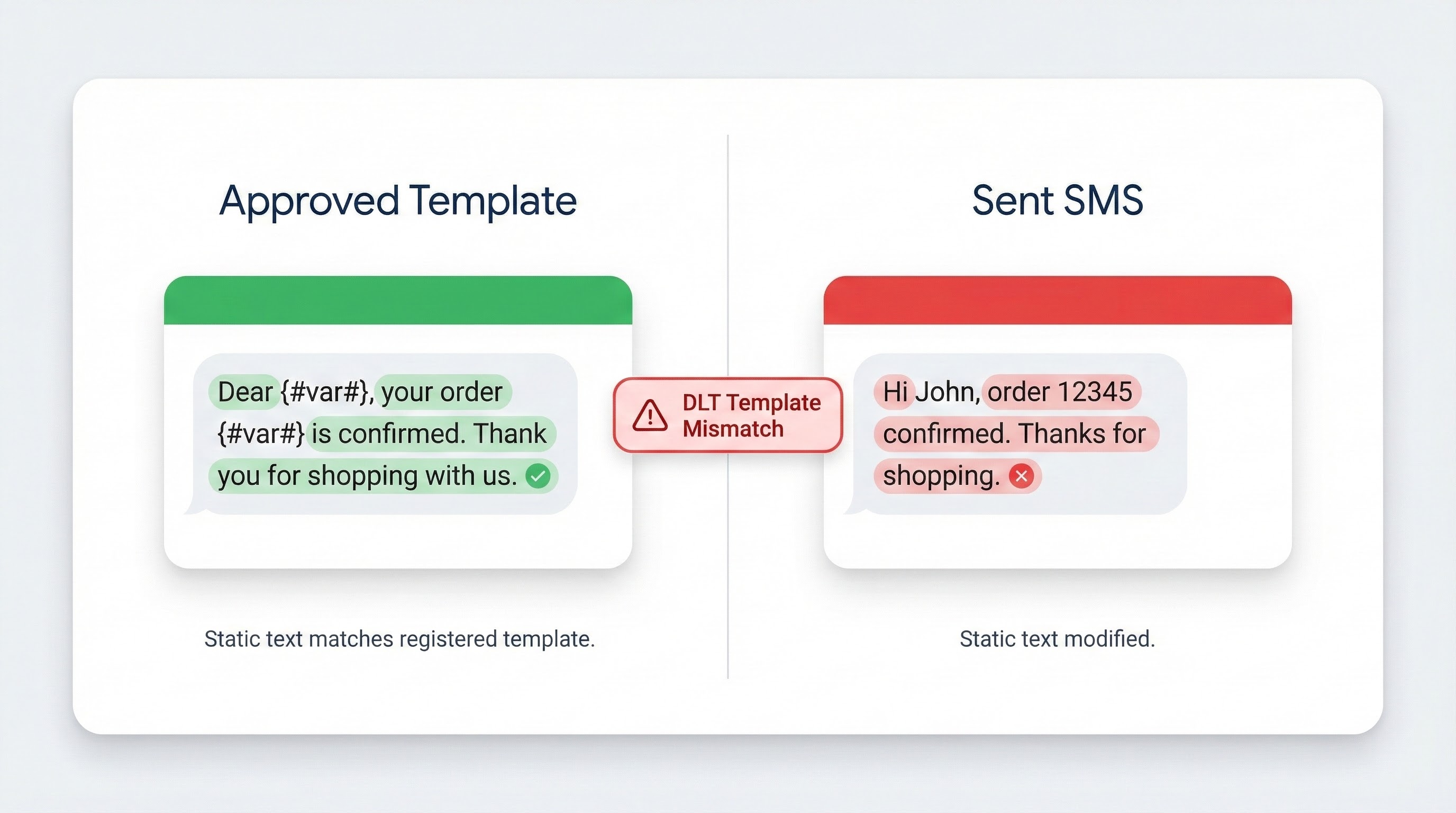
- 2) DLT Template Mismatch due to static text edits
- 3) Header (Sender ID) not mapped / PEID not matched
- 4) Variable rules broken (length/characters/placement)
- 5) URLs / app links / callback numbers not treated correctly (newer risk area)
- The Fix Checklist (Step-by-step) for DLT Template Mismatch
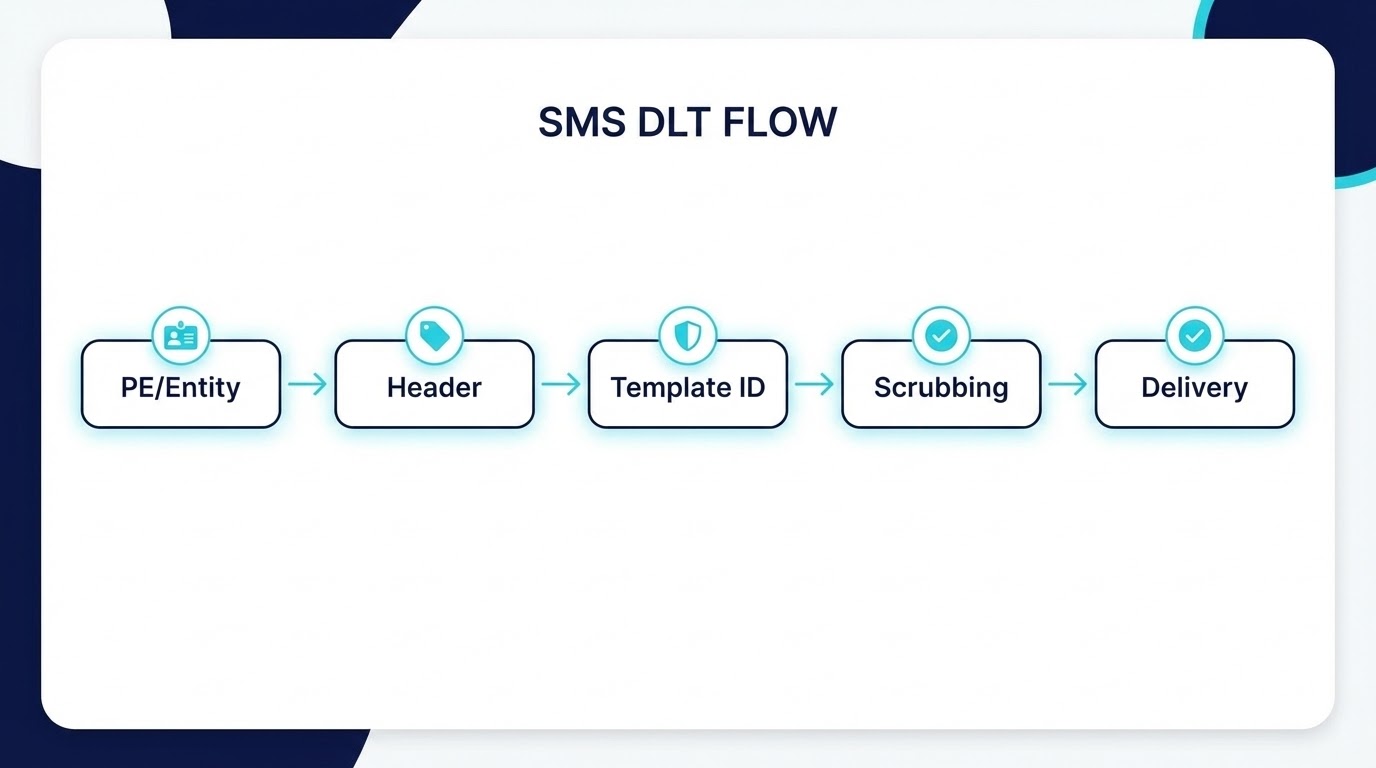
- Step 1 — Confirm your “DLT identity chain”
- Step 2 — Copy the approved template text exactly (stop manual typing)
- Step 3 — Freeze the static text, allow only approved variables
- Step 4 — Fix variable limits (length + formatting)
- Step 5 — Handle URLs & callback numbers like a compliance feature, not copywriting
- Step 6 — Use error codes to pinpoint the exact break (don’t guess)
- Message category mistakes that quietly kill delivery
- Compliant template examples (built to avoid DLT Template Mismatch)
- OTP template (authentication)
- Transactional template (order/payment update)
- Service update template (appointment/delivery)
- A simple SOP to prevent DLT Template Mismatch permanently
- Want a quick audit?
- FAQ’s
- What is DLT Template Mismatch?
- What are the top reasons behind DLT Template Mismatch?
- What does “Blocked by DLT Scrubbing” mean?
- How do I fix DLT Template Mismatch quickly?
- Why are URLs causing more rejections now?
- What variable length should I follow?
- Can promotional lines be added to service templates?
- Which error codes should I check first?
- Conclusion
- Confirm you’re passing PE ID + Header (Sender ID) + Template ID correctly
- Compare sent text vs registered template (static part must match) → fix DLT Template Mismatch
- Check variables (length, characters, placement)
- Treat URLs/callback numbers as high-risk: tag variables correctly and use whitelisted data where required
- Use error codes to pinpoint the exact break (template not matched, header not registered, blocked by scrubbing)
If you want Turain to audit your templates, fix DLT Template Mismatch, and stabilize your delivery pipeline, these services map directly:
-
- DLT onboarding + templates + variable tagging support: DLT Registration
- Bulk campaigns + compliance-friendly routing: Bulk SMS Marketing (Kolkata)
- Transaction-critical delivery: Transactional SMS
- OTP flows (auth, verification): OTP SMS
- Rich messaging alternative when SMS is limited: Rich Communication Services (RCS)
- WhatsApp automation for high-intent engagement: Bulk WhatsApp Marketing
- Voice reach when text is not enough: Voice SMS
- Lead & support infrastructure: Toll-Free with IVR, Cloud Call Center, Contact Center
Want a quick audit?
What is DLT Scrubbing (and why it blocks SMS)?
Under India’s TCCCPR framework, commercial SMS is checked (“scrubbed”) against what you’ve registered—especially the content template. If the message fails scrubbing, it is not allowed to go forward for delivery.
What scrubbing validates (the “hidden checklist”)
Scrubbing typically checks:
-
- Registered content template match (static + variable structure)
- Template ID present and valid
- Header (Sender ID) validity + association
- Preference/consent compliance (esp. promotional traffic)
What “DLT Template Mismatch” really means?
DLT Template Mismatch means: your sent SMS content doesn’t match the approved template you registered on DLT—usually the static part, variable placement, or template ID/header mapping.
TRAI’s own analysis of scrubbing failures has repeatedly highlighted mismatch and missing registrations/IDs as primary failure reasons.
The 3 most common root causes behind DLT Template Mismatch
TRAI identified these as primary scrubbing failure reasons:
- Content template not registered
- Content template ID missing
- Mismatch between template registered and message sent
Why your SMS gets rejected (top reasons + what it looks like)?
1) Missing Template ID (or wrong ID)
Symptoms
-
- Sudden spike in failures after integration changes
- “Template not found / invalid template id / template id missing” style errors
Fix
-
-
Make sure your API/gateway request includes the correct DLT parameters (Template ID, Header, PE/Entity ID as applicable).
-
TRAI explicitly listed “content template ID missing” as a key scrubbing failure reason.
2) DLT Template Mismatch due to static text edits
Symptoms
-
- “Template not matched”
- “Blocked by DLT scrubbing”
- Works for some messages, fails for others (because the content slightly changes)
Fix
-
- Lock the static text. No “small tweaks” like extra emojis, extra punctuation, or swapping synonyms.
- Register separate templates for variants instead of editing live content.
DLT gateways commonly return errors like TEMPLATE_NOT_MATCHED (633) when the sent SMS content doesn’t match the registered template for the given Template ID.
3) Header (Sender ID) not mapped / PEID not matched
Symptoms
-
- “Header not found”
- “Header not registered for template”
- “PEID not matched with header”
Fix
-
-
Verify the Header is approved and linked correctly to the template and entity chain.
-
These conditions appear directly in common DLT error-code taxonomies
4) Variable rules broken (length/characters/placement)
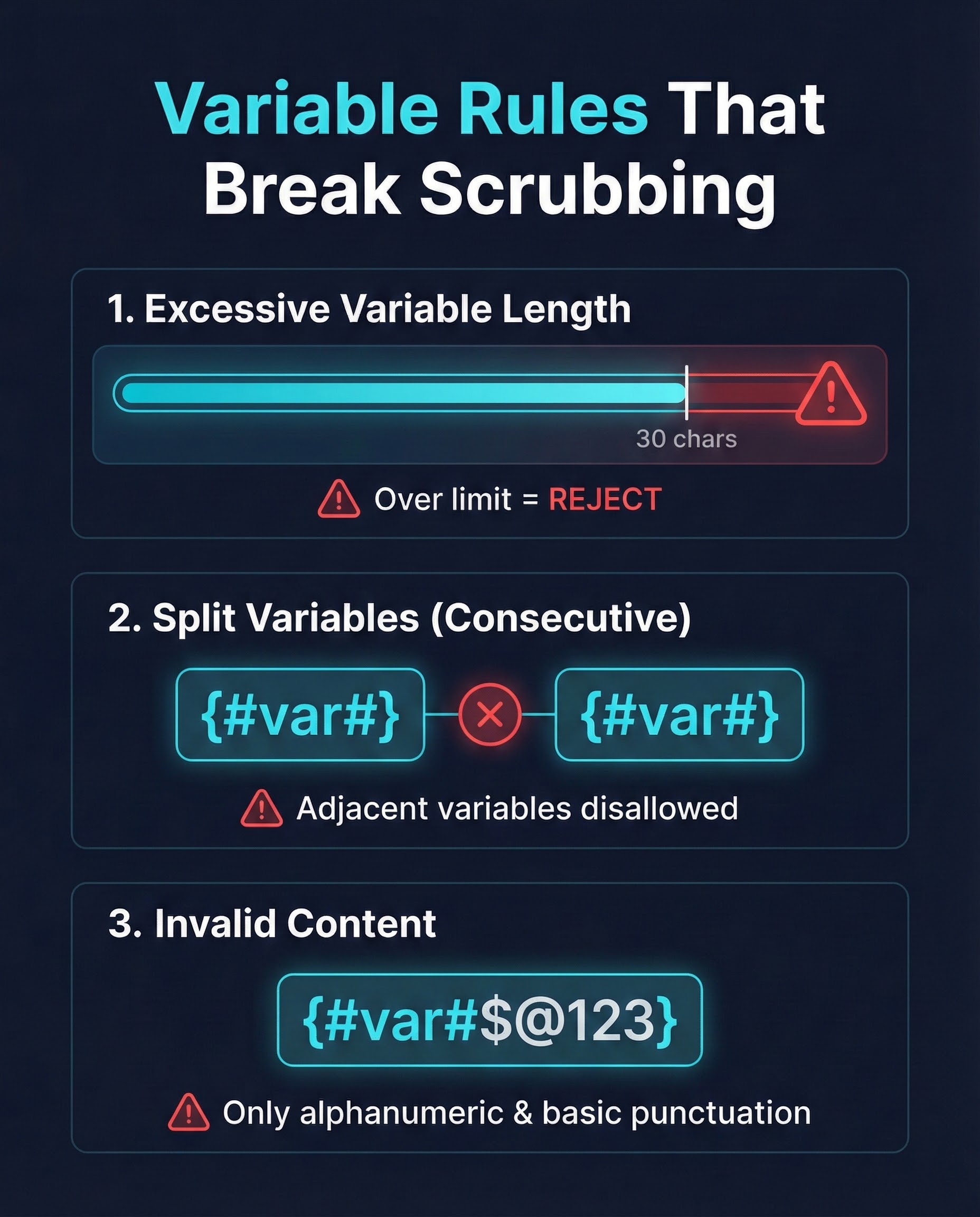
Operators enforce variable constraints. Example: Airtel guideline notes you can pass up to 30 characters in a {#var#} (excluding certain exempted special characters) and static text must match during scrubbing.
Symptoms
-
- “Template variable exceeded max length”
- Mismatch errors even when static text looks correct
Fix
-
- Shorten the variable value (e.g., order IDs)
- Split one long field into two variables
{#var#}{#var#} - Avoid stuffing long sentences inside a variable
5) URLs / app links / callback numbers not treated correctly (newer risk area)
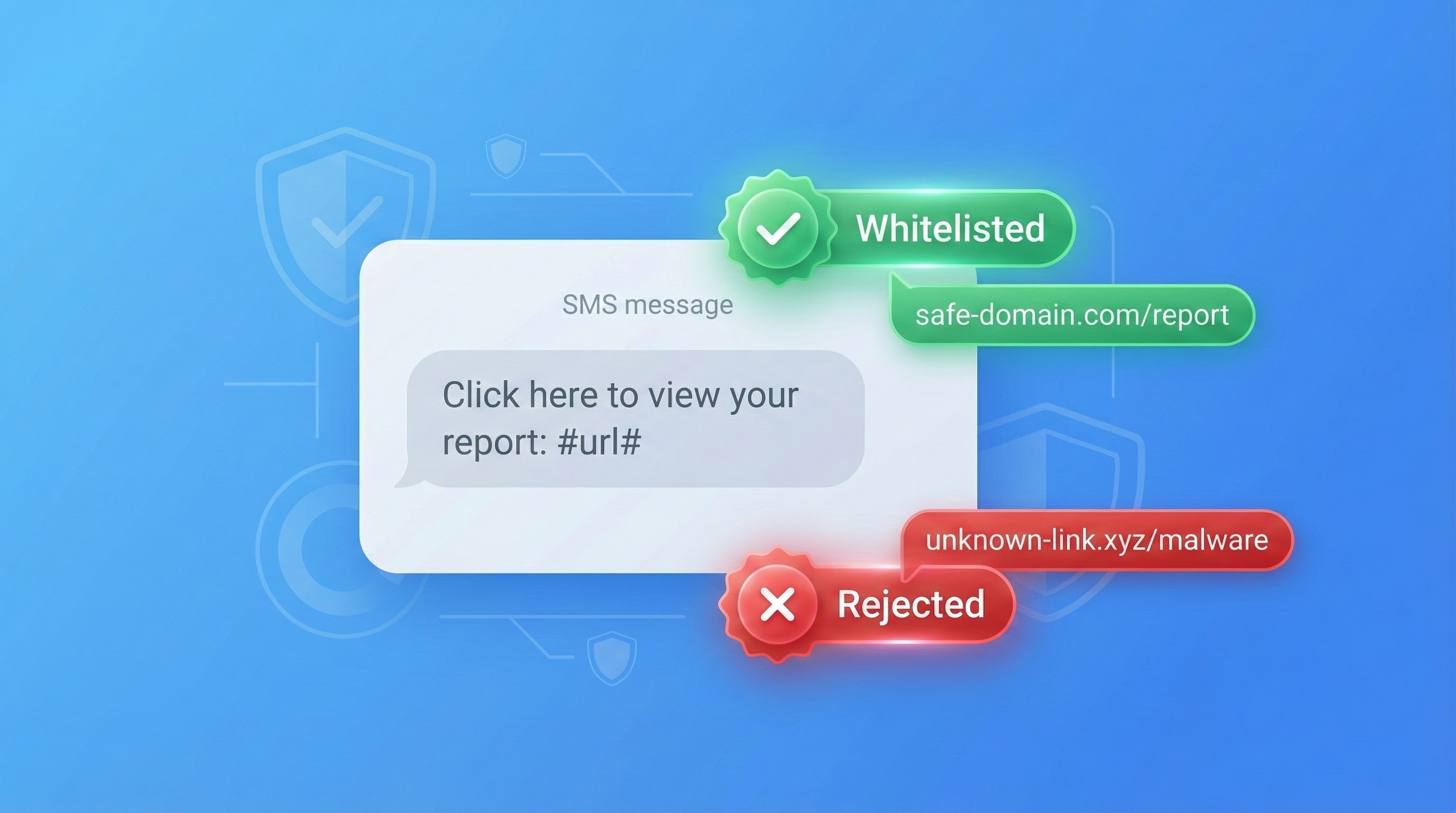
TRAI’s direction (reported via PIB) explains that variable components like URLs/app links/callback numbers were being abused by inserting unregistered or malicious links into otherwise approved templates. To prevent that, variable fields must be pre-tagged at template registration (example: #url# indicates the variable contains a URL).
Big compliance detail: Access Providers and Principal Entities were required to modify existing templates within 60 days, after which messages sent using non-compliant templates will be rejected.
The Fix Checklist (Step-by-step) for DLT Template Mismatch
Step 1 — Confirm your “DLT identity chain”
-
- PE/Entity approved
- Header (Sender ID) approved
- Template approved under the right category and header
- Correct IDs passed through your gateway/API
If any of these are wrong, DLT Template Mismatch becomes inevitable because the platform can’t map your sent SMS to a valid approved template.
Step 2 — Copy the approved template text exactly (stop manual typing)
Create a “single source of truth”:
-
- Store the template body in your system (DB/config)
- Generate messages from that template, only injecting variables
This alone fixes a huge portion of DLT Template Mismatch cases.
Step 3 — Freeze the static text, allow only approved variables
Rule: Static text should not change. Variables must stay in the same locations.
Common mismatch traps (they look small, but break scrubbing)
Tiny edits that cause DLT Template Mismatch
-
- Adding “Hi!” / “Dear” / extra words
- Changing “OTP is” → “Your OTP is”
- Adding new promo terms inside service/transactional templates
Quick test (use this every time)
Take your approved template and your sent SMS, and:
-
- Replace the variable values with
{#var#}placeholders - Compare the remaining static text character-by-character
- Replace the variable values with
If it differs → it’s DLT Template Mismatch.
Step 4 — Fix variable limits (length + formatting)
Using operator guidelines as an example, keep variables within allowed size (e.g., 30 characters per {#var#} in some validation frameworks).
Practical fixes
-
- Use shorter IDs
- Split fields into multiple variables
- Avoid inserting URLs inside a “generic variable” that was registered for something else
Step 5 — Handle URLs & callback numbers like a compliance feature, not copywriting
Because of misuse, TRAI mandated pre-tagging of variable fields and explains why non-tagged variable fields cannot be scrubbed against whitelists.
Fix pattern
-
- If a variable can contain a URL → tag it as
#url#at template registration - Keep URL domains consistent and approved in your ecosystem
- Don’t rotate random shorteners/domains inside SMS templates
- If a variable can contain a URL → tag it as
Step 6 — Use error codes to pinpoint the exact break (don’t guess)
Common DLT errors that map directly to fixes:
-
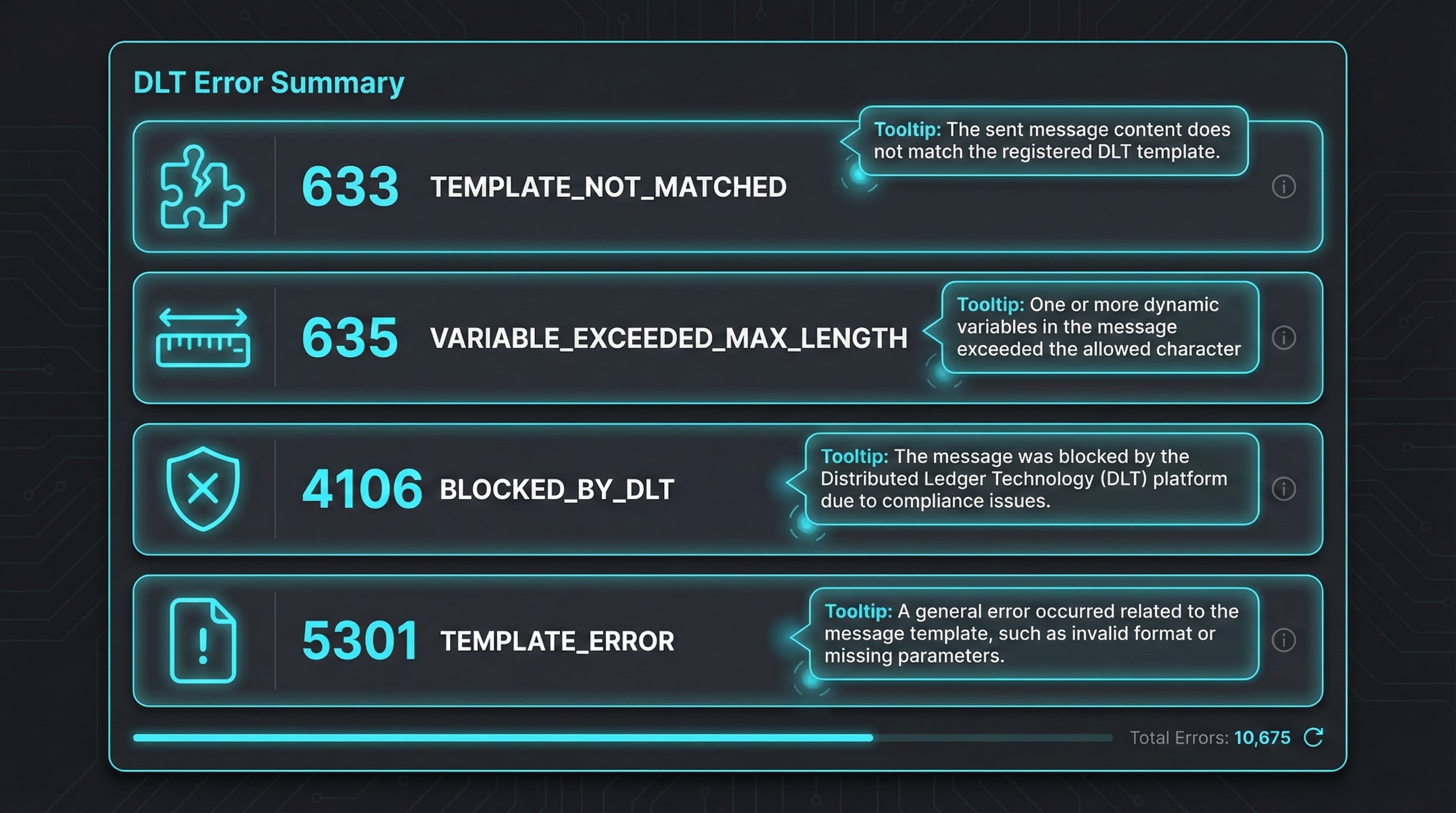
- 633 TEMPLATE_NOT_MATCHED → static text/variable structure mismatch
- 635 VARIABLE_EXCEEDED_MAX_LENGTH → variable too long
- 4106/5101–5108 BLOCKED_BY_DLT → scrubbing blocked message
- 5301–5407 TEMPLATE_ERROR → template mismatch/registration issues
Message category mistakes that quietly kill delivery
Don’t mix promo lines into service/transactional
Operator FAQ guidance shows that if service content is mixed with promotional content, it can be treated as promotional and will be subjected to preference/consent scrubbing.
Rule of thumb:
-
- Transactional: OTP and certain transaction-completion messages (tight definition).
- Service-Implicit: Updates arising from customer action/relationship (delivery status, appointment updates, etc.).
- Promotional: Selling/promoting messages; requires consent/preference compliance.
If you force-fit marketing lines into service templates, you’ll see more rejections and blocks.
Compliant template examples (built to avoid DLT Template Mismatch)
OTP template (authentication)
-
- “{#var#} is your OTP for login. Valid for {#var#} minutes. Do not share this OTP.”
Transactional template (order/payment update)
-
- “Hi {#var#}, your order {#var#} is confirmed. Amount: ₹{#var#}. Support: {#var#}”
Service update template (appointment/delivery)
-
- “Hi {#var#}, your appointment is scheduled on {#var#} at {#var#}. Reply YES to confirm.”
Important: Register separate templates for separate use-cases so marketing doesn’t “edit the static part” and trigger DLT Template Mismatch.
A simple SOP to prevent DLT Template Mismatch permanently
-
- Maintain a Template Library (Template ID, header, category, approved text, variables, version)
- Use “copy-from-library” only (no manual rewriting)
- Add pre-send unit tests: variable length check + template match check
- Keep audit logs per campaign and per template ID
This reduces both DLT Template Mismatch incidents and long-term deliverability instability.
Want a quick audit?
FAQ’s
What is DLT Template Mismatch?
DLT Template Mismatch is when your sent SMS doesn’t match the DLT-approved template (static text/variable structure) or the template ID mapping is incorrect—leading to scrubbing failure and rejection.
What are the top reasons behind DLT Template Mismatch?
TRAI observed the primary scrubbing failure reasons as: template not registered, template ID missing, and mismatch between registered template and message sent.
What does “Blocked by DLT Scrubbing” mean?
It generally indicates the message was blocked during scrubbing due to compliance failures (template mismatch, preference/consent, header/template mapping).
How do I fix DLT Template Mismatch quickly?
Use the approved template text exactly, pass correct IDs, keep variables within limits, and avoid changing static text.
Why are URLs causing more rejections now?
TRAI mandated pre-tagging of variable fields (URLs/app links/callback numbers) so Access Providers can scrub them against whitelists; non-compliant templates can lead to rejection after the compliance window.
What variable length should I follow?
Operator validation guidelines can restrict variable length (example: 30 characters per {#var#} in certain frameworks). Always follow your operator/portal guidelines.
Can promotional lines be added to service templates?
If service content is mixed with promotional content, it can be treated as promotional and will require preference/consent scrubbing—raising rejection risk.
Which error codes should I check first?
Start with: TEMPLATE_NOT_MATCHED (633), VARIABLE_EXCEEDED_MAX_LENGTH (635), BLOCKED_BY_DLT (4106/5101–5108), TEMPLATE_ERROR (5301–5407).
Conclusion
Most SMS failures are not “gateway problems.” They’re compliance mismatches—especially DLT Template Mismatch (content vs approved template) and missing/incorrect template/header IDs. Once you lock static text, enforce variable rules, adopt URL-variable tagging correctly, and troubleshoot using error codes, your deliverability becomes predictable and scalable.
Disclaimer:

This blog is for informational purposes and does not constitute legal/regulatory advice. DLT implementation details can vary by Access Provider, portal workflow, and updates issued by regulators. Always verify current requirements on official TRAI/PIB communications and your operator’s guidelines.