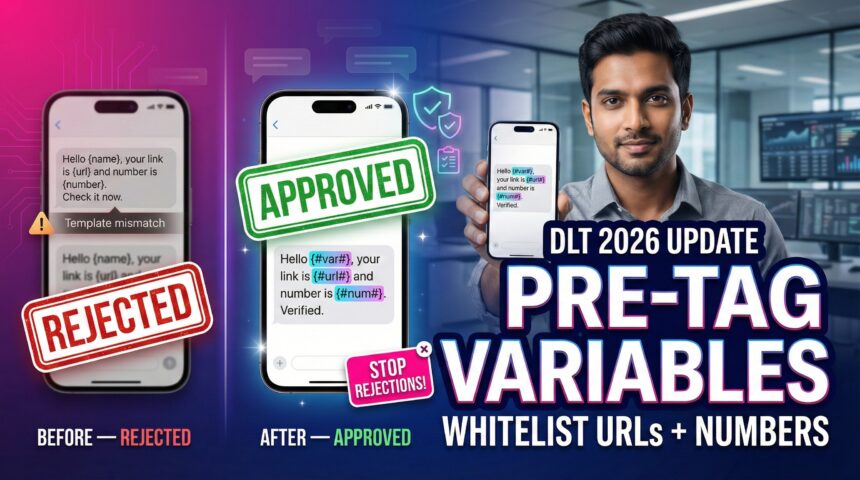
It is already 2026, and the SMS guidelines landscape in India has shifted once again, bringing new challenges for everyone. If you are a business that continuously sends SMS to customers, you might have noticed a sudden, alarming spike in failed deliveries recently. Or perhaps, you are currently staring at your DLT portal in frustration, wondering exactly why your new templates are getting rejected without clear reasons. The reason behind this chaos is the Telecom Regulatory Authority of India (TRAI)’s latest directive, which is the Mandatory Variable Pre‑Tagging regulation—more precisely, what everyone now refers to under the evolving TRAI variable pre‑tagging and DLT SMS template rules 2026 framework, especially around TRAI URL whitelisting SMS for every CTA.
- What Is TRAI Variable Pre-Tagging?
- Why Does Pre-Tagging Matter?
- How Does Pre-Tagging Work?
- Key Features of the 2026 Mandate
- Who Should Use This Guide?
- Practical Use Cases: How to Fix Rejections
- Limitations of Pre-Tagging
- Future Outlook: What’s Next for DLT?
- Conclusion
- FAQ’s
- What is “variable tagging / pre-tagging” in DLT SMS templates?
- Which variable tags are commonly allowed in 2026?
- Do URLs and call-back numbers need to be whitelisted before use?
- Why are my templates/messages getting rejected (“scrubbing failed”, “mismatch”)?
- What’s the difference between {#url#} and {#urlott#}?
- Do we need to update older templates too?
- Can I still use tracking links (UTM, dynamic links, shorteners)?
- Will this impact OTP delivery?
Gone are the days of open‑ended {#var#} placeholders where you could casually insert anything from a name to a phishing link without oversight. To curb spam and massive fraud, TRAI now demands absolute precision in your templates under these updated compliance norms. You must declare exactly what goes into your variables—whether it is an OTP, a specific URL, or a date format—and you must do it in strict alignment with TRAI variable pre‑tagging and DLT SMS template rules 2026 logic, while ensuring your TRAI URL whitelisting SMS lists stay updated.
For businesses, this is not just a simple compliance hurdle to cross; effectively, it is a deliverability crisis waiting to happen. If you do not adapt now, your critical OTPs will fail, your alerts will be blocked, and your customer trust will plummet significantly under the new TRAI variable pre‑tagging–driven scrubs and DLT SMS template rules 2026‑style validations that also depend on correct TRAI URL whitelisting SMS.
In this comprehensive guide, we will decode the new “Pre‑Tagging” rules, explain how to whitelist your URLs and numbers correctly, and give you a checklist to keep your SMS flow uninterrupted in 2026. This comes directly from the evolving DLT SMS template rules 2026 that every business must now respect—even for bulk or transactional campaigns under TRAI variable pre‑tagging and TRAI URL whitelisting SMS regulations.
What Is TRAI Variable Pre-Tagging?
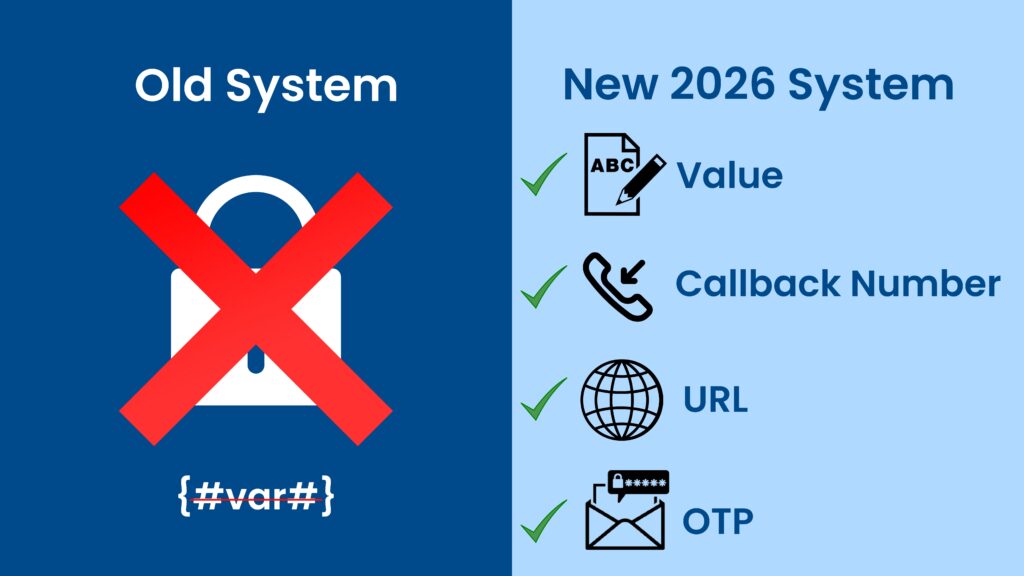
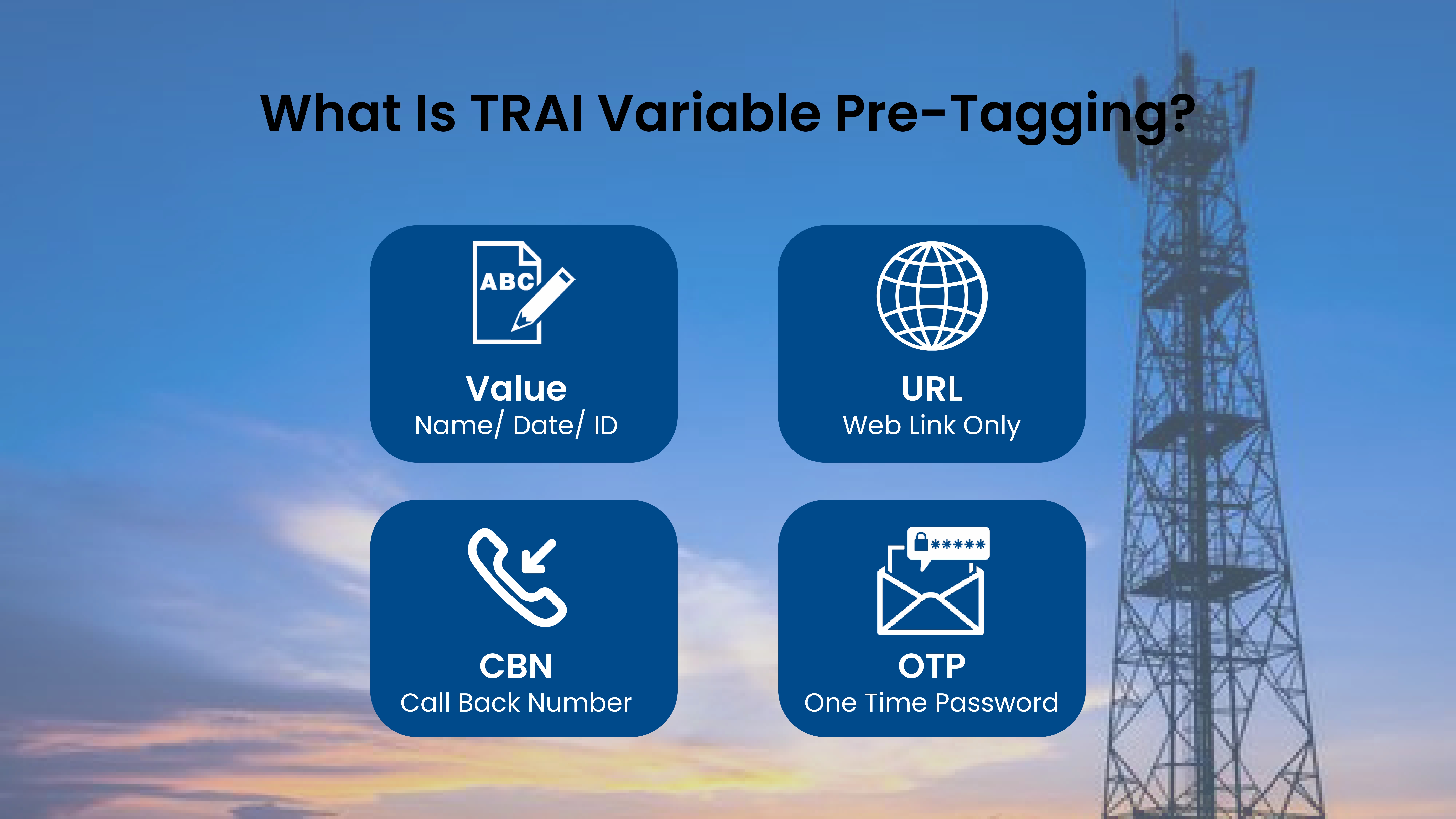
Variable Pre-Tagging is a new compliance layer added to the Distributed Ledger Technology (DLT) framework to enhance security. Previously, you could create a template like “Dear {#var#}, your OTP is {#var#}.” and you could fill the variables with any text you wanted.
Now, TRAI mandates that every variable must be tagged with a specific category at the time of template registration itself. You cannot just use a generic variable anymore; instead, you must specify its purpose clearly. This means TRAI variable pre-tagging is no longer optional—it is mandatory for every SMS use case.
Old Way:
- {#var#} could be “John”, “123456”, or even a suspicious link like “bit.ly/fake”.
New Way (2026):
- {#val#} is strictly for Values (Names, Dates, IDs).
- {#url#} is exclusively for Web Links.
- {#cbn#} is dedicated to Call Back Numbers.
- {#otp#} is specifically for One-Time Passwords.
These changes are now fully embedded into the DLT SMS template rules 2026, so every route—transactional, service, or promotional—must align to them.
Why Does Pre-Tagging Matter?
This update is a direct response to the rising SMS fraud in India, which has become a major concern. Scammers were using approved templates (like bank alerts) and inserting malicious links into the variable fields to dupe users. With TRAI variable pre-tagging, that loophole is being systematically closed.
For Users:
- It protects them effectively from phishing links disguised as genuine alerts.
- Only explicitly tagged URL and number fields can carry sensitive actions.
For Businesses:
- It ensures your brand reputation is safe because no scammer can misuse your headers.
- Your SMS messages are now evaluated under strict DLT SMS template rules 2026
For Deliverability:
- If you don’t tag correctly, telecom operators (specifically the scrubbing centers) will reject your SMS instantly.
Non‑compliant templates often result in TRAI URL whitelisting SMS failures or “scrubbing failed” errors.
How Does Pre-Tagging Work?
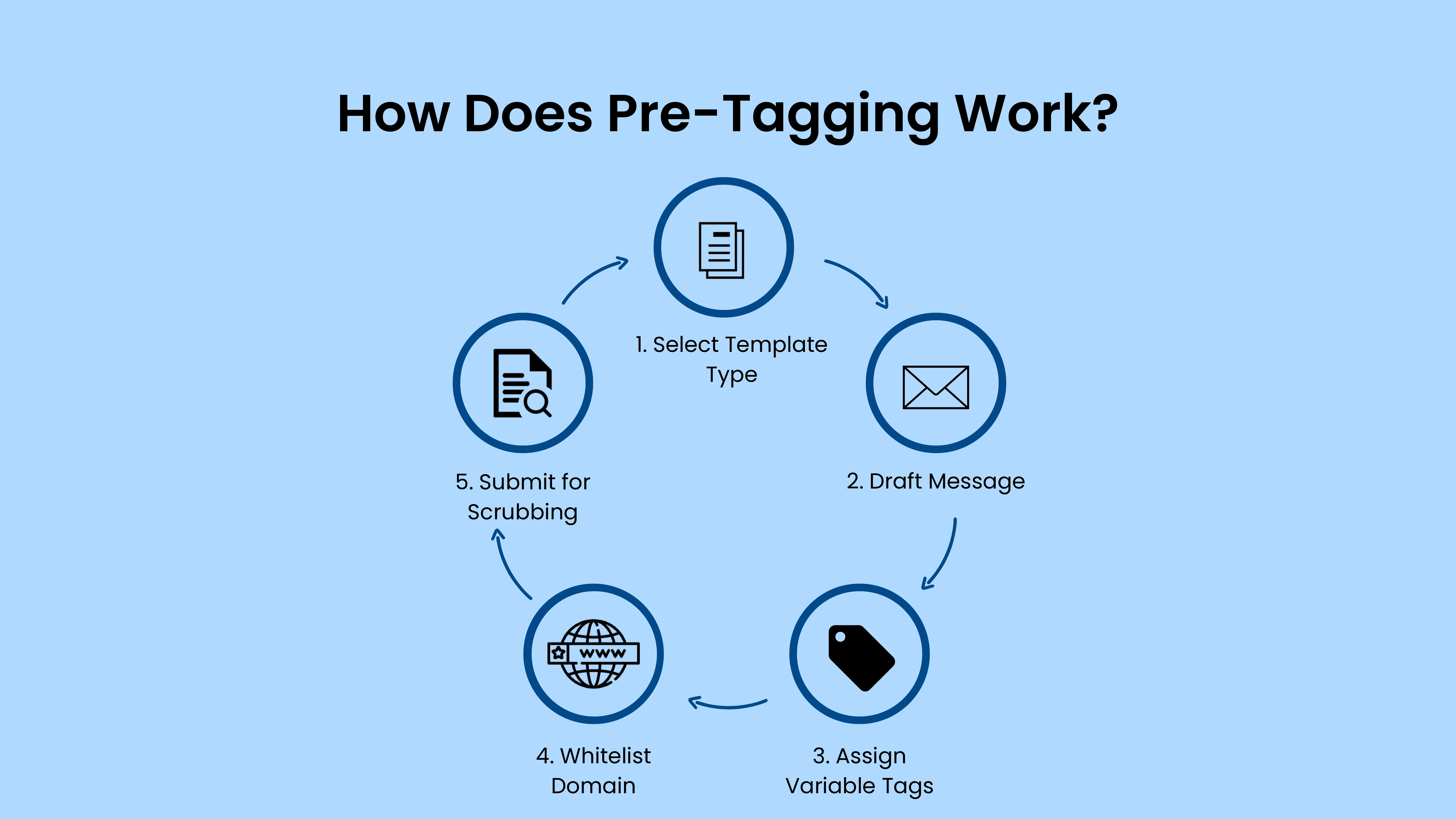
The mechanics are strict but logical once you understand the flow. When you register a template on portals like Jio DLT, SmartPing, or VIL Power, you must select a “Type” for every variable. This workflow runs inside the DLT SMS template rules 2026 regime.
Select Template Type:
- Choose between Transactional, Service, or Promotional categories.
- Assign an appropriate message category that aligns with TRAI signaling types.
Draft Content:
- Create your message, for example:
“Dear Customer, your order {#val#} is out for delivery. Track here: {#url#}.” - This format makes sure you follow TRAI variable pre-tagging rules from the start.
Assign Tags:
- For Variable 1 ({#val#}), you must → Tag as “Text/Alphanumeric”.
- For Variable 2 ({#url#}), you must → Tag as “URL/Link”.
Whitelist Values:
- You must provide the exact URL domain (e.g., com) that will be used in the {#url#} variable.
- Use the TRAI URL whitelisting SMS list so the operator knows which domains are allowed in your CTAs.
If you try to send a link like fake-bank.com in a variable that is tagged for turain.com, the system blocks it immediately due to DLT SMS template rules 2026‑style tag‑and‑domain mismatch checks.
Key Features of the 2026 Mandate
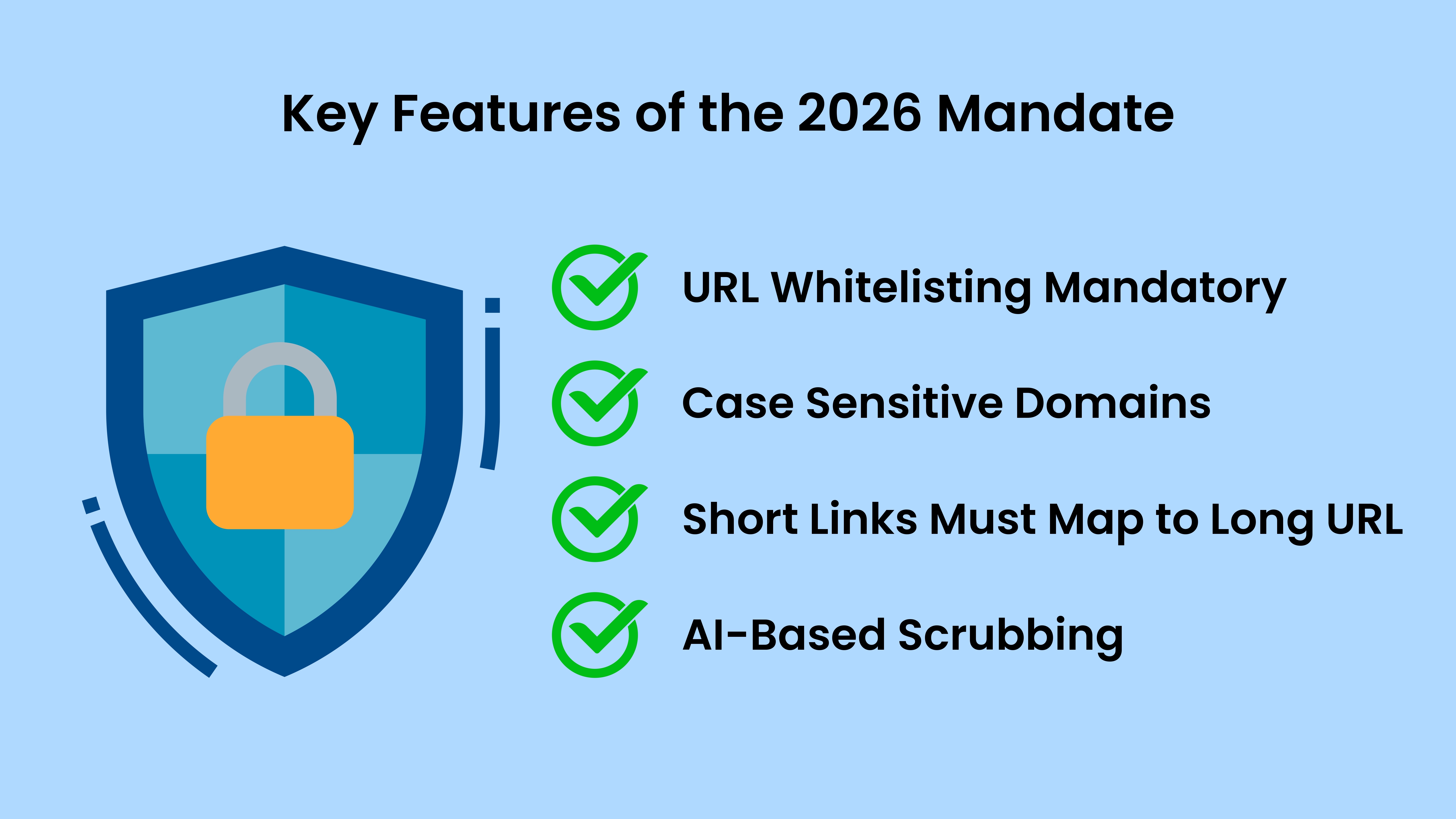
Whitelisting is Mandatory:
- You cannot send any URL or Phone Number that isn’t pre-approved in your DLT account.
- Every CTA must be included in the TRAI URL whitelisting SMS if it appears inside a {#url#} or {#cbn#}
Case Sensitivity:
- Note that https://Turain.com and https://turain.com might be treated differently based on the operator’s logic.
- Ensure your whitelisting entries match the exact domain casing and paths.
Dynamic Links:
- If you use short links (like bit.ly or tinyurl), the full long URL must also be whitelisted explicitly.
- This is enforced under TRAI variable pre-tagging and URL‑whitelisting checks, not just general spam filters.
Scrubbing Logic:
- The operator’s AI checks the variable content against the tag rigorously.
If you put “Call 99999” in a variable tagged as “Date”, it fails instantly under DLT SMS template rules 2026.
Who Should Use This Guide?
SaaS Founders:
- Your OTPs and login links depend on this system working correctly.
- Violating the TRAI variable pre-tagging or missing the TRAI URL whitelisting SMS entries can block critical authentication flows.
E-commerce Managers:
- Your order tracking links need whitelisting to reach customers.
- Understanding DLT SMS template rules 2026 ensures that delivery and shipment alerts land without scrubbing errors.
Bank/Fintech Ops:
- Your transaction alerts are under the highest scrutiny for security.
- These sectors are the first to feel the impact of TRAI variable pre-tagging–driven rejections.
Marketing Teams:
- Your promotional offers will bounce without proper URL tagging protocols.
Proper TRAI URL whitelisting SMS and tag‑compliant templates are now non‑negotiable.
Practical Use Cases: How to Fix Rejections
If your SMS is failing with error codes like “Template Mismatch” or “Scrubbing Failed”, here is exactly how to fix it under the DLT SMS template rules 2026 framework.
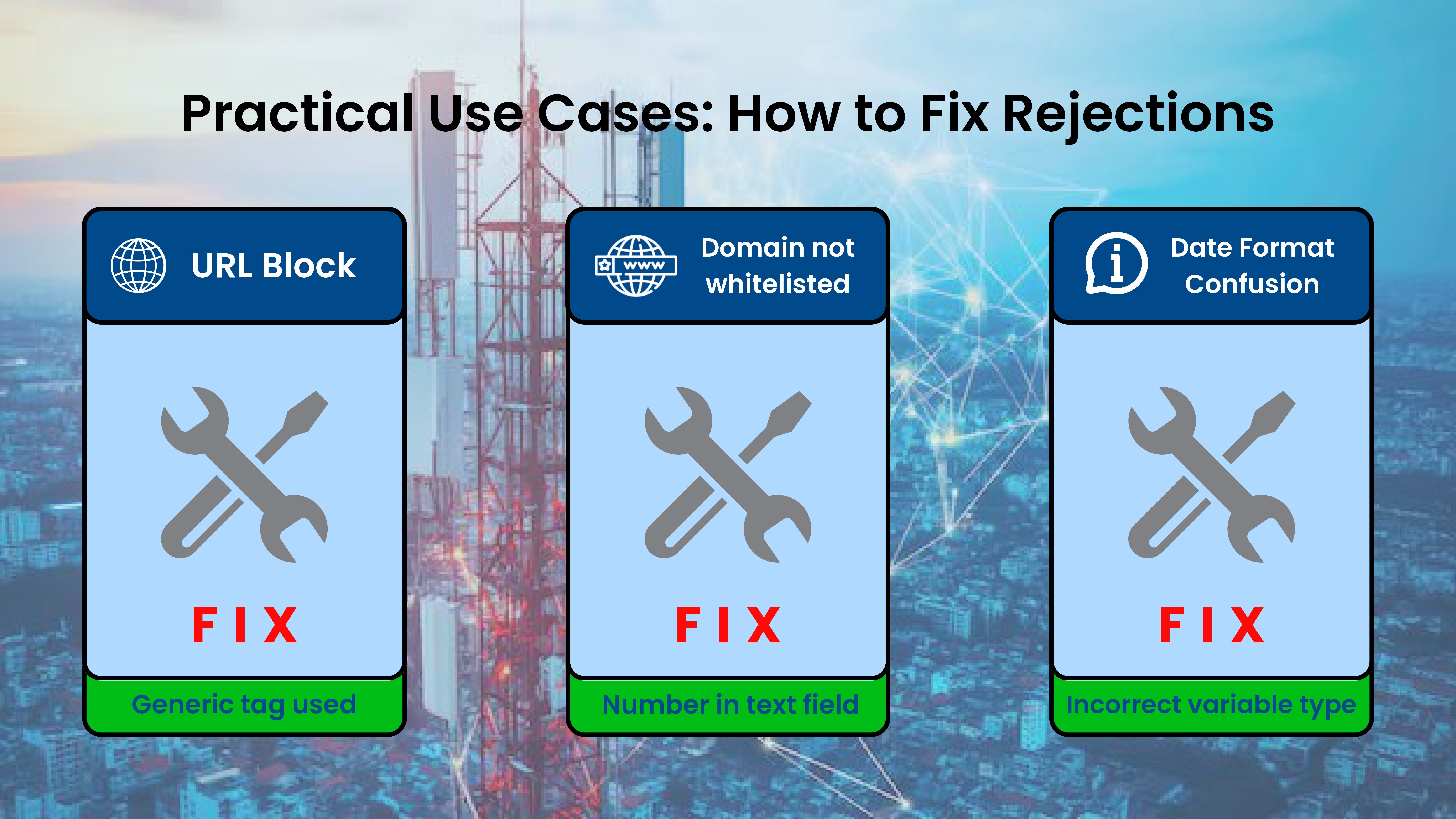
Scenario 1: The “URL” Block
Problem:
- You are sending “Click https://turain.com/offer123” in your message.
- You used a generic {#var#} instead of the specific {#url#} tag, or perhaps you didn’t whitelist com.
Fix:
- Log in to your DLT SMS template rules 2026‑compliant DLT portal.
- Go to the “URL Whitelisting”
- Add https://turain.com to the TRAI URL whitelisting SMS
- Edit template: change {#var#} to {#url#} and ensure the tag type matches the field.
Scenario 2: The “Phone Number” Trap
Problem:
- The template says “Call agent at {#var#}”. You insert “9876543210”.
- The system sees a 10‑digit number in a text field and flags it as potential fraud.
Fix:
- Use the specific {#cbn#} (Call Back Number) tag for phone numbers to avoid this.
- Ensure your DLT gateway also respects TRAI variable pre-tagging by only allowing actual numbers in {#cbn#}
Scenario 3: The “Date” Confusion
Problem:
- The text reads “Appointment on {#var#}”. You sent “12‑Aug”.
- Some operators require specific date formats if tagged strictly.
Fix:
- Use {#val#} (Alphanumeric) for dates to be safe and flexible.
Keep your message compliant with DLT SMS template rules 2026 while allowing natural formats.
Limitations of Pre-Tagging
While the system is secure, it has friction points that affect operations:
- Setup Time:
- Whitelisting every single landing page domain takes time (usually 24–48 hours of approval).
- This affects how fast you can roll out new offers under TRAI URL whitelisting SMS
- Rigidity:
- You cannot change your domain on the fly for A/B testing campaigns.
- Every new path or CTA must be registered under the DLT SMS template rules 2026 regime to avoid blocking.
- Character Limit:
- Longer URLs inside variables can break the 160‑character SMS limit, increasing costs significantly.
Even with short links, your TRAI URL whitelisting SMS policy must cover the full destination patterns, which complicates campaign design.
Future Outlook: What’s Next for DLT?
TRAI is not stopping here with just pre‑tagging. Expect stricter AI‑based filtering in late 2026.
- Content Intelligence:
- AI will read the context of the message, not just the tags.
- Your TRAI variable pre-tagging approach will be evaluated not only at the field level but also at the message‑level sentiment and intent.
- Consent Scrubbing:
- There will be stricter checks on whether the user actually opted in for that specific type of URL.
- This will directly interact with the TRAI URL whitelisting SMS logic to further reduce spam.
- Rich Communication Services (RCS):
- As SMS gets stricter, many brands will move to RCS (verified messaging) where trust is built in natively.
However, even on SMS, maintaining strong alignment with DLT SMS template rules 2026 will remain essential.
Conclusion
The era of “wild west” SMS marketing is officially over. TRAI’s Variable Pre‑Tagging is the new sheriff in town, enforcing order. It might feel like a headache today, but it ensures your message actually reaches the inbox tomorrow.
Don’t fight the compliance; instead, embrace it fully.
-
- Audit your DLT account today to stay ahead.
- Tag your variables correctly under TRAI variable pre-tagging.
- Whitelist your domains immediately via the TRAI URL whitelisting SMS.
- Build your strategies within the bounds of DLT SMS template rules 2026.
If you do this, while your competitors struggle with rejections, your messages will land safely in your customers’ hands.
Disclaimer:

All numbers in this content are approximations.
They may include dates, counts, prices, percentages, or any other figures.
Do not treat any number here as precise, complete, or up to date.
Always verify critical details from official or authoritative websites.
No guarantee, warranty, or representation is made about accuracy or completeness.
No legal, financial, or technical claim is being made in this content.
FAQ’s
What is “variable tagging / pre-tagging” in DLT SMS templates?
It’s the process of assigning an approved data-type tag to every dynamic placeholder in your SMS template so operators can validate what you’re inserting (OTP, URL, callback number, etc.) and block misuse.
Which variable tags are commonly allowed in 2026?
Most DLT ecosystems support tags like {#numeric#}, {#alphanumeric#}, {#url#}, {#urlott#}, {#cbn#}, {#email#} (exact options can vary by DLT portal/operator).
Do URLs and call-back numbers need to be whitelisted before use?
Yes. Platforms may require the URL / OTT URL / CBN value to be registered and whitelisted with the entity before it can pass validation and deliver reliably.
Why are my templates/messages getting rejected (“scrubbing failed”, “mismatch”)?
Common reasons:
– Wrong tag type (e.g., sending text in a {#numeric#} field)
– Using a URL/CBN that is not whitelisted
– Using redirects/short links that don’t match what’s registered
– These checks are explicitly part of tag validation on operator portals.
What’s the difference between {#url#} and {#urlott#}?
Typically {#url#} is for standard website links, while {#urlott#} is used for app/OTT store links (some portals treat them differently).
Do we need to update older templates too?
Updates may be required within a migration window / deadline mentioned in industry reporting and operator guidance—non-compliant traffic can be rejected after enforcement.
Can I still use tracking links (UTM, dynamic links, shorteners)?
Prefer first-party domains and only use links that align with what your portal allows as “registered static/dynamic/short URL.” If your runtime link doesn’t match the registered pattern, it can fail validation.
Will this impact OTP delivery?
Yes—OTP flows are often the first to break if tagging/validation is wrong. Using the correct tag (commonly {#numeric#}) and keeping templates aligned helps protect OTP deliverability.