

Introduction
Advertising has changed, and it now demands a careful connection between web and app activity. Users move from one device to another, and they expect smooth experiences that carry meaning across each step. Google understands this shift, and the Google Ads new update makes it possible to unify data and create campaigns that adapt quickly. When we link both spaces and when we measure actions with precision, we unlock a deeper view of user behavior and business growth.
- Introduction
- Why does Google Ads integration matter?
- Who should use this guide?
- What is Google Ads integration?
- What’s the difference between web and app integration?
- How do you link Google Ads with GA4?
- How do you link Google Ads with Firebase?
- Benefits of Web & App Integration
- How does integration improve user tracking?
- How does it boost targeting and personalization?
- How does it impact lifetime value measurement?
- How does it support cross-platform remarketing?
- Advanced Strategies
- How can you use dynamic remarketing?
- How can predictive audiences improve campaigns?
- How do you test campaigns across web and app?
- How does Smart Bidding leverage integration?
- Troubleshooting & Best Practices
- What are the most common integration issues?
- How do you ensure accurate data tracking?
- How often should you audit your setup?
- The Future of Google Ads Integration
- What does a cookie less future mean for tracking?
- How is GA4 shaping advertising?
- What trends will shape cross-platform ads?
- Conclusion
If you run a digital marketing or PPC agency in Kolkata, this update allows you to create more efficient campaigns that target users across multiple devices.
Why does Google Ads integration matter?
Digital ads have become fluid, and they now travel across screens while they guide attention with intent and measure actions across platforms. People start on a website, and they later continue on an app where they explore further and then decide with conviction. The journey flows with no pause, and advertisers must track both to ensure accuracy and to measure real progress across devices. The Google Ads new update gives us the chance to link these paths, and it brings together scattered signals into one unified and complete system. It creates one single frame, and it helps us see the truth behind every step of engagement and every meaningful customer decision.
Who should use this guide?
You may run an online shop, and you may want more steady orders that come in naturally with a reliable frequency and growth. You may run a mobile app, and you may need users to install and engage often while they contribute steady value through actions. You may manage a Google Ads campaign, and you may want more efficient returns that improve steadily with each click and optimize budget allocation effectively. You may build a Google Ads app, and you may seek better visibility in crowded stores where competition rises and attention quickly shifts. This guide can serve you with clear direction, and it can give you practical methods to implement immediately with confidence.
Here, strategies like Google AI Max Search Campaign or demand gen campaign strategy can be implemented to maximize ad performance and reach.
Understanding the Basics
Before we move into setup, we must understand the foundation of Google Ads integration. The Google Ads new update builds on simple principles, and it connects data from websites and apps into one shared system. By knowing how web tracking differs from app tracking, and by seeing why both matter together, we can make smarter choices and run a stronger Google Ads campaign.
What is Google Ads integration?
Integration means we take web data and send it to Google Ads, where it can be tracked and used for optimization. We take app data, and we link it with campaigns so that insights flow and conversions can be measured accurately. We combine events, and we measure outcomes that provide deeper clarity and reveal actual business performance across channels. It allows us to track actions across two spaces, and it ensures nothing slips unseen between web and app.
Why is it important for marketing?
Integration matters because people do not stay still, and they move across devices while they explore and interact in different ways. They explore on a laptop, and they complete actions on a phone while switching context without hesitation or delay. When we measure app conversions, we see what drives installs, and we identify what patterns push consistent long-term engagement. When we track site actions, we understand what drives sales, and we uncover insights into purchasing cycles and customer intent. Both give depth, and both allow stronger audience targeting in Google Ads options that refine campaigns with a sharper focus.
What’s the difference between web and app integration?
Web integration works with GA4, and it tracks purchases and leads that come from online pages and digital forms. App integration works with Firebase, and it tracks installs and user steps that happen directly inside the mobile experience. Both connect to the same Google Ads campaign, and both push insights into reports that guide decisions and influence strategy. The difference is in the source, and the power is in the blend when they come together for clarity.
Google Ads Web Integration
Setting up web integration is the first step toward precise tracking. The Google Ads new update allows us to link GA4 with campaigns, and it helps us follow actions that begin on websites. When we connect the right tools and track the right events, a Google Ads campaign gains sharper insight and clearer direction.
What do you need before setting up?
You need a Google Ads account, and you need GA4 linked to your site with correct permissions and verified access. You need Google Tag Manager, and you need events defined properly so you can track key customer actions without gaps. Without these, the setup remains incomplete, and campaigns cannot optimize with accurate and useful data.
How do you link Google Ads with GA4?
You open GA4 settings, and you choose product links where options for Ads appear with clear instructions. You pick Google Ads, and you connect accounts while confirming permissions to ensure smooth, continuous data flow. The moment you link, the flow begins, and GA4 shares data instantly with your Google Ads campaign.
How do you set up web conversion tracking?
You define conversions in Google Ads, and you mirror them in GA4 so events align perfectly with reporting needs. You place event tags in Tag Manager, and you test every tag carefully with preview modes to confirm accuracy. When tests succeed, data flows into your Google Ads new update panel, and you gain visibility into exact performance. You now see purchases, and you now see forms that measure actual customer actions and track them consistently.
How can Google Tag Manager help?
It lets you install tags, and it lets you adjust with ease while reducing manual coding tasks significantly. You do not touch code, and you keep setups clean with a central container that holds events. Every Google Ads campaign can stay aligned with site changes, and adjustments remain simple when you use Tag Manager.
What are the common mistakes to avoid?
Many forget to test tags, and many fail to import goals, which breaks the feedback loop in reporting. Some track too many steps, and some dilute the reports with noise that reduces focus and clarity. Each error clouds data, and each hurts results by hiding the signals that matter most.
Google Ads App Integration
Mobile apps now sit at the center of user activity. The Google Ads new update makes it easier to connect apps with campaigns, and it brings clarity to installs and in-app events. When we link Firebase correctly, and when we import app conversions with care, a Google Ads app campaign becomes more accurate and more effective.
What do you need before setting up?
You need a Firebase project, and you need to link with Ads while verifying both accounts under one owner. You need your app prepared, and you need the SDK placed with proper event coding to capture activity.
How do you link Google Ads with Firebase?
You open the Ads account settings, and you visit the linked accounts where Firebase appears as an option. You pick Firebase, and you confirm the link while checking permissions for both apps and projects. The Google Ads app now communicates with Firebase, and conversions flow directly for campaign use.
How do you import Firebase conversions?
You go into Ads, and you import conversions from Firebase using the menu that lists event options. You bring in purchases, and you bring in subscriptions that users complete within the app journey. These app conversions now show up inside your Google Ads campaign, and they support smart optimization and bidding.
How do you track in-app events?
You define Firebase events, and you assign them to Ads for consistent and accurate tracking. You may track add_to_cart, and you may track checkout to measure customer intent. Each event informs your Google Ads new update setup, and each helps optimize performance in real time.
How do you handle iOS 14+ and SKAdNetwork?
Privacy changes restrict signals, and they limit tracking scope when users deny permissions. Google Ads uses SKAdNetwork, and it captures app installs with limits defined by Apple. You link this with your Google Ads app, and you still measure installs despite new rules.
Benefits of Web & App Integration
When we connect web and app data, we see a clearer picture of the customer journey. The Google Ads new update brings both sides into one place, and it helps us measure actions without gaps. By linking conversions and refining audience targeting in Google Ads, every Google Ads campaign gains depth and delivers stronger long-term results.
How does integration improve user tracking?
When you integrate both, you see journeys unfold clearly with fewer blind spots across devices. Someone clicks on a site, and later installs the app with intent after exploring features. That flow shows complete paths, and it refines audience targeting. Google Ads work with precision.
How does it boost targeting and personalization?
With more data in one space, you reach people better, and you serve ads with relevance. The Google Ads new update allows smart targeting, and it serves tailored ads that resonate with intent. Campaigns now shape around actual behavior, and they improve engagement across devices.
How does it impact lifetime value measurement?
By tracking app conversions, you see revenue from long-term users and repeat customers. You measure repeat buyers, and you measure subscribers who stay active. The Google Ads campaign now reflects lifetime gains, and it helps you plan with clarity.
How does it support cross-platform remarketing?
Integration unifies segments, and it supports remarketing flows across devices. You can target site visitors, and you can reach Google Ads app users who engage often. Both fall under one Google Ads campaign, and both increase returns consistently.
Advanced Strategies
Once the basics are in place, we can move toward strategies that create real growth. The Google Ads new update allows campaigns to use predictive signals, and it brings more strength to remarketing. When we test carefully and when we connect both web and Google Ads app data, every Google Ads campaign becomes sharper and more efficient.
How can you use dynamic remarketing?
You set remarketing lists, and you feed them with product data that remains updated. Someone leaves a cart, and they later see an ad that is relevant to them with relevance. Dynamic remarketing links both web and app spaces, and it improves conversions.
How can predictive audiences improve campaigns?
GA4 creates predictive models, and Ads imports them directly for use in campaigns. You target likely buyers, and you reduce waste with refined targeting. The Google Ads campaign benefits from better precision, and it responds with stronger returns.
How do you test campaigns across web and app?
You run A/B tests, and you compare outcomes in a structured way. You test site audiences, and you test Google Ads app users carefully. Each test guides the next Google Ads campaign, and it helps refine strategies.
How does Smart Bidding leverage integration?
Smart Bidding reads data, and it adjusts bids with signals from the web and app. It uses app conversions, and it uses site sales with balance. The Google Ads new update pushes real-time optimization, and it
Using Search Max OCE for campaign optimization ensures maximum coverage and better ad placements across devices.improves efficiency.
Troubleshooting & Best Practices
Even with careful setup, issues can appear and create confusion in reporting. The Google Ads new update highlights the need to test often, and it reminds us to verify data at every stage. When we follow best practices and when we audit both web and Google Ads app connections, every Google Ads campaign stays reliable and effective.
What are the most common integration issues?
Some see data gaps, and they worry about accuracy in reporting. Some see duplicate events, and they misjudge conversions when signals overlap. Others see delays, and they miss patterns hidden by timing.
How do you ensure accurate data tracking?
You test conversions often, and you confirm imports with diligence. You align attribution windows, and you check tag firing to ensure precision. Clean tracking keeps your Google Ads campaign steady, and it provides reliable insights.
How often should you audit your setup?
You audit every quarter, and you review after updates with care. The Google Ads new update can change flows, and you must adapt by reviewing the setup.
The Future of Google Ads Integration
Digital advertising keeps changing, and new rules shape how data can be used. The Google Ads new update points toward a future built on privacy, and it shows us how web and apps will stay connected. When we prepare early and when we align both GA4 and Google Ads app tracking, every Google Ads campaign will remain strong in a cookieless world.
What does a cookie less future mean for tracking?
Cookies fade away, and first-party data rises in importance. You must capture consent, and you must store events with compliance. Your Google Ads app and site must align with privacy, and they must respect new rules.
How is GA4 shaping advertising?
GA4 changes analytics, and it pushes deeper insight into behaviors. It enhances app conversions, and it builds predictive audiences for campaigns. GA4 strengthens every Google Ads campaign, and it reshapes how data drives results.
What trends will shape cross-platform ads?
Automation will grow, and privacy will lead innovation. The Google Ads new update will refine machine learning, and it will guide cross-platform growth toward efficiency.
Conclusion
Every journey must return to its starting point, and integration brings us back to the core of digital marketing. The Google Ads new update proves that when we connect web and app data, we unlock clarity and direction. When we measure conversions with care and when we refine every Google Ads campaign, results grow with consistency and long-term value.
Why should you integrate web and app data now?
The Google Ads new update brings clarity, and it improves campaign flows across platforms. Linking both sides gives depth, and it brings strength with unified tracking.
What steps should you take today?
Link your web setup, and link your Google Ads app for complete tracking. Import app conversions and test tracking flows with care. Optimize your Google Ads campaign, and use audience targeting in Google Ads wisely. Write and share insights on your website blog, and keep refining setups over time.
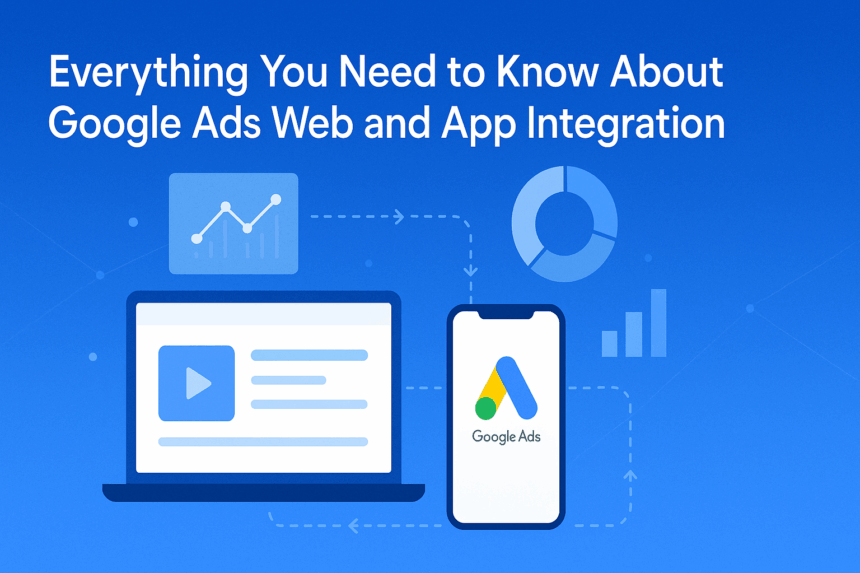
Based on this blog want to generate a feature image of the blog should be professional and use this title in image with proper front I will generate through sora and Gemini give prompt accordingly website image feature image size










It’s exciting to see how Google Ads is evolving to bring web and app advertising together. As consumer behaviors change, integrating these platforms will be key for maximizing reach and campaign performance.
It’s exciting to see Google Ads bring web and app data together like this. As advertisers, we often struggle to track cross-platform performance effectively. This update should really help streamline the process, especially for mobile-first campaigns.
With the increasing reliance on apps for business and consumer interaction, it’s crucial that digital marketers adapt to these changes in Google Ads. This integration seems like a great way to track and optimize cross-channel user journeys.
With app and web data being more connected, tracking ROI will hopefully become much more accurate. It will be interesting to see how this update impacts cross-platform performance and attribution in the long run.