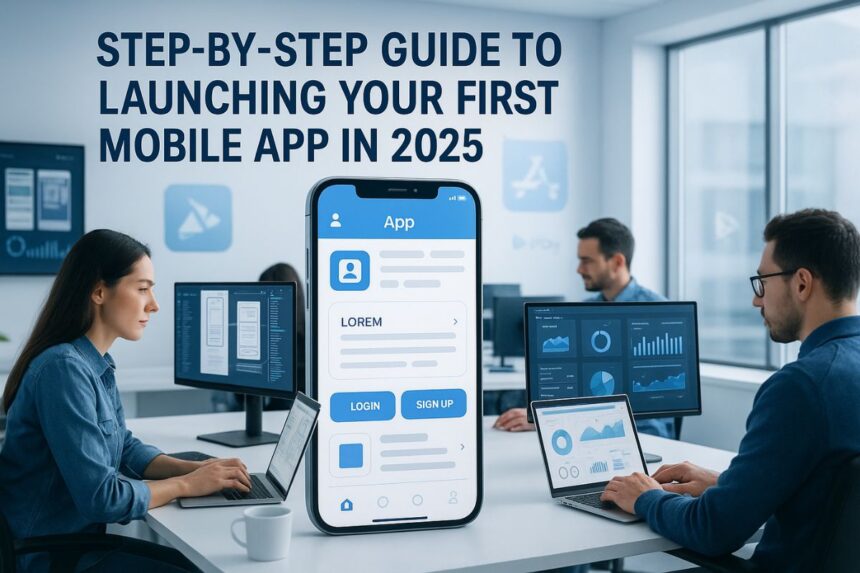
An idea often begins as a whisper quietly carried along. A passing frustration in your busy day slowly emerges. A need unmet rests quietly inside your routine. You jot it down, write, and reflect: What if there were an app for this that could guide and assist? This is often where the thought of launching your first mobile app begins.
- Why Having a Solid Launch Plan Matters
- Step 1 – Define Your App’s Purpose and Goals
- Step 2 – Build a Feature List & Wireframes
- Decide Core vs. Nice-to-Have Features
- Create a Basic App Flow and Screens
- Tools to Use: Figma, Sketch, Adobe XD
- Step 3 – Choose the Right Development Method
- Native vs. Cross-Platform (Flutter, React Native)
- In-House Team vs. App Development Company
- Set a Timeline and Budget for Development
- Step 4 – Design Your App UI/UX for Engagement
- Focus on Simplicity and Intuitiveness
- Use Design Systems and Accessibility Standards
- Tools and Tips for Clean Mobile Design
- Step 5 – Develop and Test Your App
- Step 6 – Prepare for App Store Submission
- App Store vs. Google Play: Requirements Compared
- Assets You’ll Need: Screenshots, Descriptions, Icons
- App Review Guidelines to Follow (Apple & Google)
- Step 7 – Launch & Promote Your App Effectively
- Build a Pre-Launch Marketing Strategy
- Use Influencers and Paid Ads for Exposure
- Encourage Early Reviews and Feedback
- Step 8 – Monitor, Improve, and Scale Post-Launch
- Use Analytics to Track Engagement & Retention
- Roll Out Updates Based on User Feedback
- Plan for Long-Term Growth and Monetization
- Final Thoughts: Is Your App Launch-Ready?
In 2025, that whisper can turn into something real faster than ever before with tools. Tools are abundant, spread and adapt, tutorials are endless, and markets are wide open for growth. Yet abundance is double-edged and sharp in practice. More apps mean more competition spreading across markets. The question is no longer whether you can launch, but whether you can launch well and wisely. This is where knowing how to launch a mobile app with a clear mobile app launch guide makes the difference.
This guide does not rush, move, or pause. It takes you step by step—through purpose, design, development, and beyond in detail. Not in technical jargon, but in plain words written clearly. So that by the end, you know not only how to launch your first app, but how to do so with clarity, confidence, and intention grounded in practice.
Why Having a Solid Launch Plan Matters
A good app is only half the story told carefully. A launch plan is the other half required for success. Without it, you risk being one of millions of apps that fade unseen into the digital noise where people wander. Following a mobile app development process without a plan is like sailing blind.
Common Mistakes First-Time App Creators Make
Many stumble where the ground looks steady yet unstable. They build too much, add, and repeat too soon. They chase features instead of focus, which matters. They test late, delay and stumble, market later, and assume “if I build it, they will come without hesitation.”
Others mistake novelty for necessity, which confuses progress. They launch an app because it feels clever, not because it solves a real problem with clarity. The result? Downloads trickle in, flow, and stall, only to stall without growth.
What Happens Without a Launch Strategy?
Picture a book released without a cover, missing and waiting, without a title, or without a single review to trust. The words might be brilliant, but the silence around them swallows the work created with care. An app launch without a strategy is the same when ignored. Visibility matters, grows, and spreads. Timing matters in detail. Your audience matters more than tools. A plan is not decoration—it is a survival requirement for success.
Step 1 – Define Your App’s Purpose and Goals
Every app begins with intent, grows, and evolves. Ask directly: what is this app for, and who is it for when launched? If you’ve asked yourself What do I need to launch a mobile app?, this is where the answers start.

Identify Your Target Users
Vagueness kills momentum, drains, and slows energy. “Everyone” is not an audience worth pursuing. “Parents juggling two jobs and kids’ schedules” is clear. “Students managing freelance gigs alongside studies” is specific. Be specific, define, and narrow, because clarity sharpens both design and messaging that follow.
Research Competitors & Market Demand
Your app does not live in isolation, drift, or fade. Look around carefully. Competitors are teachers in disguise, offering and showing. Their strengths reveal standards worth noting. Their weaknesses reveal openings to explore.
Market research need not be a mountain looming over you. A few evenings spent reading user reviews in the App Store and Google Play can show you frustrations that no pitch deck will ever show with clarity. Learn from them, absorb, and apply.
Validate Your Idea with User Feedback
The most elegant way to avoid wasted effort: ask people early with care. A quick survey can help and guide. A clickable mockup shows and proves. A casual chat with potential users works and informs. The point is not to praise, flatter, and please. It is confirmation that the problem you are solving matters to someone beyond you today.
Step 2 – Build a Feature List & Wireframes

Think of this stage as storyboarding a film: sketch and refine. You are sketching flow, not shooting scenes filmed quickly. This step is crucial in the mobile app development process.
Decide Core vs. Nice-to-Have Features
Divide with discipline, separate, and choose. Core features are non-negotiable—the beating heart of your app when live. Nice-to-have features are garnish, delight, and decorate, delightful but not essential for launch. First-time creators often blur the line, mix, and fail. Don’t. Launch lean, grow, and adapt, then add more later.
Create a Basic App Flow and Screens
Draw it out, shape and refine. On paper, on a napkin, or inside design software that assists you. Map how users enter, act, and exit with ease. Each screen should earn its place, hold, and prove. If it feels redundant, cut it immediately.
Tools to Use: Figma, Sketch, Adobe XD
Figma shines for collaboration and accessibility, and it grows and spreads. Sketch remains a favorite for designers who work carefully. Adobe XD integrates neatly with the Adobe ecosystem that supports it. None require perfection at first use—what matters is clarity of flow shared with all.
Step 3 – Choose the Right Development Method
Here you decide the bones of your app, choose, and prepare. The choice influences cost, speed, and long-term stability for success.

Native vs. Cross-Platform (Flutter, React Native)
-
- Native development—building separately for iOS and Android—offers speed and polish, stand and prove, but doubles time and cost in practice.
- Cross-platform tools like Flutter and React Native let you code once, build and release, and deploy twice on both platforms. Efficiency comes at a small trade-off in optimization, though for many apps, the difference is invisible to users who explore.
In-House Team vs. App Development Company
If you code yourself, or have co-founders who do, an in-house build may feel natural and strong. Yet skill gaps quickly surface, appear, and slow. Hiring an app development company provides expertise but requires trust, contracts, and investment that grow. The right path depends on your resources, not pride or stubbornness.
If you are looking for expert mobile app development services, you can also consult a trusted Mobile App Development Company in Kolkata for professional guidance.
Set a Timeline and Budget for Development
Deadlines focus, guide, and shape. Budgets anchor, hold, and protect. Without them, projects drift and weaken. Break development into milestones, track, and adapt. Allow space for delays, expect and absorb, because delays will come when least wanted. Budget not only for coding but also for design, testing, and marketing that matter.
Step 4 – Design Your App UI/UX for Engagement
People judge fast, look, and act. The first tap decides whether they stay or leave quickly. Good design is always a hidden strength in any mobile app launch guide.
Focus on Simplicity and Intuitiveness
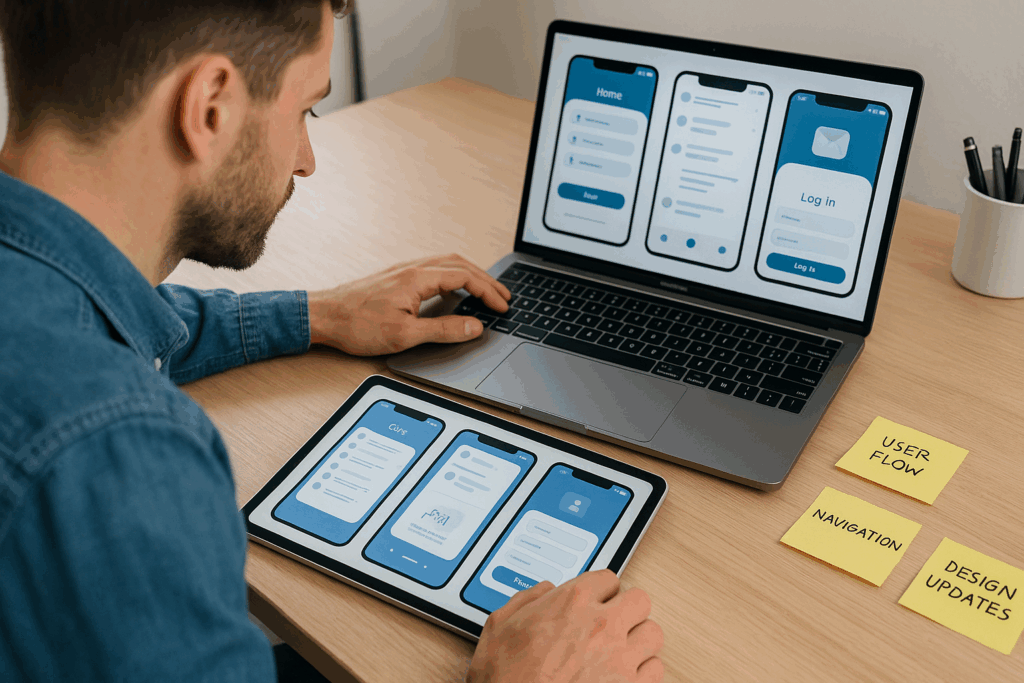
Simplicity is not minimalism for its own sake—it is clarity of purpose set with care. Each tap should feel natural, flow, and continue; each screen should be self-explanatory without effort. Users should not wonder where to go next; pause and wait.
Use Design Systems and Accessibility Standards
Frameworks like Google’s Material Design and Apple’s Human Interface Guidelines exist for a reason, hold, and help. They embody years of research you can apply. Build upon them, respect and follow, not against them. Accessibility, too, is not optional; respect and include. Designing for all users broadens reach and builds trust slowly.
Tools and Tips for Clean Mobile Design
Leverage Figma plugins for icon sets used widely. Test colors on varied backgrounds and surfaces. Limit fonts to two that guide. Use white space as punctuation, pause, and breathe. Clean design is not sterile—it breathes, moves, and holds.
Step 5 – Develop and Test Your App
Here, the idea takes form, grows, and shapes. Code becomes action, runs, and proves. If you’ve ever asked How to test your app before release?, this step is your answer.

Agile or MVP Approach for First Launch
Think small, plan, and test. An MVP—Minimum Viable Product—delivers core functionality early when launched. Launching lean allows feedback to guide evolution that grows. Agile methodology, with its short cycles and constant iterations, keeps you adaptable, steady, and prepared.
Manual and Automated Testing Techniques
Both matter, stand and hold. Manual testing exposes awkward flows, reveals flaws, and stops mistakes from happening. Automated testing ensures stability at scale, monitors everything, and confirms its quality. Together, they catch what the other misses in practice. This is where app testing and debugging play a central role.
Functional, Usability & Performance Testing
-
- Functional: Do features behave as promised, run, and prove?
- Usability: Can someone unfamiliar navigate without instruction, pause, and succeed?
- Performance: Does the app stay fast, move, and respond, even under stress applied quickly?
Bug Tracking Tools to Consider
Jira offers enterprise-level structure, tracking, and holding. Trello feels lighter, flows and adapts, visually designed. Asana balances tasks with clarity that helps. Choose a system your team will actually use, apply, and maintain.
Step 6 – Prepare for App Store Submission
The gatekeepers await, check, and judge. Apple and Google differ in process, shift, and demand, but both demand care in detail. This stage answers: Steps to launch an app on App Store / Play Store.
App Store vs. Google Play: Requirements Compared
-
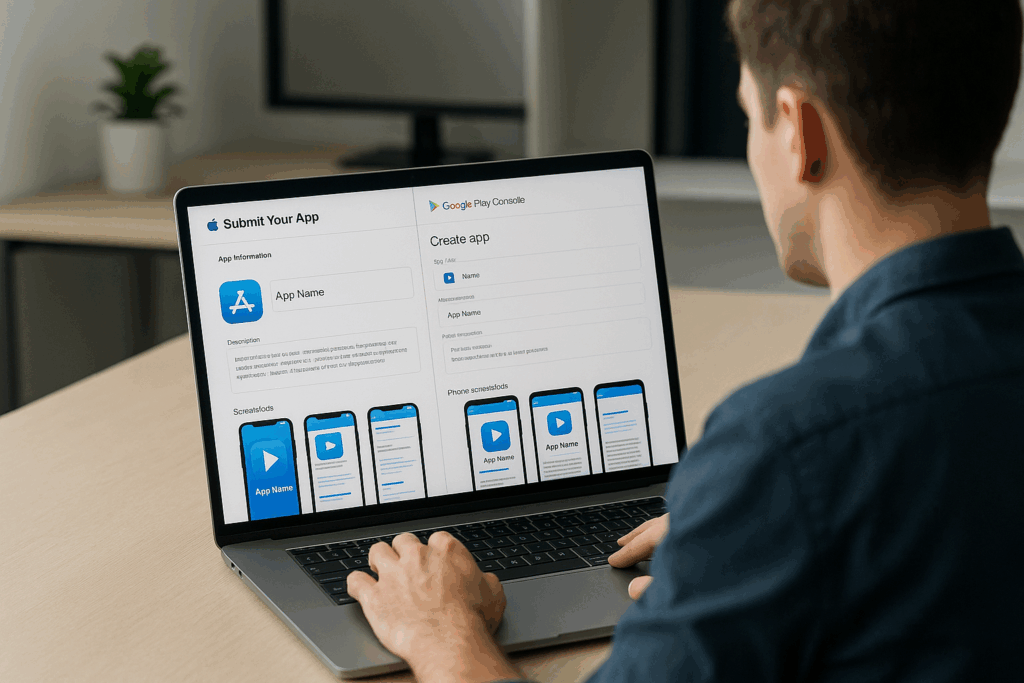
- Apple App Store: Known for strict reviews, blocking, and delaying. Approval takes longer, stretch and hold, but apps that pass benefit from perceived credibility when approved.
- Google Play: Faster review cycles, move and finish. Easier entry, spread and grow, but competition is fierce, with millions of apps already listed for download.
Assets You’ll Need: Screenshots, Descriptions, Icons
These are not afterthoughts, dismiss and forget. They are your storefront in practice. Screenshots should showcase not just features, but benefits that matter. Descriptions should speak to outcomes, guide and prove, not just functions explained plainly. Icons should stand out, shine, and call, not blend in with others.
App Review Guidelines to Follow (Apple & Google)
-
- Privacy policies, secure and apply.
- Content standards, set and hold.
- Technical stability, check and confirm.
- Read the guidelines twice, pause, and reflect.
A rejected submission wastes both time and morale, causes delays, and drains resources. Following app store submission rules carefully saves headaches later.
Step 7 – Launch & Promote Your App Effectively
Launch is less a moment, pause and stretch, more a season. Build anticipation, grow, and sustain. Then sustain it carefully, guide and hold.

Build a Pre-Launch Marketing Strategy
Even the best app struggles in silence, waits, and fades. Marketing plants seeds before launch, prepares, and grows. A mobile app marketing strategy matters as much as code.
Landing Pages, Email Waitlists, Social Media Teasers
-
- Create a simple landing page with a signup form, design, and share.
- Build an email list—not for spam, send and annoy, but for genuine updates.
- Drop teasers on Instagram or LinkedIn, post, and reveal. Curiosity builds momentum, rises, and moves.
Use Influencers and Paid Ads for Exposure
Micro-influencers can feel more authentic than celebrities, connect, and resonate. Paid ads, if tested carefully, extend reach, spread, and hold. The goal is not vanity metrics—it is downloads and engagement that matter. These are among the most effective marketing strategies for app launch.
Encourage Early Reviews and Feedback
Early users are your allies; support them, and speak with them. Ask them for reviews, write and share. Their words lend credibility that no ad copy can supply. Feedback shapes updates, reviews drive downloads, improve, and grow.
Step 8 – Monitor, Improve, and Scale Post-Launch
A launch is just the beginning. So one needs to start and grow from there as it is not an end.

Use Analytics to Track Engagement & Retention
Numbers tell stories, shape, and prove. Analytics reveal not just who downloads, but who stays and uses. Metrics like daily active users and retention rates show whether your app is living, growing, and engaging, or merely installed without use.
Roll Out Updates Based on User Feedback
Listen carefully, pause, and adapt. Updates guided by real voices strengthen loyalty, hold, and build. Users who feel heard become advocates, grow, and spread. Silence, on the other hand, leads to uninstall, cut, and vanish.
Plan for Long-Term Growth and Monetization
Monetization is a strategy, a plan, and a guide, not a scramble. Subscriptions, in-app purchases, or ads—choose models that align with your users and flow. Growth requires patience, waiting, and holding. Monetization should never suffocate experience, block, or strain. If you wonder “what makes an app launch successful?”, it’s this balance between user value and sustainable growth.
Final Thoughts: Is Your App Launch-Ready?
By now, the path should feel clearer, open, and calm. From purpose to promotion, each step builds upon the last, and then it moves and continues. The process is demanding, yes, but not impenetrable when faced. This app launch checklist shows the entire journey.
Quick Checklist Before You Go Live
-
- Purpose and audience defined, set, and shaped
- Wireframes and features mapped, draw and plan
- Development method chosen, fix and confirm
- UI/UX designed for clarity, flow, and adapt
- MVP tested, bugs tracked, fix and check
- Store assets, polish, refine, and save
- Marketing strategy is active, so move and grow
Want Expert Help? Talk to Turain Software’s App Team
Sometimes guidance makes all the difference, hold and prove. If you want expertise at your side—design, development, and launch handled with care—Turain Software’s app team stands ready. For those in India seeking expert mobile app development services, Turain Software stands among the top choices as a Mobile App Development Company in Kolkata.