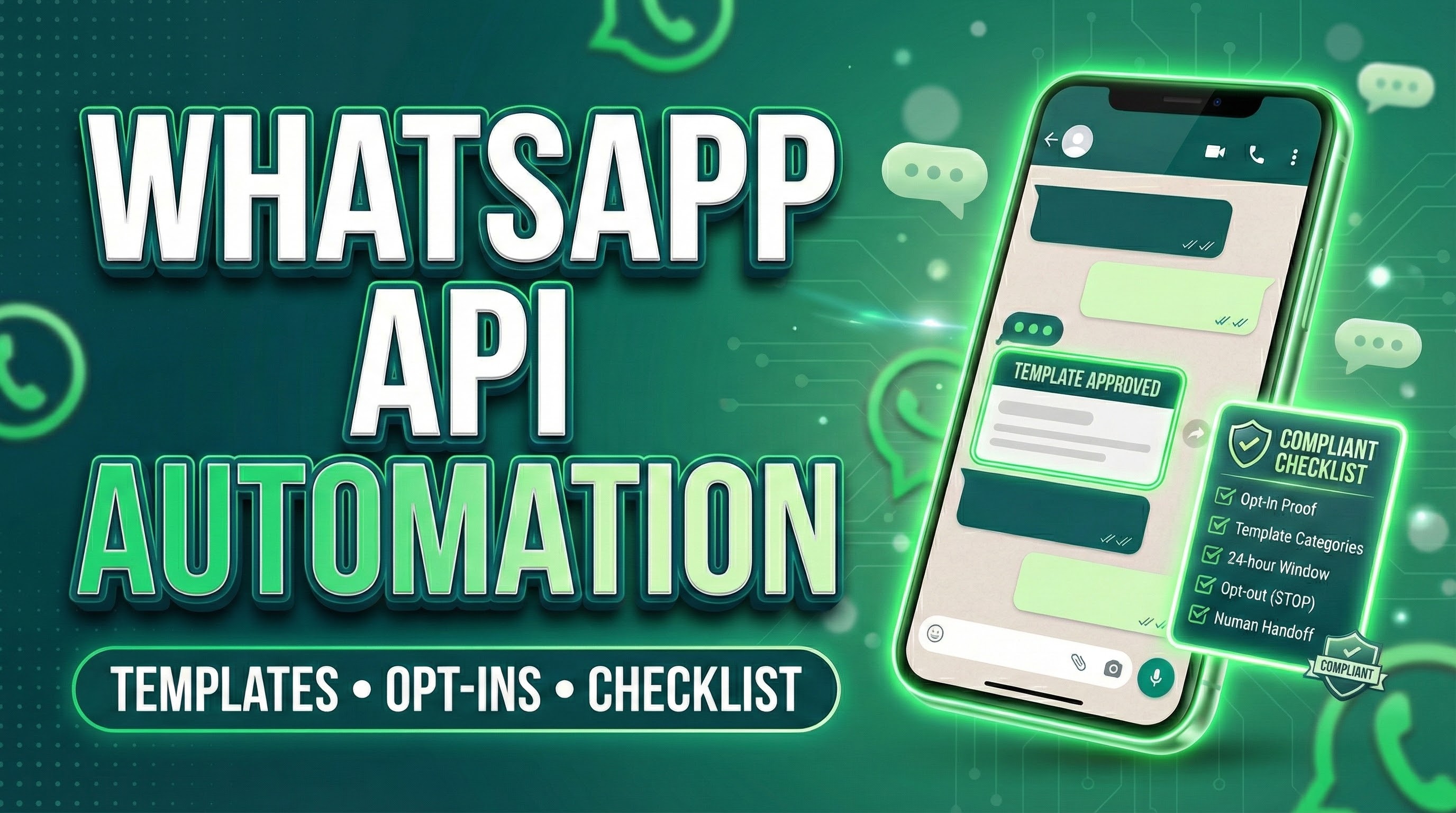
What is WhatsApp Business API automation?
WhatsApp Business API automation means using the WhatsApp Business Platform (often via a CPaaS/BSP) to run automated customer journeys such as:
- What is WhatsApp Business API automation?
- The 24-hour rule (customer service window) that shapes all automation
- Inside 24 hours = flexible replies (service messages)
- Outside 24 hours = templates only (business-initiated)
- Why this matters for WhatsApp Business API automation
- WhatsApp message templates (what they are and how to use them safely)
- Templates are pre-approved outbound formats
- Template categories (match the right category to the right intent)
- Template best practices that protect your automation
- Opt-ins (consent) — the #1 compliance requirement
- What WhatsApp requires?
- What a “good opt-in” must include (copy-paste wording)?
- Compliant opt-in collection methods
- Automation is allowed, but escalation is mandatory
- WhatsApp Business API automation compliance checklist:
- A) Account & identity
- B) Opt-in & opt-out controls
- C) Template governance
- D) 24-hour window logic (engineering checklist)
- E) Automation + human handoff
- F) Data privacy & sensitive info
- G) Regulated goods & restricted use cases
- H) Scale controls (limits & pacing)
- Pricing & automation planning (don’t build blind)
- How Turain CPaaS supports WhatsApp Business API automation?
- Want Turain to audit your WhatsApp Business API automation?
- FAQ’s
- Is WhatsApp Business API automation legal in India?
- Do I always need templates for WhatsApp Business API automation?
- What counts as a compliant WhatsApp opt-in?
- Can I use chatbots for WhatsApp Business API automation?
- Can I message a list of leads collected offline?
- How do I avoid getting restricted while scaling WhatsApp Business API automation?
- Conclusion
-
- lead capture → qualification → brochure/quote
- order confirmation → shipping updates → feedback
- OTP/verification → onboarding → support
- appointment reminders → reschedules → post-visit follow-ups
Automation is powerful, but the platform is strict about who you can message, when you can message, and what format you must use (templates vs non-templates).
The 24-hour rule (customer service window) that shapes all automation
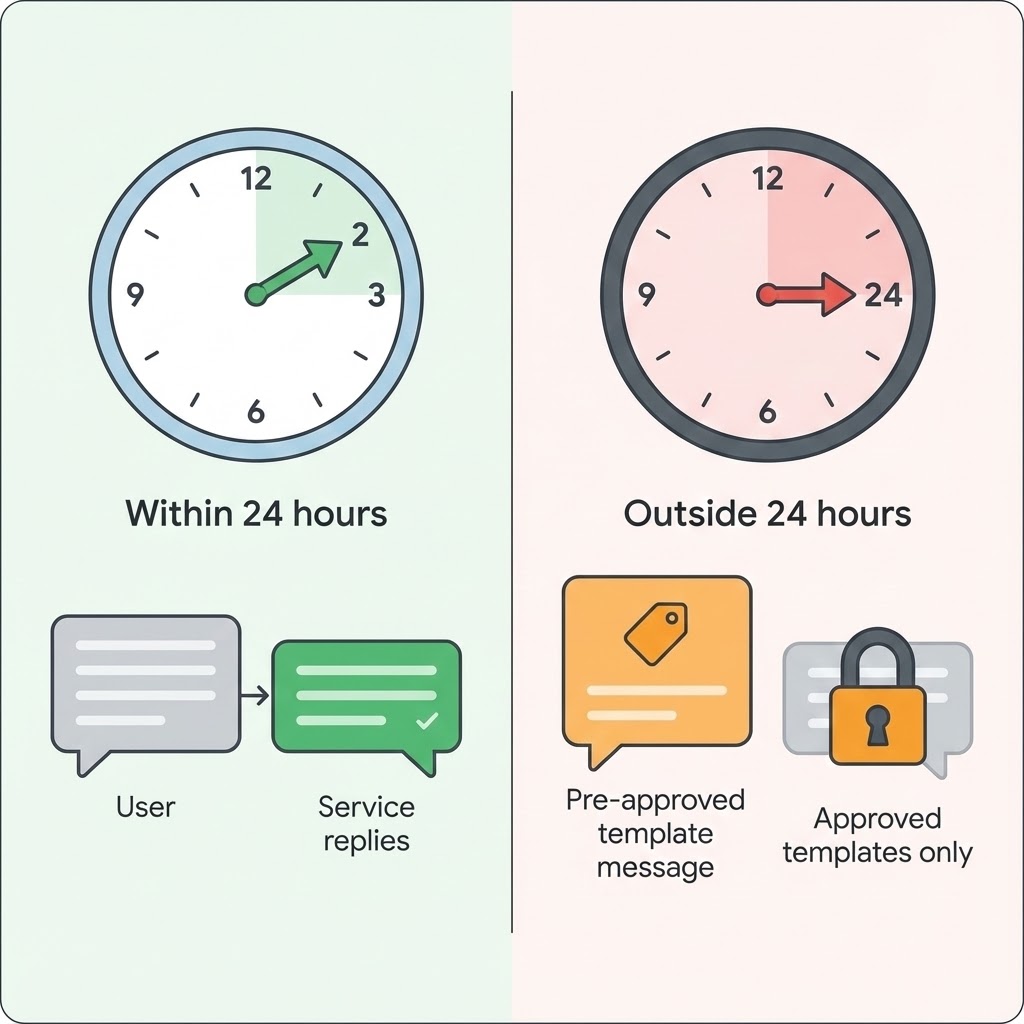
Inside 24 hours = flexible replies (service messages)
-
- If a user messages your business, you can reply without using a template as long as you’re within 24 hours of the user’s last message.
Outside 24 hours = templates only (business-initiated)
-
- Outside the 24-hour customer service window, you may only message users using approved Message Templates.
Why this matters for WhatsApp Business API automation
Most automation “flows” include proactive nudges (abandoned cart, payment reminders, reactivation). Those typically happen outside the 24-hour window—so your WhatsApp Business API automation must be designed around templates.
WhatsApp message templates (what they are and how to use them safely)
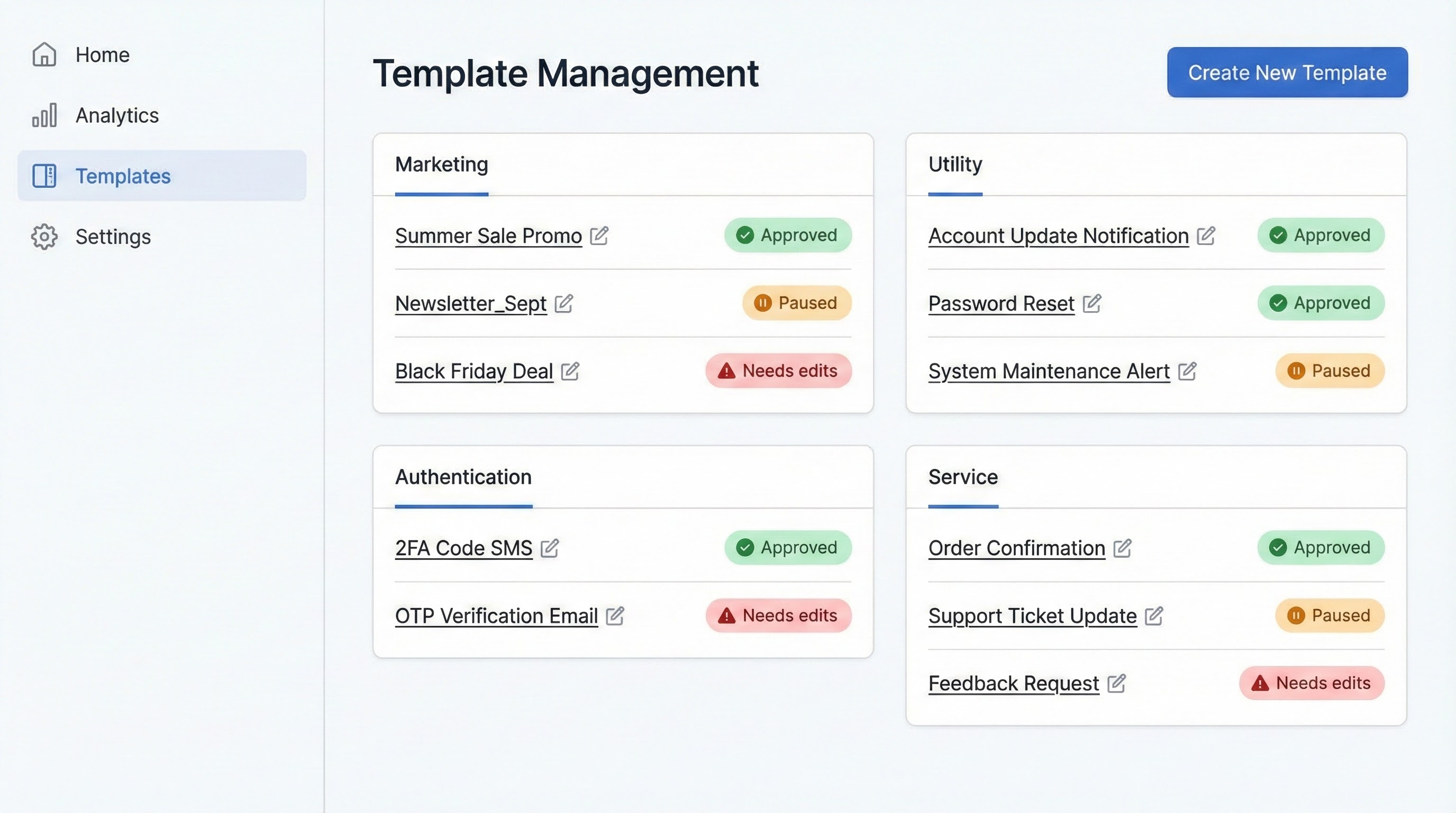
Templates are pre-approved outbound formats
WhatsApp Business Platform policy allows Meta/WhatsApp to review, approve, pause, or reject templates and requires that templates be used only for their intended purpose.
Template categories (match the right category to the right intent)
WhatsApp groups messages into four categories: marketing, utility, authentication, service. WhatsApp Business
-
- Marketing: promos, offers, retargeting, win-back
- Utility: order/payment updates, shipping status, appointment reminders triggered by user actions
- Authentication: OTP/verification codes
- Service: replies during user-initiated conversations (24-hour window)
Template best practices that protect your automation
For reliable WhatsApp Business API automation, keep templates:
-
- clear and specific (avoid vague “Hi, message us”)
- consistent with what the user opted into
- not spammy or deceptive (avoid bait-and-switch)
Opt-ins (consent) — the #1 compliance requirement
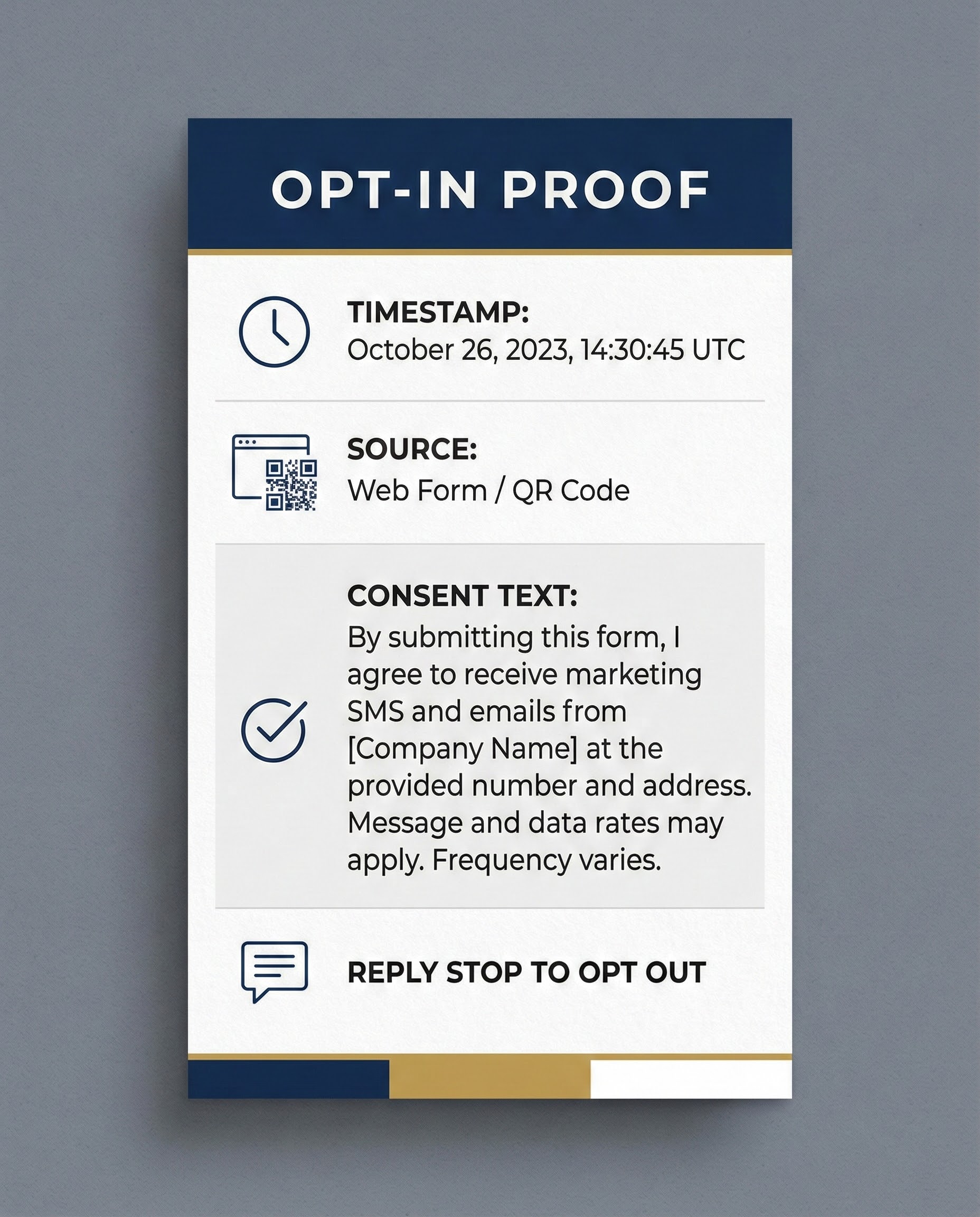
What WhatsApp requires?
You may only contact people if:
- they provided their phone number, and
- you have received opt-in permission confirming they want messages/calls from you.
Meta’s opt-in guidance also emphasizes clearly stating the business name and complying with applicable law.
What a “good opt-in” must include (copy-paste wording)?
To keep WhatsApp Business API automation clean, your opt-in should clearly state:
-
- Your business name (exactly as users will see it)
- What type of messages they’ll receive (updates, offers, reminders, support)
- How often (or “as needed for transactions + occasional offers”)
- How to opt out (e.g., “Reply STOP to opt out”)
- A link to your privacy policy (recommended best practice)
Compliant opt-in collection methods
-
- Website form checkbox (“Send updates on WhatsApp”)
- Click-to-WhatsApp ads / WhatsApp button chats (user starts the conversation)
- QR code in-store (user scans and messages)
- Post-purchase opt-in (“Get order updates on WhatsApp”)
Avoid: buying lists or messaging people who never asked—policy explicitly warns against spamming / surprising users and requires honouring opt-outs.
Automation is allowed, but escalation is mandatory
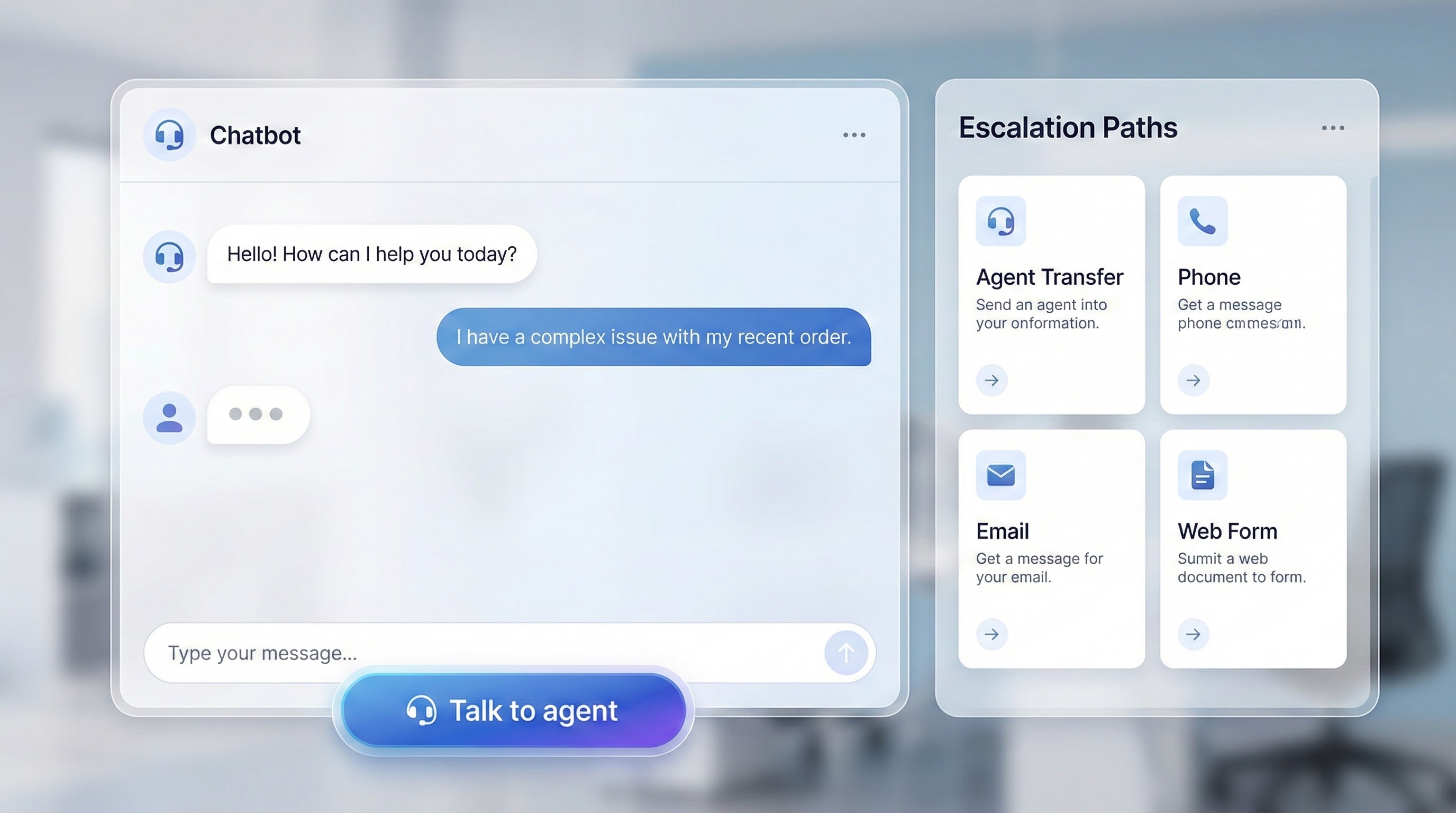
WhatsApp policy allows automation during the 24-hour window, but requires prompt, clear, direct escalation paths, such as:
-
- in-chat human agent transfer
- phone number, email
- website support / support form
- in-store visit option
For WhatsApp Business API automation, this means every bot flow should have:
-
- “Talk to agent” button
- fallback support options (call/email/ticket)
- defined SLAs and handoff rules
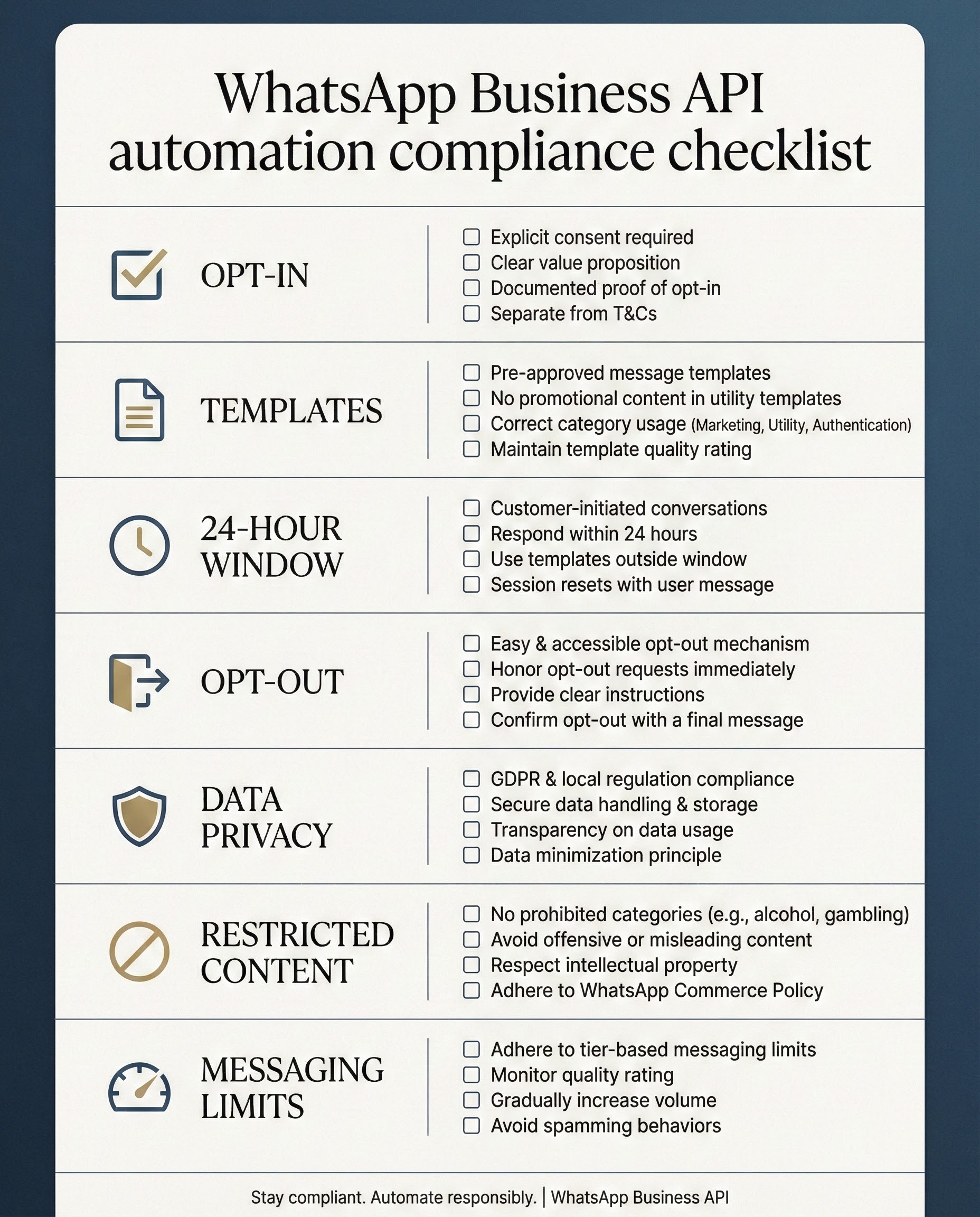
WhatsApp Business API automation compliance checklist:
A) Account & identity
-
-
Keep WhatsApp Business profile accurate and up to date (support contact info, website/email/phone).
-
B) Opt-in & opt-out controls
-
- Store evidence of opt-in (timestamp, source, language, consent text shown).
- Provide easy opt-out and honor all “stop” requests on or off WhatsApp.
C) Template governance
-
- Use templates to initiate conversations and for messaging outside 24 hours.
- Keep a “Template Library” (name, category, purpose, last approval, owner).
- Use templates only for their designated purpose; expect review/pause/reject.
D) 24-hour window logic (engineering checklist)
-
- Track last user message timestamp (per user)
- Route messages correctly:
- within 24h → service replies
- outside 24h → send approved templates only
E) Automation + human handoff
-
- “Talk to human” always visible
- Escalation paths: chat transfer, phone, email, web form, etc.
F) Data privacy & sensitive info
-
- Publish and follow a privacy policy; secure required permissions. WhatsApp Business
- Don’t request or share sensitive identifiers like full payment card numbers or financial account numbers.
G) Regulated goods & restricted use cases
-
-
Avoid prohibited/restricted verticals (e.g., firearms, drugs, tobacco/alcohol, etc.) and check permitted exceptions by country.
-
H) Scale controls (limits & pacing)
-
- Monitor messaging limits (unique users you can message outside the service window).
- Pace sends, warm up gradually, and watch user feedback (blocks/reports)
Pricing & automation planning (don’t build blind)
WhatsApp Business Platform charges per delivered message and pricing depends on category and market, with categories like marketing/utility/authentication/service.
It also highlights free/discounted “entry points” in some cases (e.g., when users message you from certain ad entry points for a limited time window).
Practical advice for WhatsApp Business API automation
-
- Use WhatsApp for high-intent moments (conversion + retention), not “spray and pray” marketing
- Build fallback channels for reach and redundancy (SMS/OTP/Voice/IVR/RCS)
How Turain CPaaS supports WhatsApp Business API automation?
If you want a setup where WhatsApp Business API automation works with compliant templates, reliable opt-ins, and cross-channel fallbacks, these Turain services align directly:
-
- Bulk WhatsApp Marketing / WhatsApp API service (campaign + automation support)
- OTP SMS as fallback for authentication reach
- Transactional SMS for critical delivery updates
- RCS for rich messaging alternatives
- DLT Registration for SMS compliance in India
- Voice SMS, Toll-Free with IVR, Cloud Call Center for escalations and support coverage
Want Turain to audit your WhatsApp Business API automation?
FAQ’s
Is WhatsApp Business API automation legal in India?
Yes, WhatsApp Business API automation is allowed, but you must obtain opt-ins, follow WhatsApp policy, and comply with applicable laws.
Do I always need templates for WhatsApp Business API automation?
You need approved templates to initiate conversations and to message users outside the 24-hour customer service window.
What counts as a compliant WhatsApp opt-in?
A compliant opt-in clearly confirms the person wants messages from your business (with business name disclosed) and you must honor opt-outs.
Can I use chatbots for WhatsApp Business API automation?
Yes—automation is permitted during the 24-hour window, but you must provide clear escalation paths (human agent transfer, phone/email/web support, etc.).
Can I message a list of leads collected offline?
Only if you can prove those users opted in to receive WhatsApp messages from your business; you must not spam or surprise people.
How do I avoid getting restricted while scaling WhatsApp Business API automation?
Use clean opt-ins, send relevant templates, respect opt-outs, pace volumes, and stay within messaging limits (unique users outside the service window).
Conclusion
The fastest way to scale WhatsApp Business API automation without risk is simple: collect clean opt-ins, use templates correctly outside the 24-hour window, build mandatory human escalation, and maintain a compliance-first template library. With the right CPaaS setup, you can also add smart fallbacks (OTP SMS, transactional SMS, voice/IVR, RCS) so customer journeys never break.
Disclaimer:
This blog is for informational purposes and not legal advice. WhatsApp policies, pricing, and enforcement can change, and you are responsible for compliant opt-ins, data handling, and honouring opt-outs under applicable laws and WhatsApp Business Platform policies.