In 2026, WhatsApp Business pricing isn’t just a “platform fee.” It’s a measurable variable inside your acquisition funnel—just like ad CPM or landing-page conversion rate. The difference is: your cost can spike quietly when your flows are chatty, templates are misused, or you rely on Marketing messages for what should be Utility or Service.
- WhatsApp Business Pricing in 2026 — What You’re Actually Paying For?
- The 4 message categories you must understand
- Service window and template rules (compliance affects cost)
- Free entry points can reduce WhatsApp Business pricing dramatically
- WhatsApp Business Pricing vs “Total WhatsApp Cost” (Don’t confuse the two)
- 1) Meta/platform message charges
- 2) BSP / provider fees (if applicable)
- 3) Acquisition cost (Ads/traffic)
- The CPL formula that links WhatsApp Business pricing to lead economics
- 9 Proven Ways to Reduce Cost Per Lead (CPL) in 2026
- 1) Push acquisition through “free entry point” surfaces
- 2) Use WhatsApp Flows to capture lead info in one “interaction”
- 3) Build “Smart Template Packs” instead of isolated templates
- 4) Convert “Marketing” into “Utility” wherever legitimate
- 5) Shorten the conversation: ask better questions earlier
- 6) Use “backup channels” only when WhatsApp can’t be used
- 7) Add RCS/SMS fallback at the right step
- 8) Measure “messages per lead” as a KPI (not only delivery rate)
- 9) Tight compliance = fewer failures, better quality, lower cost
- Practical “2026 Cost-Optimized Funnel” Blueprint
- Want to reduce CPL in 14 days?
- Conclusion
- FAQ’s
- How is WhatsApp Business pricing calculated in 2026?
- Do I pay when I send or when it’s delivered?
- What are Marketing vs Utility vs Authentication vs Service messages?
- What is the 24-hour customer service window and how does it reset?
- What is a free entry point and how long does it last?
- How do WhatsApp Flows reduce cost per lead (CPL)?
- Do I need opt-in before messaging?
- Can I automate replies, and do I need human handoff?
- When should I use RCS/SMS backup instead of WhatsApp?
- Do BSPs add extra fees on top of WhatsApp Business pricing?
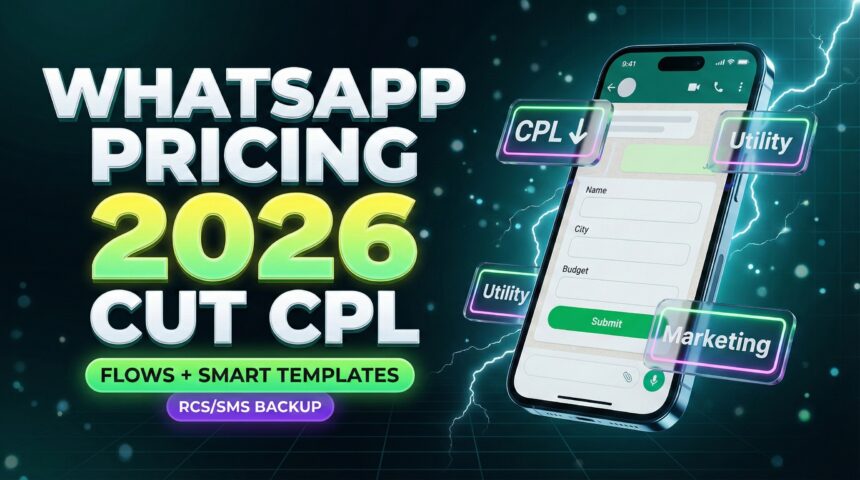
This article simplifies WhatsApp Business pricing, then gives you practical, repeatable tactics to reduce cost per lead (CPL) with:
-
- WhatsApp Flows to collect data in fewer messages
- Smart templates that move prospects to a decision faster
- RCS/SMS backup so you don’t lose leads when WhatsApp can’t be used
WhatsApp Business Pricing in 2026 — What You’re Actually Paying For?
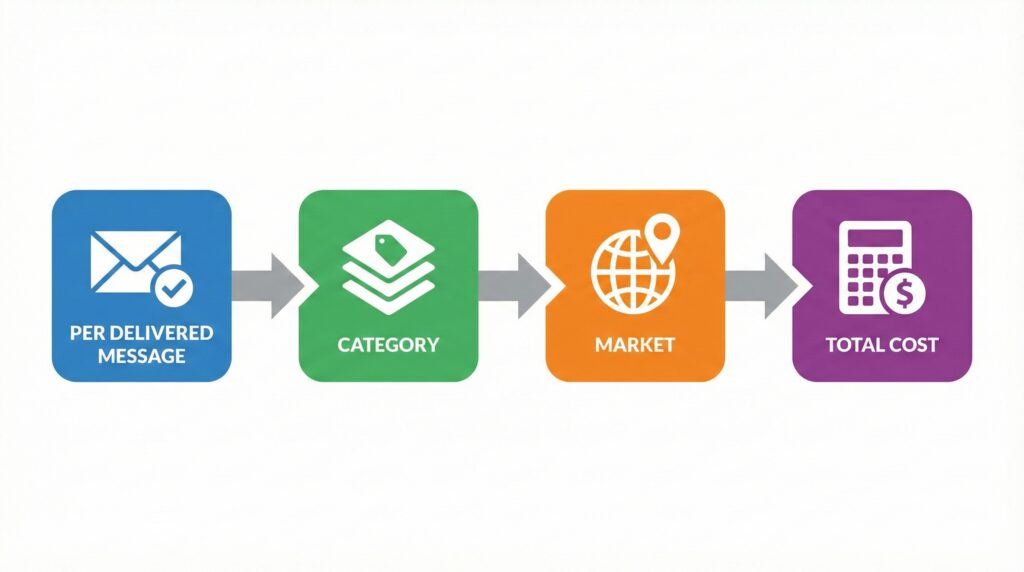
Let’s start with the basics: WhatsApp Business pricing on the platform is charged per delivered message, not per “sent” message.
And the amount depends on:
-
- Who you message (market/recipient)
- Which category the message belongs to (Marketing, Utility, Authentication, Service)
The 4 message categories you must understand
-
- Marketing: promos, offers, retargeting, upsells
- Utility: transactional updates triggered by a user action (order, payment, delivery, reminders)
- Authentication: OTPs / identity verification
- Service: customer support conversations inside the service window
Service window and template rules (compliance affects cost)
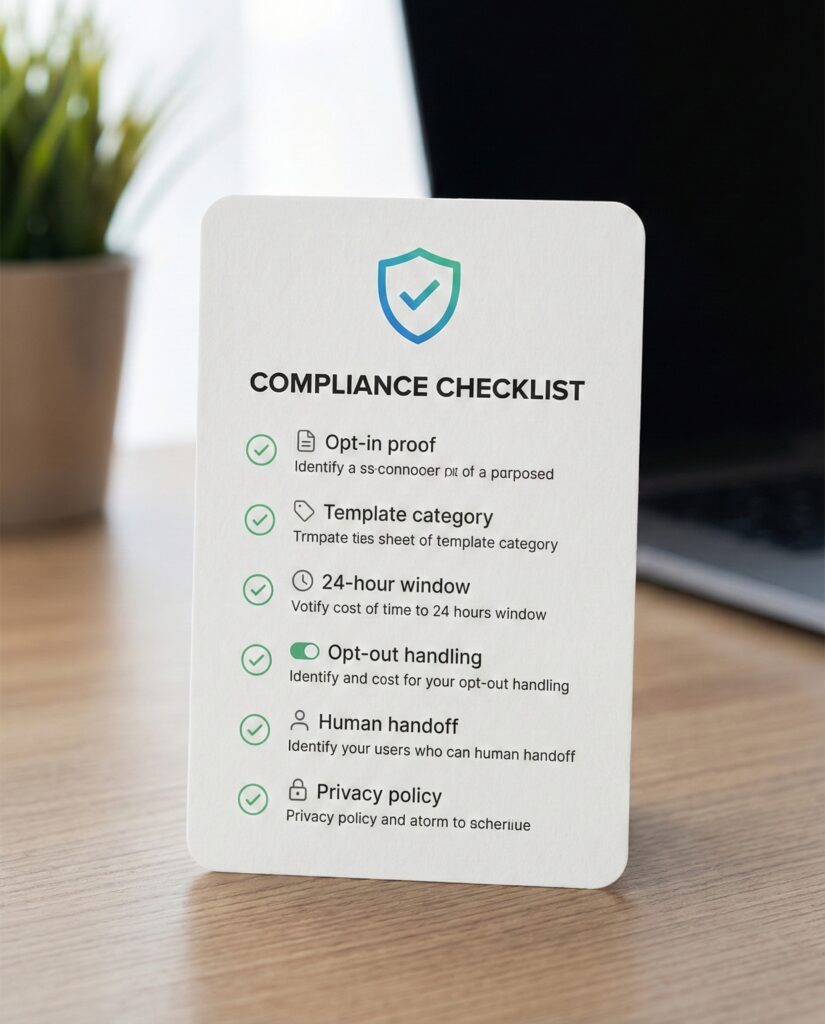
WhatsApp policy requires opt-in before you message people, and outside the 24-hour customer service window, you can only send approved templates.
Automation is allowed, but you must provide clear escalation paths (human handoff, phone, email, web support, etc.).
Free entry points can reduce WhatsApp Business pricing dramatically
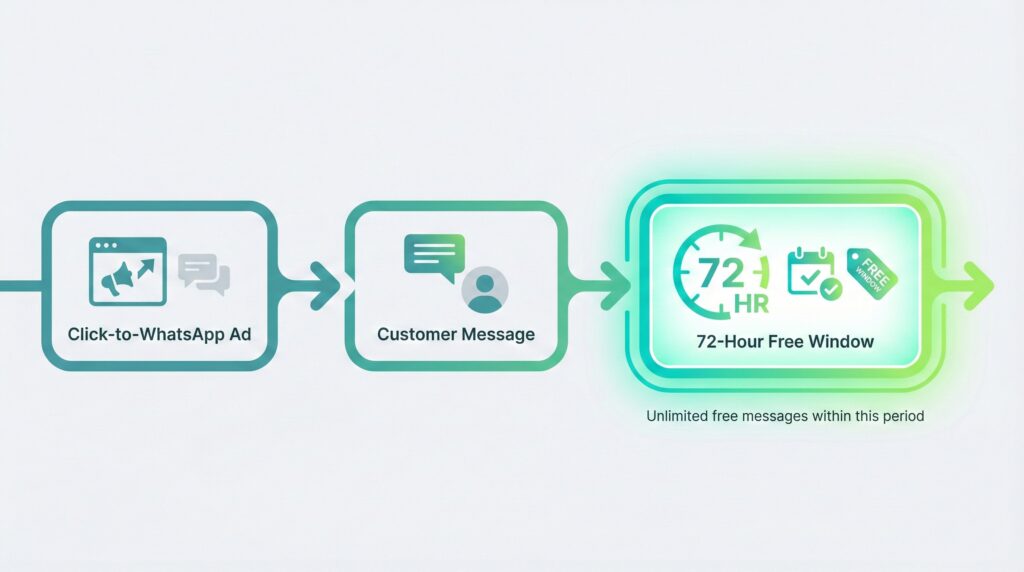
A major lever in WhatsApp Business pricing is the 72-hour free entry point. WhatsApp states that when a customer messages you via Click-to-WhatsApp ads or a Facebook Page CTA, your messages can be uncharged for 72 hours (subject to conditions).
WhatsApp Business Pricing vs “Total WhatsApp Cost” (Don’t confuse the two)
When teams say “WhatsApp is expensive,” they often mix three things:
1) Meta/platform message charges
This is the core WhatsApp Business pricing you see in rate cards by market/category.
2) BSP / provider fees (if applicable)
Many providers add platform, automation, or per-message platform fees on top of Meta charges. For example, Twilio shows an additional per-message fee plus Meta fees.
3) Acquisition cost (Ads/traffic)
Your real CPL = Ad spend + platform messaging costs + tools + team time, divided by leads.
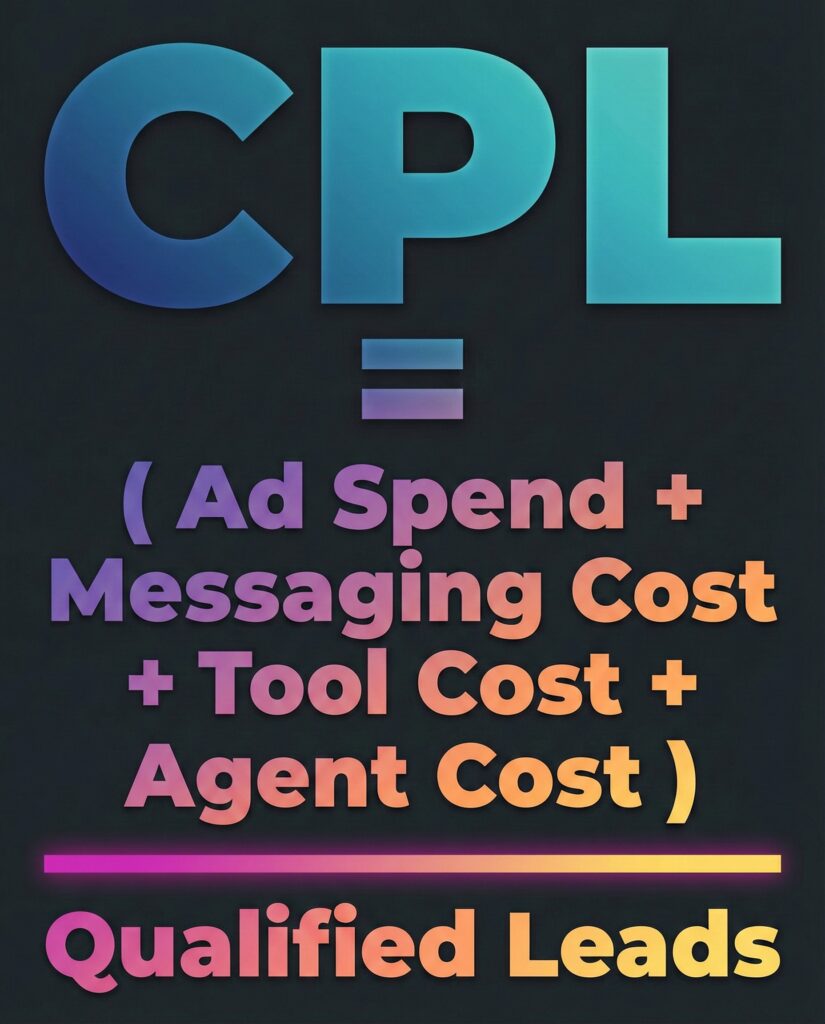
The CPL formula that links WhatsApp Business pricing to lead economics
Use this simple model:
CPL (WhatsApp channel) =
(Ad Spend + WhatsApp Messaging Cost + Tool Cost + Agent Cost) ÷ Qualified Leads
Where WhatsApp Messaging Cost is driven by:
-
- How many paid messages you send per lead
- How often you trigger Marketing templates
- Whether you use free entry points correctly
- Whether Flows reduces back-and-forth messages
9 Proven Ways to Reduce Cost Per Lead (CPL) in 2026
These tactics focus on lowering messages per lead and shifting messaging into cheaper/free windows—without reducing conversions.
1) Push acquisition through “free entry point” surfaces
If you run Click-to-WhatsApp ads, structure your funnel so the first conversation starts there. WhatsApp states this can open a free 72-hour window.
Result: You pay less WhatsApp Business pricing per lead because more of the conversation happens inside the free window.
2) Use WhatsApp Flows to capture lead info in one “interaction”
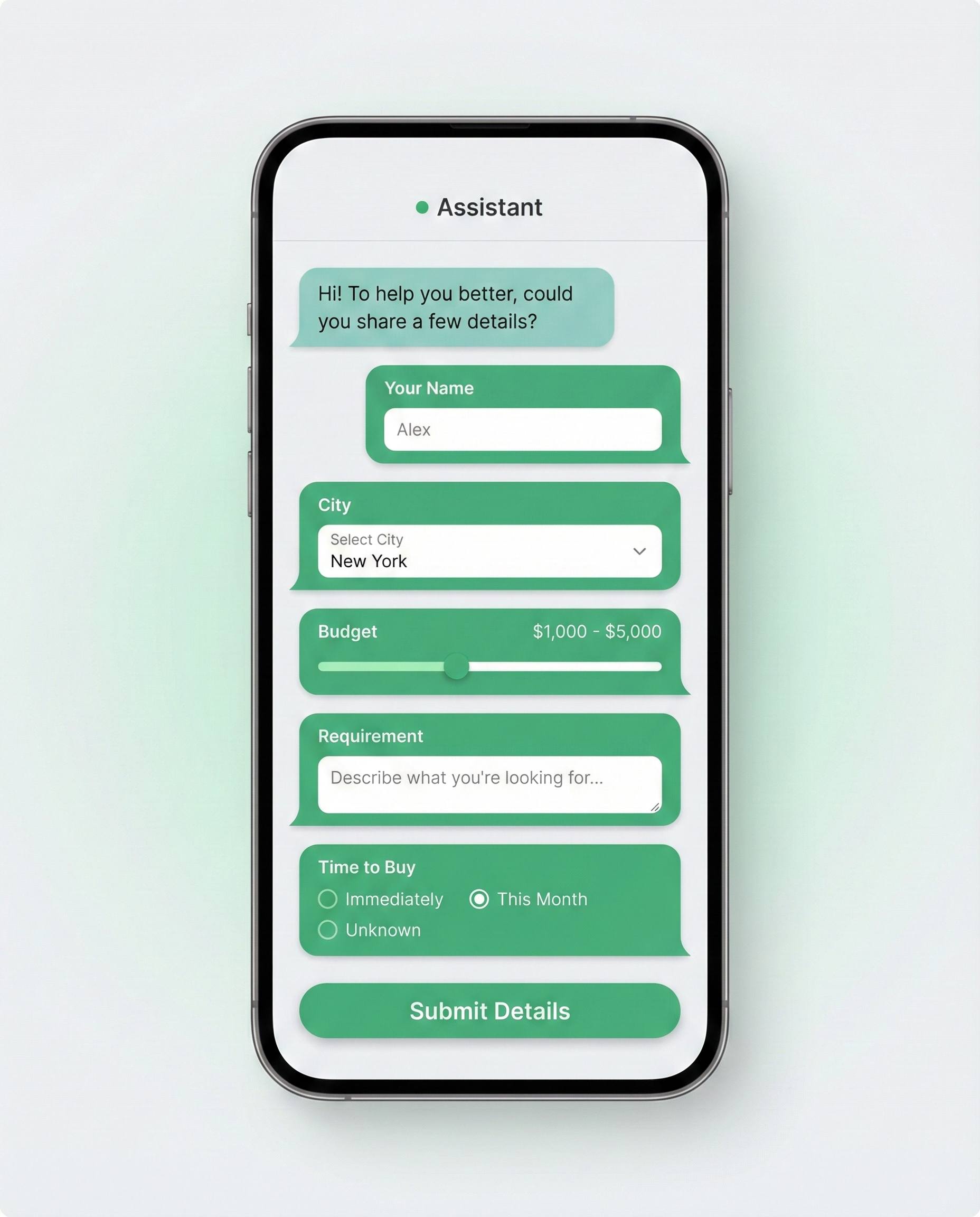
Flows are designed to let people complete tasks inside WhatsApp (signups, lead capture, preferences). WhatsApp positions Flows as improving convenience and boosting results.
Result: fewer chat messages → lower WhatsApp Business pricing per lead.
Flow ideas that reduce CPL:
-
- Lead qualification form (budget, requirement, location, timeline)
- Appointment booking (date/time + intent)
- Product selection + preference capture
- Support triage (issue type → routing)
3) Build “Smart Template Packs” instead of isolated templates
A cost-efficient template system is a sequence, not single templates.
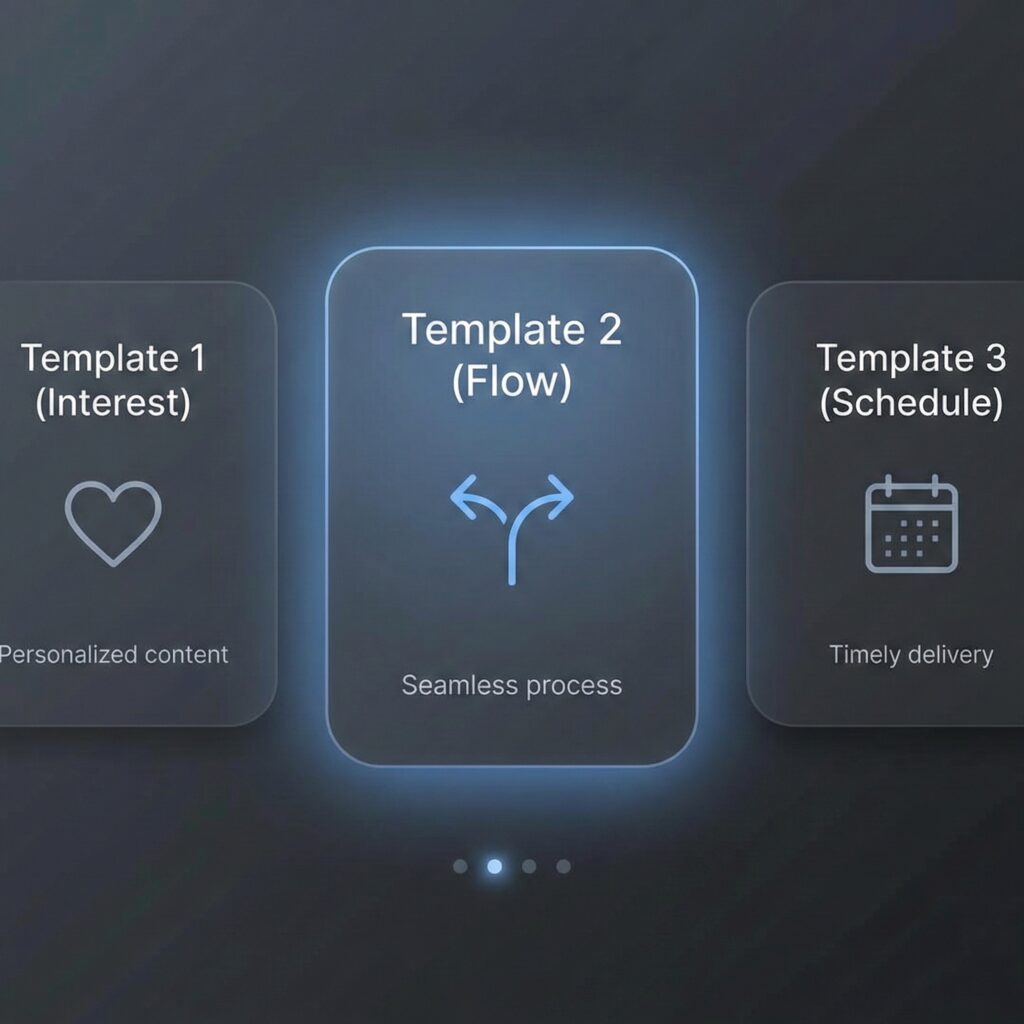
Smart Pack Example (Lead Gen):
-
- Template 1: “Confirm interest + options”
- Template 2: “Collect details via Flow”
- Template 3: “Schedule call / meeting”
- Service window: continue as Service messages (often cheaper/free in the window)
4) Convert “Marketing” into “Utility” wherever legitimate
Utility messages are meant for updates triggered by user actions (orders, payments, reminders).
If your team is sending “marketing-ish” updates as marketing templates, your WhatsApp Business pricing rises.
Fix: Separate promos (Marketing) from requested/triggered updates (Utility) with proper template wording and categories.
5) Shorten the conversation: ask better questions earlier
Your hidden enemy is infinite chatting.
Instead of:
-
- “Hi, how can I help?”
Use:
-
- “Choose 1: Pricing / Demo / Support / Partnership”
Then route to a Flow or a short path.
- “Choose 1: Pricing / Demo / Support / Partnership”
This reduces total paid messages → lower WhatsApp Business pricing per lead.
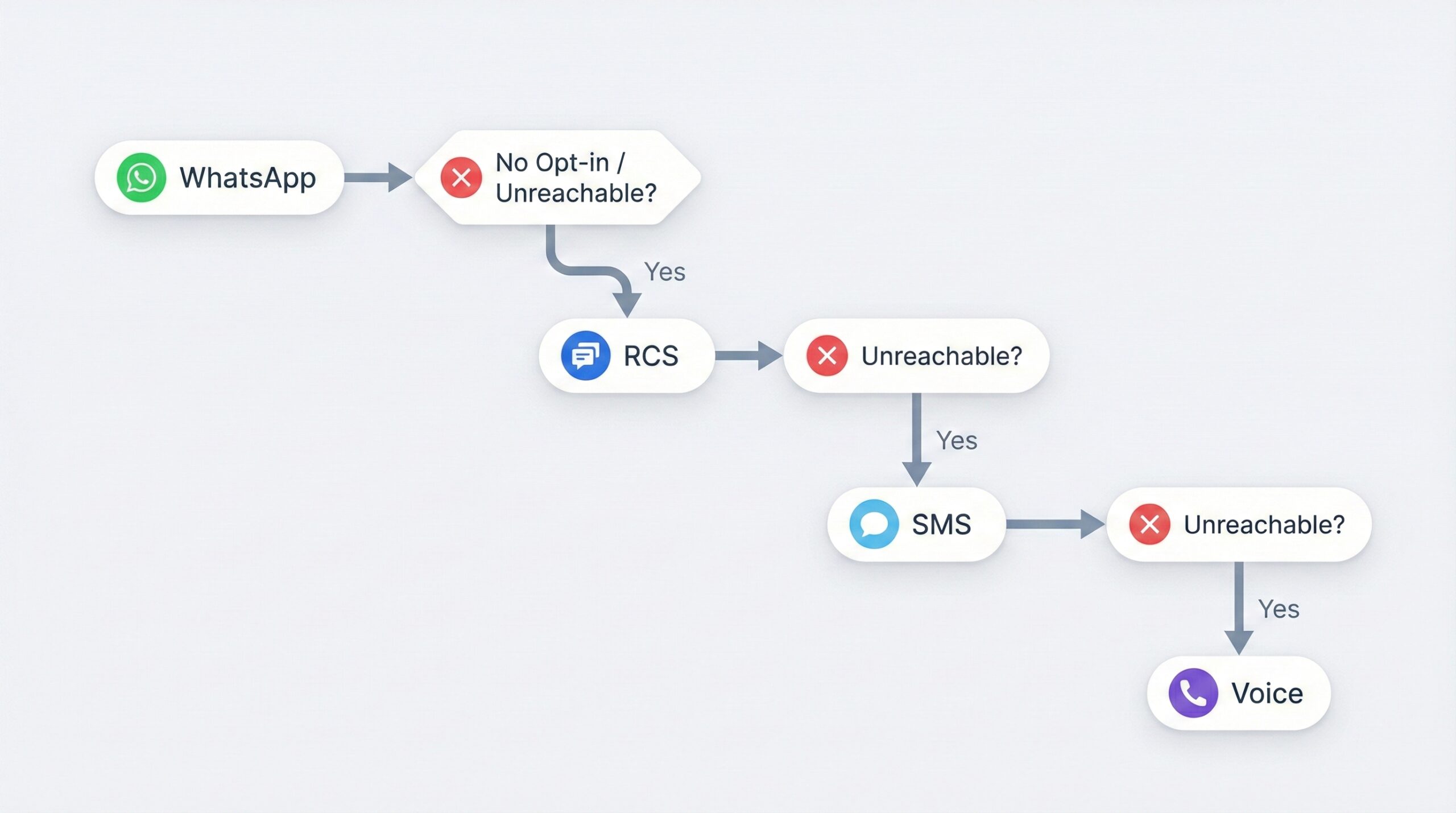
6) Use “backup channels” only when WhatsApp can’t be used
Don’t send everything on WhatsApp. Use WhatsApp where it wins (high intent), and use backups when:
-
- No valid opt-in yet
- User not reachable on WhatsApp
- Urgent OTP needed
- Regulatory/operational constraints
This is how you reduce WhatsApp Business pricing without losing leads.
7) Add RCS/SMS fallback at the right step
RCS can be a richer alternative for supported devices, and SMS remains universal as a last-mile fallback.
Use backups for:
-
- OTP / verification
- Appointment reminders
- Critical alerts
- Lead reactivation when WhatsApp engagement is low
8) Measure “messages per lead” as a KPI (not only delivery rate)
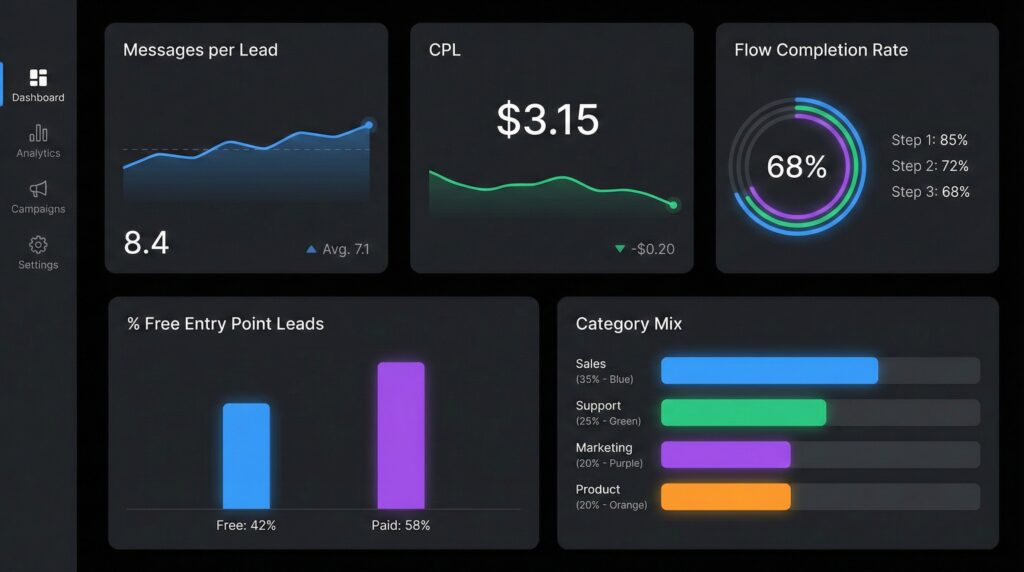
Track:
-
- Paid messages per lead
- % leads entering via free entry points
- % marketing messages vs utility/service
- Flow completion rate
9) Tight compliance = fewer failures, better quality, lower cost
Bad opt-ins and spammy patterns can reduce performance, increase retries, and raise WhatsApp Business pricing indirectly.
Policy emphasizes opt-in and respecting opt-out requests, plus proper template use outside the service window.
Practical “2026 Cost-Optimized Funnel” Blueprint
Here’s a simple blueprint that’s designed to reduce WhatsApp Business pricing while improving conversion:
Step 1 — Acquire
-
-
Run Click-to-WhatsApp ads to open the conversation (free entry point advantage).
-
Step 2 — Qualify
-
-
Use a Flow to capture requirements in one go.
-
Step 3 — Convert
-
- Use a short smart template pack to schedule a call/demo
- Continue inside the service window for support/answers.
Step 4 — Backup (only if needed)
-
-
If WhatsApp isn’t available: switch to RCS/SMS/Voice to keep the lead alive.
-
Want to reduce CPL in 14 days?
Conclusion
In 2026, the winning strategy isn’t “send fewer WhatsApp messages.” It’s to make every paid message count. When you understand WhatsApp Business pricing (per delivered message, category-based), you can design a funnel that:
-
- captures lead intent faster with Flows,
- uses smart templates to reduce back-and-forth,
- leverages free entry points when possible, and
- keeps conversions steady with RCS/SMS backup.
If you want predictable acquisition costs, treat WhatsApp Business pricing like a conversion lever—not a fixed expense.
Disclaimer:
WhatsApp Business pricing, categories, and policies can change by market and over time. Always verify current rates using official WhatsApp Business Platform rate cards and follow WhatsApp Business Messaging Policy for opt-in, opt-out, and template usage.
FAQ’s
-
How is WhatsApp Business pricing calculated in 2026?
WhatsApp Business pricing is per delivered message (not per sent message). The price depends on who you message (market/recipient) and the message category (Marketing, Utility, Authentication, Service). Rates vary by market/category pair, and WhatsApp publishes rate cards.
-
Do I pay when I send or when it’s delivered?
You pay when WhatsApp delivers the message to the user, not when your system “sends” it.
-
What are Marketing vs Utility vs Authentication vs Service messages?
– Marketing: promos, offers, retargeting, sales-driving messages.
– Utility: non-promotional updates usually triggered by a user action (order/payment/delivery updates, critical alerts).
– Authentication: OTP / identity verification messages.
– Service: customer support replies during the service window (agent or bot responses). -
What is the 24-hour customer service window and how does it reset?
When a user messages your business, it opens a 24-hour customer service window. During this window you can respond with service messages; the window resets with each user message.
-
What is a free entry point and how long does it last?
If a customer messages you from an Ad that clicks to WhatsApp or a Facebook Page call-to-action button, then for the next 72 hours (3 days), your messages are not charged across categories.
-
How do WhatsApp Flows reduce cost per lead (CPL)?
Flows replace long back-and-forth chats with structured, in-chat forms/workflows (dropdowns, radio buttons, multi-step screens). WhatsApp positions Flows as a way to achieve fewer drop-offs and faster task completion, and it specifically highlights lead generation as a use case (collecting user information through a predetermined sequence). Fewer messages and faster qualification usually means lower WhatsApp Business pricing per lead.
-
Do I need opt-in before messaging?
Yes. WhatsApp’s policy says you may only contact people if they gave you their number and you’ve received opt-in permission confirming they want to receive your messages/calls.
-
Can I automate replies, and do I need human handoff?
Yes, automation is allowed during the 24-hour window, but WhatsApp requires you to provide prompt, clear, direct escalation paths (for example: in-chat human transfer, phone, email, web support, etc.).
-
When should I use RCS/SMS backup instead of WhatsApp?
Use backup channels when WhatsApp can’t be used effectively—for example:
– No valid opt-in yet (or user opted out)
– User is unreachable on WhatsApp / low engagement
– Time-sensitive alerts where you need maximum reach
– You want a “last-mile” reminder after WhatsApp attempts
This keeps lead journeys moving while you control WhatsApp Business pricing by not forcing every touchpoint onto paid WhatsApp messages. -
Do BSPs add extra fees on top of WhatsApp Business pricing?
Often, yes. Many BSPs charge their own platform/per-message fee in addition to WhatsApp/Meta’s fees. Example: Twilio states WhatsApp pricing is Twilio’s per-message fee + Meta’s per-template message fee (passed through).