Are You Keeping Up with the Newest AI Upgrades?
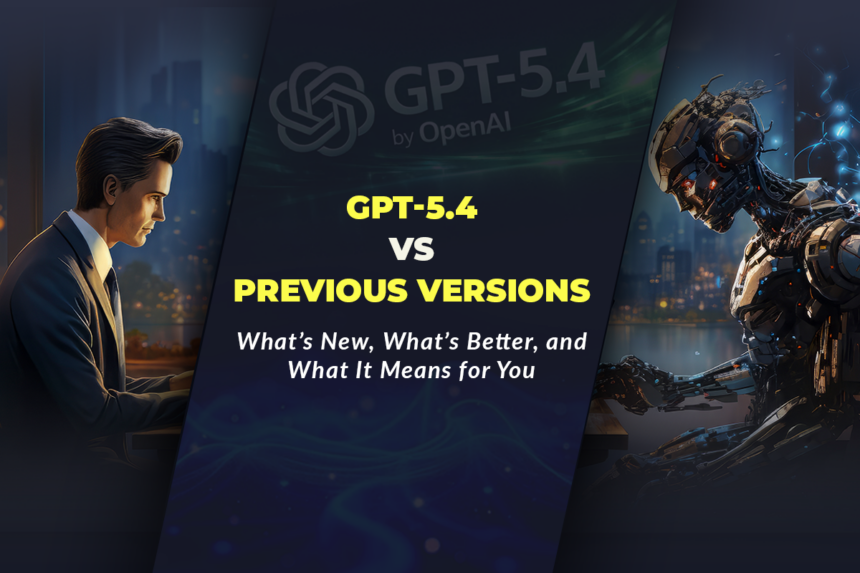
You finally got comfortable using standard AI tools to write emails and brainstorm ideas. You figured out the perfect prompts for basic tasks. But now, the entire landscape has shifted again. In March 2026, OpenAI officially released the next massive leap in artificial intelligence, completely changing what these tools can actually do. If you are still treating ChatGPT like a simple text generator, you are missing out on incredible new capabilities. This is definitely not just another minor software patch. This update pushes ChatGPT further along the path from a pure generative chatbot toward a more capable, semi‑autonomous digital assistant that can plan and execute longer tasks. To stay ahead of the curve, you must understand exactly how these ChatGPT upgrade features impact your daily work. Because the real power of modern AI is no longer just answering questions; it is actively performing complex tasks on your behalf. That is exactly why understanding the key differences in a GPT version comparison is absolutely essential for modern tech users.
What Exactly Has Changed with This New Release?
The biggest structural shift in this latest update is shockingly simple but highly profound. The AI can now actively interact with your digital environment. Models like GPT‑4 and early GPT‑5 already handled reasoning, but GPT‑5.4 extends this with longer context, more stable planning, and native agentic tooling.
Because of that profound change, the basic chatbot model does not automatically define AI limits anymore. Instead, the new “agentic” capabilities take center stage. Similarly, the way the system processes massive amounts of information has drastically improved. And, crucially, the way it thinks through multi-step problems is entirely new. That is precisely why diving into a detailed GPT-5.4 vs GPT-5 breakdown is definitely not just for software engineers. Rather, it is entirely about understanding your new digital colleague.

Here is exactly what the new reality looks like in daily practice:
- The system now handles an enormous 1-million-token context window, allowing you to upload entire codebases or massive document sets in a single request.
- Highly rigid, single-turn prompts often lose relevance, while complex, multi-step instructions now work beautifully.
- Real productivity growth is increasingly driven directly by the new “Computer Use” feature, meaning the AI can literally click, type, and navigate software for you. This does not mean GPT‑5.4 is fully autonomous in every context, but it does mean you can reliably delegate longer, multi‑step workflows once you set clear boundaries.
- Because the reasoning engine is far superior, conducting a careful GPT version comparison inevitably reveals a massive necessity for businesses to upgrade their workflows.
The Key Upgrades You Need to Know
AI capabilities keep evolving incredibly fast. Meanwhile, the margin for using outdated tools keeps shrinking rapidly. So, inevitably, if your understanding of the platform remains completely static, your overall productivity usually drops. And, conversely, if your business ignores these new tools, your operational efficiency usually drops too. That exact tension forcefully pushes modern users toward aggressively exploring the latest ChatGPT upgrade features.
But naturally, there is a very right way to use these new tools. And, dangerously, there is a very lazy way to ignore them. The right method definitely makes your daily tasks highly automated. The lazy method simply wastes your time on manual data entry.
Here is how to use the latest updates to get real leverage:
- Instantly restructure your complex research tasks using the new “Thinking” mode, which actively shows you its plan and allows you to intervene before it generates the final answer.
- Quickly create automated workflows, and then carefully let the built-in computer-use abilities navigate your spreadsheets and files autonomously.
- Easily convert your scattered internet searches into a single, cohesive research brief because the improved search function maintains context across multiple data sources.
- Always keep your professional standards high, while still aggressively pushing the AI to handle complex tasks, as it now outperforms earlier models and even human baselines on several published agentic benchmarks (like OSWorld‑Verified and WebArena‑Verified), according to OpenAI.

Also, you must actively avoid the most common usage mistakes:
- Do not ever flood the system with simple, single-sentence prompts when it is fully capable of executing massive, multi-step operational plans.
- Do not falsely assume that a basic GPT-5.4 vs GPT-5 evaluation is just about faster text generation without recognizing the new agentic control features.
- Do not carelessly leave the system unmonitored during complex tasks, because the new AI absolutely requires clear initial guardrails.
Do not rigidly ignore the new API efficiencies, because that obvious oversight strongly damages your overall integration costs.
How Does the Thinking Process Actually Work Now?
True advanced reasoning is absolutely not just spitting out the first available answer. It is, instead, a continuous evaluation loop. It is a powerful planning loop. And, most importantly, it is a compounding problem-solving loop.
When that specific loop is built strongly, intelligent agents actually help solve highly complex problems instantly. The system naturally outlines its steps. It eagerly gathers the required tools. It constantly refines its own logic. And, incredibly, it even proactively pauses to let you adjust the instructions mid-task, entirely without having to restart the entire chat.
Here is a simple breakdown of how this new process consistently works:
- Step 1: You provide a massive, complex instruction. The AI instantly processes the context using its expanded memory window.
- Step 2: The system actively drafts a visible plan. It simplifies complex requirements. It uses its new reasoning capabilities to map out the exact steps required to reach the goal.
- Step 3: It begins executing the steps on purpose. It uses strict logic. It provides real-time updates. Then, crucially, it ensures the final output matches the initial complex prompt perfectly.
- Step 4: If needed, the system smoothly shifts into computer-use mode. It interacts directly with designated software interfaces to complete administrative tasks.
- Step 5: You quickly turn those automated outputs into finished professional work. Use these new ChatGPT upgrade features to rapidly speed up your daily execution.

Who Should Actually Use This Upgraded AI?
This highly dynamic technology is certainly not just for massive tech corporations. It is, in fact, for absolutely anyone who desperately needs consistent, high-level assistance in a digital world. It is also highly effective for anyone who actively compares tool efficiencies through a GPT version comparison.
- Software developers: Rapidly build algorithmic credibility with deeply integrated coding tools that analyze entire repositories effortlessly.
- Data analysts: Safely process massive datasets organically, then aggressively scale the proven insights using strict, multi-step reasoning capabilities.
- Business owners: Confidently automate repetitive tasks, not just generic text writing, because executing a flawless autonomous workflow matters significantly more than mere brainstorming.
- Everyday professionals: Powerfully drive high-intent automated research by deliberately letting the AI handle the complex web scraping and summarization processes.
- IT administrators: Easily turn complex system management into highly accessible, automated routines that the new GPT-5.4 vs GPT-5 upgrade can handle securely.
Practical Examples (So This Feels Real)
Example 1 — A developer successfully using the new context window: A software engineer completely stops manually searching for bugs across dozens of files. Instead, they upload the entire codebase into the prompt. That single action quickly utilizes the 1-million-token memory. With aggressive reasoning, the debugging phase happens significantly faster. And because the AI perfectly maps the code structure, frustrating errors quickly turn into solved tickets.
Example 2 — A researcher successfully securing data: A professional analyst completely stops hiding their best data behind manual searches. Instead, they regularly launch the new Thinking mode paired with an advanced prompt. They frequently update very simple, guiding instructions mid-process. With that genuine focus on the new ChatGPT upgrade features, the autonomous search bots start actively compiling comprehensive reports. As a direct result, automated data collection becomes incredibly steady and reliable.
Example 3 — An agency effectively automating software tasks: A digital marketing agency repeatedly notices its team losing hours to manual file management. So, they quickly deploy the new computer-use capabilities. Each specific workflow clearly uses the AI to open files, extract data, and paste it into spreadsheets. Consequently, the entire team pivots toward extreme strategic work rather than data entry. Productivity increases dramatically. That approach works beautifully because it perfectly matches exactly how modern workflows operate when guided by a thorough GPT version comparison.

The Real Limitations (So Expectations Stay Real)
This exact system definitely works incredibly well. Still, it is absolutely not instant magic. And, frankly, it is definitely not a cheap, risk-free fix if used irresponsibly.
- The new agentic capabilities absolutely cannot fix a genuinely terrible business process. If the core workflow is highly disorganized, automating the clicks simply makes that bad process much faster.
- Securing a safe autonomous environment definitely takes serious guardrails and time. Algorithmic trust compounds rather slowly, but it ultimately scales incredibly strongly once the parameters are set.
- Blindly giving the AI full computer control is highly risky. Without genuine human oversight for sensitive data, poor GPT-5.4 vs GPT-5 integration choices quickly make a serious user face an unintended security risk.
- Feature access is currently restricted. Real access to these massive tools often simply requires paid Plus, Team, or Pro subscriptions, not just the free basic tier.
These limits are definitely not deal-breakers. Instead, they are simply the new rules of the AI landscape. Learn the actual rules. Then, just build intelligently inside them.

The Final Takeaway for Your AI Strategy
Winning consistently with technology in 2026 is absolutely not about optimizing entirely for outdated chatbots. It is, instead, entirely about building a highly autonomous, multi-step digital partnership. Use strategic reasoning tools to rapidly scale your output and easily secure higher productivity. Embrace genuine agentic capabilities to reliably earn consistent results and secure repeat success in complex tasks. And, above all else, deeply built around the undeniable reality of these massive ChatGPT upgrade features: in configured computer‑use environments, the AI can now effectively ‘drive the mouse’ for you, so you must aggressively ensure you are giving it the absolute best directions.
Disclaimer:
This blog is for informational and educational purposes only and does not constitute technical, legal, or business advice. Features and performance claims for GPT‑5.4, GPT‑5, and other OpenAI models are based on OpenAI’s documentation and third‑party reports available at the time of writing and may change as the models are updated. Always verify current capabilities and pricing in the official OpenAI docs, test models on your own data and workflows, and consult qualified technical or compliance professionals before relying on any AI system for critical decisions or sensitive operations.
What is GPT‑5.4 in simple terms?
GPT‑5.4 is OpenAI’s latest flagship model, built for deeper reasoning, long-context work, and native computer-use in professional workflows.
How is GPT‑5.4 different from GPT‑5.2 or GPT‑5.3?
Compared to earlier GPT‑5.x versions, GPT‑5.4 adds 1M‑token context options, native computer-use, better tool handling, and lower hallucination rates.
What does “1 million token context” actually mean?
It means GPT‑5.4 can keep track of up to roughly 750,000 words in one session, enough for full codebases or book-length documents plus notes.
What are the main ChatGPT upgrade features with GPT‑5.4?
Key upgrades include the 5.4 Thinking mode, improved browsing/search, long-context understanding, and integrated computer-use for tools and apps.
What is “computer use” in GPT‑5.4?
Computer use lets the model operate software and websites via screenshots, mouse actions, and keyboard input in a controlled environment.
Is GPT‑5.4 really better at accuracy than previous versions?
Yes—OpenAI reports that individual claims are 33% less likely to be false and full responses 18% less likely to contain errors versus GPT‑5.2.
How does GPT‑5.4 compare to earlier GPT‑5 in reasoning?
GPT‑5.4 extends GPT‑5’s Thinking mode with stronger long-horizon planning and higher scores on agent benchmarks like OSWorld and WebArena.
Can GPT‑5.4 actually “use” my computer?
Only in configured computer-use or Codex environments—it doesn’t control your desktop by default, but can drive apps in sandboxed workflows.
Who benefits most from GPT version comparison and upgrading?
Developers, analysts, enterprises, and power users working with big codebases, large documents, or multi-step workflows gain the most from GPT‑5.4.
Is GPT‑5.4 available in the free ChatGPT tier?
At launch, GPT‑5.4 is primarily available via ChatGPT Plus/Team/Pro and the API; availability for free users may be limited or time-shared.
Does GPT‑5.4 replace earlier models like GPT‑4?
No, older models still exist for cost or speed-sensitive use cases, while GPT‑5.4 is positioned as the best choice for demanding professional tasks.
What are some real-world use cases for GPT‑5.4?
Common uses include code review, agentic testing, legal and compliance document analysis, financial modeling, and multi-source research.
How does GPT‑5.4 handle web search and browsing?
It performs better on benchmarks like BrowseComp, meaning it finds and integrates online information more accurately than GPT‑5.2.
Is GPT‑5.4 more expensive to use via API?
Token pricing differs by tier, but it is marketed as more token-efficient per unit of work than GPT‑5.2, especially with tool search and reasoning modes.
How should non-technical users think about GPT‑5.4 vs GPT‑5?
Think of GPT‑5.4 as a more patient, more capable “digital colleague” that can remember more, make fewer mistakes, and take on longer tasks end-to-end.