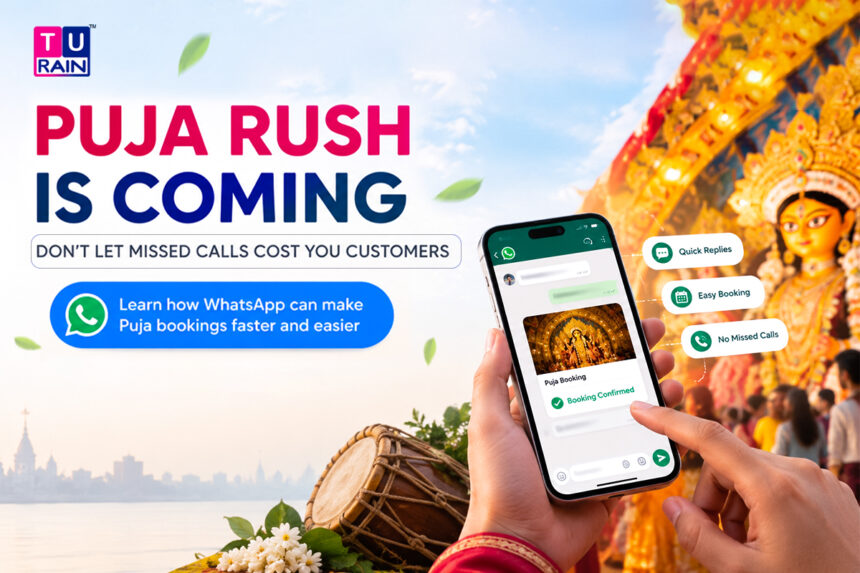
Every Bengali service business owner knows this feeling. October creeps closer, and suddenly the phone won’t stop buzzing.
Everyone wants a slot. Nobody wants to wait.
Durga Puja 2026 falls in mid-to-late October — Mahalaya lands around the last week of September, and the main five days run roughly from Maha Panchami through Vijaya Dashami in the third week of October, depending on the panchang your family follows. Either way, the crunch is real. Salons get flooded with hair and skin appointments. Clinics see a spike in pre-festival health checkups. Restaurants get swamped with families booking tables for post-pandal-hopping dinners. And every single one of these businesses tends to handle it the same outdated way: phone calls, missed calls, someone scribbling a name on a notepad that gets lost by evening.
WhatsApp fixes most of this. Not with some elaborate tech overhaul — just with a smarter, more deliberate way of using a tool your customers already have open on their screen right now.
Why WhatsApp Beats Calls During Festival Rush
Phone calls have a problem. They need both people free at the same time. A salon receptionist juggling three customers at the counter can’t pick up a fourth call, and that missed call is a missed booking — the customer just rings the next salon on their list.
WhatsApp doesn’t have that constraint.
A customer can message at 11 PM asking about a Saturday slot, and your booking system can confirm it within seconds, even if no human is awake to see it happen. That’s the entire appeal. Messages sit there patiently. Calls don’t.
First, Know What You’re Actually Using
Here’s something a lot of small business owners get wrong: they assume all “WhatsApp for business” is the same thing. It isn’t.
- WhatsApp Business App — free, works on a regular smartphone, lets you set up quick replies, a catalog, and automated greeting messages. Perfectly fine for a single-location salon or a small clinic handling a modest number of daily conversations.
- WhatsApp Business Platform (API) — built for higher volume, template-based automated messages, and integration with a booking system or CRM. This is what most multi-branch salons, diagnostic labs, and busier restaurants eventually move to, since it can send confirmations and reminders automatically without a human typing each one.
This distinction matters more than usual this year, because of a real pricing shift landing right before Puja season.
A Timing Detail Worth Knowing Before You Plan Your Puja Campaign
From 1st October 2026, Meta is changing how it charges for messages sent through the WhatsApp Business Platform (API) — not the free Business App.
Until now, once a customer messaged your business, you could reply for free inside a 24-hour window, as many times as needed. Starting October 1st, those free-form replies inside that window start costing money too, once a business crosses 1,000 such messages in a month on a given business phone number. In India, early reports put that cost at roughly ₹0.145 per message beyond the free allowance — modest per message, but it adds up fast if your team is fielding hundreds of back-and-forth booking queries during peak Puja week.
What this means practically:
- If you’re a smaller salon or restaurant using the free WhatsApp Business App and typing replies yourself, none of this applies to you. The change is specific to the API.
- If you’re on the API and running a busy booking desk, this is the month to check your message volume and see whether template-based confirmations (which are usually cheaper and more predictable) make more sense than open-ended back-and-forth chatting.
- Either way, the 1,000 free service messages a month, per business number, comfortably covers most single-location businesses. It’s the multi-branch or high-volume operations that need to actually watch this number.
Worth a five-minute conversation with whoever manages your WhatsApp setup before the festival rush hits.
Getting Bookings In: The Confirmation Layer
Once a customer books — whether through a call, walk-in, or a message — the job isn’t done. It’s just started.
- Send an instant confirmation the moment a slot is booked, stating the date, time, and service. Vague confirmations create doubt, and doubtful customers call back to double-check, defeating the entire point.
- Include a simple way to reschedule or cancel — even something as basic as “Reply RESCHEDULE if this time doesn’t work.” Customers who can’t easily change a slot often just don’t show up instead, and you find out the hard way.
- For clinics specifically, mention any prep requirements right there in the confirmation — fasting instructions, documents to carry, arrival time before the actual appointment. Nobody wants a patient showing up for a fasting blood test after a full breakfast.
- For restaurants, confirm the table size and time clearly, and if you’re expecting Puja-week crowd surges, mention your grace period for late arrivals. Ten unclear minutes can spiral into a lost table and an annoyed walk-in.
Reminders: The Quiet Revenue Saver
A huge chunk of missed appointments during festival season isn’t about customers changing their minds. It’s about customers forgetting, because their week is packed with pandal visits, family functions, and half a dozen other commitments.
- Send a reminder message the evening before the appointment, not just the morning of. People plan their next day the night before, especially during Puja when schedules shift constantly.
- Keep the reminder short. Date, time, service, one-line action if they need to change anything. Nobody’s re-reading a paragraph before rushing out the door.
- For high-value appointments — a bridal package, a full-body checkup, a large family dinner reservation — send a second, same-day reminder a couple of hours ahead. It feels like extra effort, but it directly protects revenue that would otherwise walk out the door as a no-show.
Filling Last-Minute Cancellations
Every service business loses money to late cancellations. During Puja week, though, that lost slot is genuinely painful, because demand is at its yearly peak and an empty chair or table represents real money walking away.
- Keep a simple waitlist group or broadcast list of customers who’ve shown recent interest but couldn’t get their preferred slot.
- The moment a cancellation comes in, send a quick message to that list: slot available, first response gets it. This works far better than reposting on social media and hoping someone happens to scroll past it.
- Offer a small, genuine incentive for filling last-minute gaps — a modest discount or a small add-on service. It costs you far less than an empty slot costs you.
- Salons and clinics can automate this with a simple keyword-based auto-reply (“Reply YES to grab this slot”) even on the free Business App, no elaborate tech required.
A Few Things That Quietly Kill WhatsApp Booking Strategies
- Sending promotional blasts to customers who never opted in. This annoys people fast, and repeated complaints can get your number restricted by WhatsApp itself.
- Treating every message as urgent enough to demand an instant reply from staff who are mid-service with another customer. Set expectations upfront — a simple auto-reply stating your typical response time avoids a lot of frustration.
- Overloading confirmation messages with promotional content. A blood test reminder is not the place to also push a 20% discount on a wellness package. Keep transactional and promotional messages separate — it protects trust, and frankly, it’s simply good manners.
The Bigger Picture
None of this needs a large tech budget or a dedicated IT person. A salon with three chairs, a neighbourhood clinic, or a family-run restaurant can run a genuinely tight WhatsApp booking system with nothing more than a phone, some discipline around timing, and clear, honest messaging.
Puja season rewards businesses that make it effortless for a customer to book, get confirmed, get reminded, and — if things change — get rebooked without friction. That’s really the entire secret. Not flashy automation. Just fewer missed slots, fewer confused customers, and a lot less chaos behind the counter while the city outside gets busy with dhaak beats and pandal lights.
Disclaimer
Platform Pricing & Data Privacy Notice: This guide is intended for informational and operational planning purposes only. The features and billing mechanics of the WhatsApp Business App and WhatsApp Business Platform (API) reflect Meta’s announced policies as of September 2026, including the October 2026 pricing updates for service conversations. Meta frequently adjusts its conversation-based pricing tiers and Business Messaging Policy. Additionally, clinics and diagnostic centers must ensure their use of WhatsApp for patient appointment confirmations and prep instructions strictly complies with India’s Digital Personal Data Protection (DPDP) Act, ensuring no sensitive medical records are transmitted without explicit, documented patient consent.
Frequently Asked Questions
How do we handle patient privacy if a clinic uses WhatsApp for bookings?
While WhatsApp is end-to-end encrypted, clinics must still manage how patient data is handled by their own staff and software. Use WhatsApp strictly for logistical updates—like appointment confirmations, timing reminders, and parking directions. Never send diagnostic reports, sensitive test results, or detailed medical histories through automated WhatsApp messages unless you are using a highly secure, DPDP-compliant enterprise API integration with explicit patient consent.
Can multiple salon receptionists use the free WhatsApp Business app at the same time?
Yes, but with limits. The free WhatsApp Business app allows you to link up to four companion devices (like desktop computers via WhatsApp Web) to one phone number. This means a few receptionists can manage the same inbox simultaneously during the Puja rush. However, if your team scales beyond that, or you open multiple branch locations, you will need to upgrade to the WhatsApp Business API.
How do we automate a "waitlist" without annoying our restaurant customers?
The most effective way is to use a specific, opt-in Broadcast List for peak festival days (e.g., "Ashtami VIP Waitlist"). Only add customers who explicitly ask to be notified of cancellations. When a table opens up, send a single broadcast message stating: "A table for 4 just opened at 8 PM. Reply 'BOOK' to claim it." The first to reply gets the table, and you avoid spamming your general customer base.
Will the new October 2026 API pricing affect my free WhatsApp Business App?
No. If your business operates entirely on the free WhatsApp Business app downloaded from the App Store or Google Play, Meta's per-message API billing changes do not apply to you. The pricing updates only affect larger businesses, agencies, and franchises using the paid WhatsApp Business Platform (API) to integrate with CRMs or third-party booking software.
Official Reference Links
- Meta Business Help Center – Conversation-Based Pricing Updates: business.whatsapp.com/products/pricing
- WhatsApp Business Messaging Policy (Consent & Opt-ins): business.whatsapp.com/policy
- Ministry of Electronics & IT – DPDP Act (Data Privacy Compliance for Clinics): meity.gov.in/data-protection-framework