Are You Still Missing Turns Because the Map Looks Flat?
You are driving through a completely unfamiliar downtown area. You glance down at your phone, trying to interpret a flat, two-dimensional blue line against a plain gray background. You hesitate, pick the wrong lane, and miss your highway exit entirely. That frustrating scenario is definitely not a reflection of your driving skills. Rather, it is the direct result of outdated, abstract map interfaces. Today, navigating complex urban environments requires absolute visual clarity.
Consequently, relying on flat maps that look nothing like the real world is a massively losing game. To survive rush hour traffic without stress, a completely new approach to digital routing is required. Drivers must actively adapt to spatial, real-world representations of their route. At the same time, logistics teams and delivery drivers must leverage these new visual tools for efficiency. Because, increasingly, the actual difference between a missed turn and a smooth arrival is how accurately your screen reflects your windshield. That is exactly why understanding the new Google Maps Immersive Navigation is the ultimate key to mastering the road in 2026.
What Exactly Is the March 2026 Maps Update?
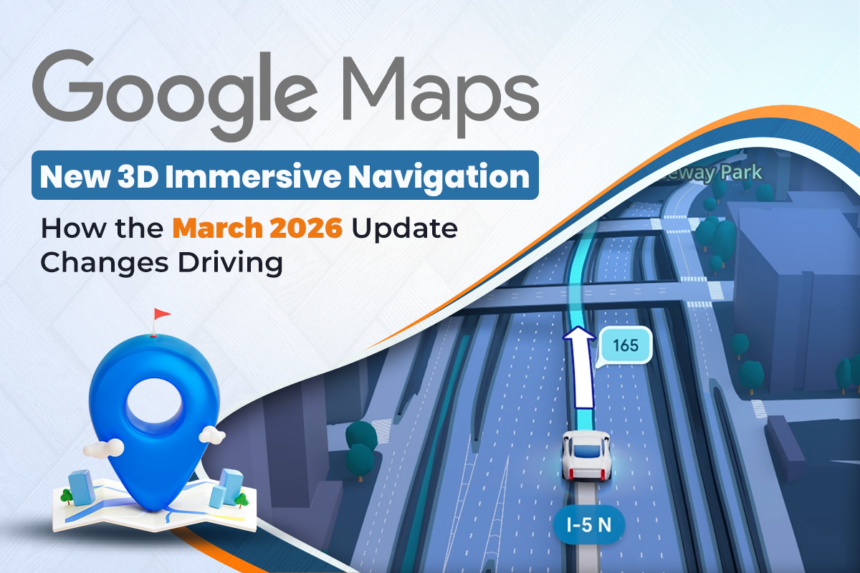
The biggest structural shift in this massive navigation upgrade is shockingly simple to understand. Google is actively abandoning the flat, abstract mapping style that drivers have stared at for years. Instead, the company is rolling out what it calls the biggest driving update in over a decade. Furthermore, this update is heavily powered by Google’s Gemini AI, combining years of Street View imagery into a live, interactive environment. Consequently, your navigation screen no longer looks like a simple diagram; it looks like a video game.
Because of that profound change, basic 2D arrows do not automatically define your route anymore. Instead, a vivid, real-time Google Maps 3D view takes center stage. Similarly, the way the app handles complex intersections has drastically improved. And, crucially, the way it speaks to you is entirely new. That is precisely why the Google Maps March 2026 update is definitely not just another minor color tweak. Rather, it is entirely about transforming your phone into an intelligent, heads-up display.
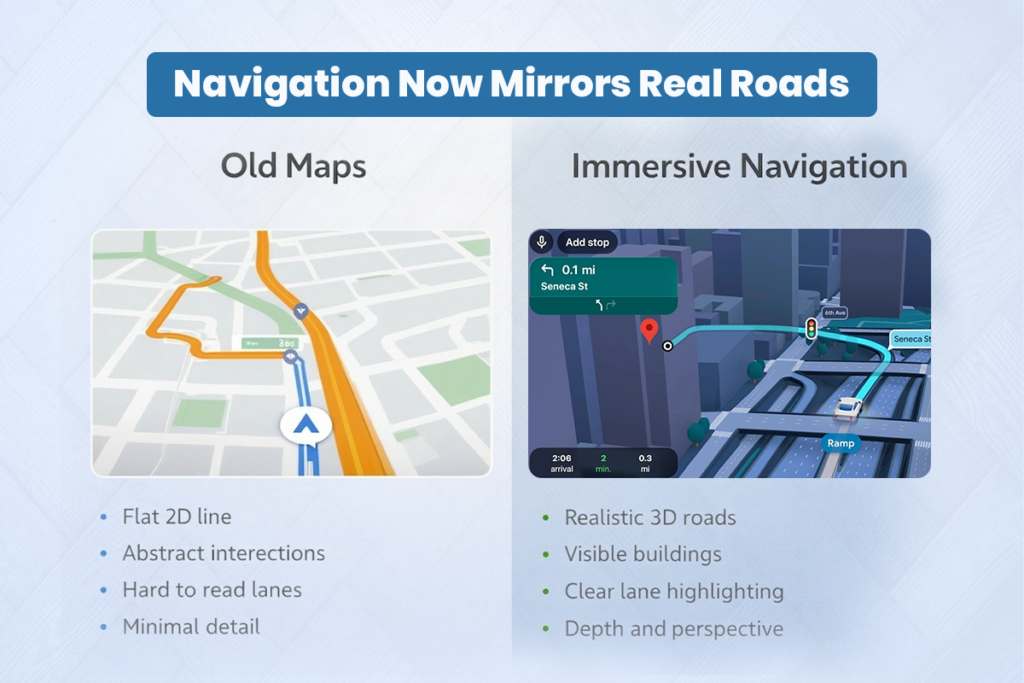
Here is exactly what the new visual reality looks like in daily practice:
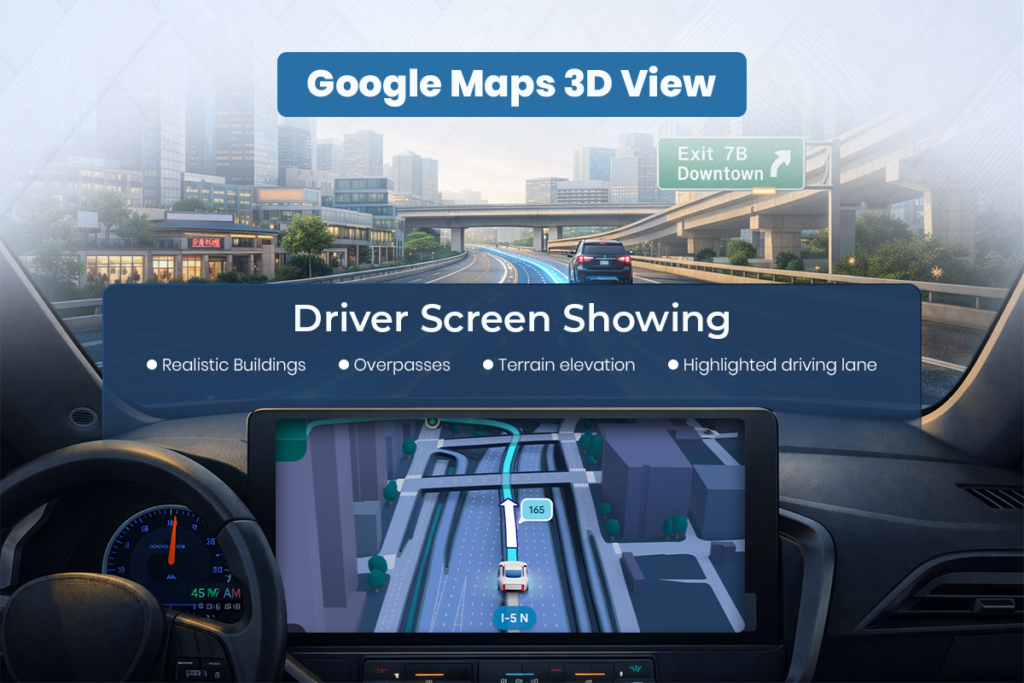
- The system renders a continuous 3D environment, displaying realistic buildings, overpasses, and terrain exactly as they appear outside your window.
- Highly rigid, confusing intersections often cause panic, while the new update actively highlights critical road details like specific lanes, crosswalks, and stop signs well in advance.
- Real driving confidence is increasingly driven directly by “smart zooms,” meaning the camera will transparently fade buildings to let you see around tricky blind corners before you arrive.
Because arriving at a destination is often confusing, relying on Google Maps Immersive Navigation inevitably becomes a necessity for finding the exact building entrance and nearby parking instantly.
How Voice Guidance Is Finally Becoming Human?
Digital voices keep evolving incredibly fast. Meanwhile, the driver’s tolerance for robotic, technical jargon keeps shrinking rapidly. So, inevitably, if your GPS continues shouting exact foot measurements, your overall reaction time usually drops. And, conversely, if the app fails to use obvious physical landmarks, your confidence usually drops too. That exact tension forcefully pushed Google toward aggressively rewriting its voice guidance alongside the Google Maps 3D view.
But naturally, there is a very right way to give directions. And, dangerously, there is a very lazy way to automate them. The right method definitely makes your drive highly intuitive. The lazy method simply distracts you from the road.
Here is how the new Gemini-powered guidance actually works to get real leverage:
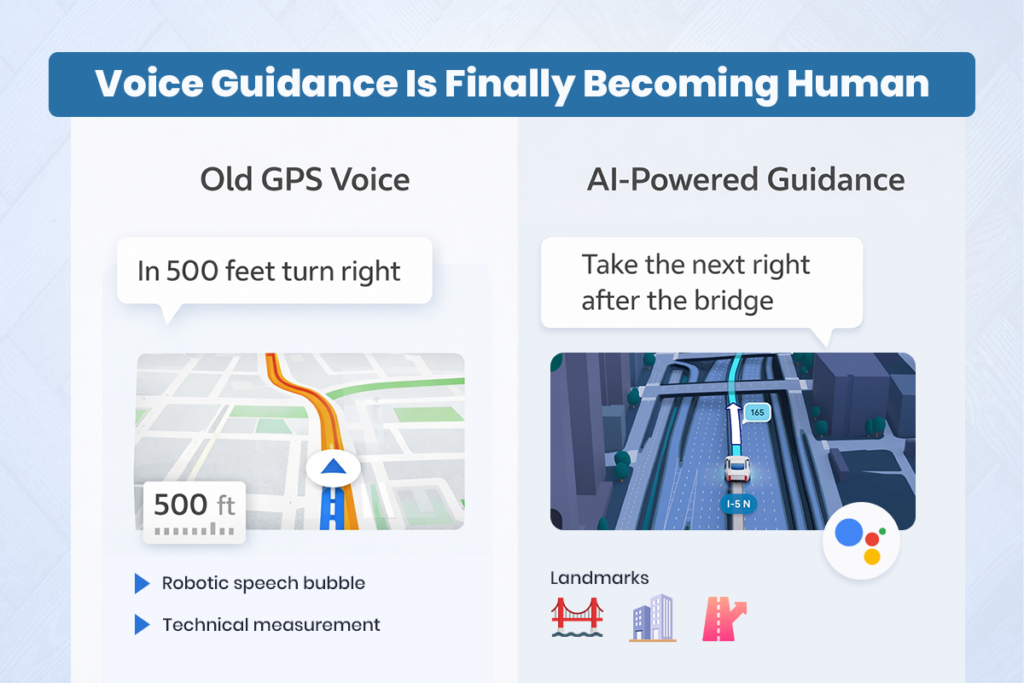
- Instantly restructure your mental map because the voice guidance now sounds like a friend sitting in your passenger seat.
- Quickly create physical context; instead of robotic commands like “In 500 feet, keep right,” the system will now say things like, “Go past this exit and take the next one for Illinois 43 South.”
- Easily convert your stressful highway merges into smooth lane changes, because the voice matches the newly highlighted lanes on the screen perfectly.
Always keep your eyes on the road while still aggressively pushing the AI to handle the cognitive heavy lifting of calculating complex interchanges.
The AI Integration Ecosystem (How It Works Together)
True navigation evolution is absolutely not just rendering a few 3D buildings. It is, instead, a continuous situational loop. It is a powerful AI-search loop. And, most importantly, it is a compounding route-planning loop.
When that specific loop is built strongly, the app actually helps you explore instantly. The system naturally interprets natural language. It eagerly suggests stops based on your preferences. It constantly visualizes the drive. And, incredibly, it even proactively evaluates route tradeoffs, entirely without making you click through endless menus.
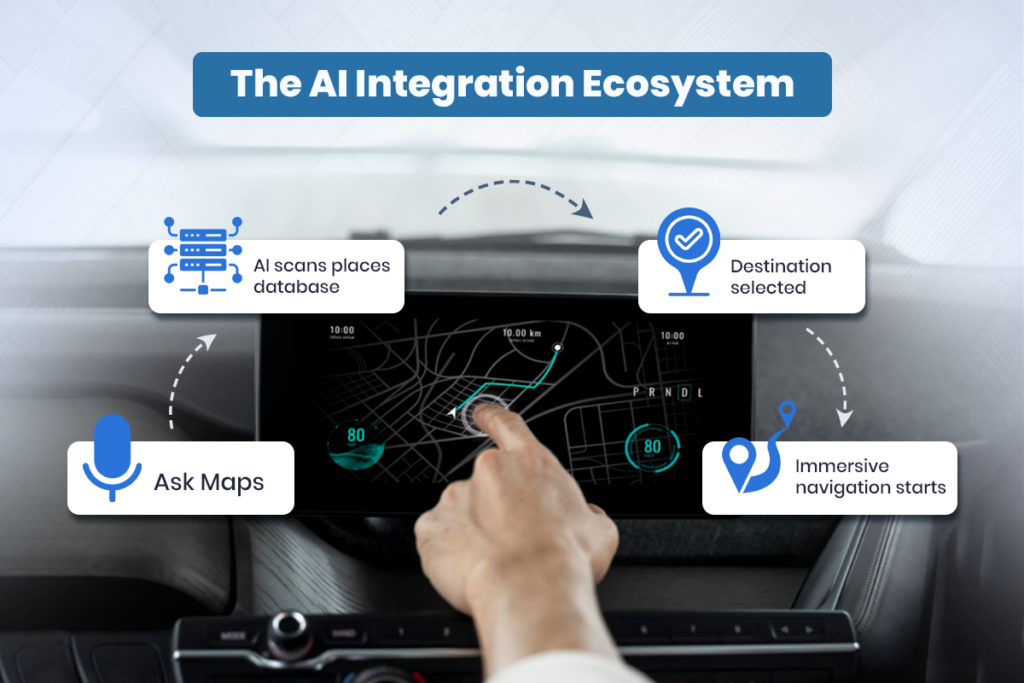
Here is a simple breakdown of how this new ecosystem functions seamlessly:
- Step 1: You use the new “Ask Maps” feature. You speak naturally to the Gemini AI, asking for a specific type of venue, like “a quiet coffee shop with parking.”
- Step 2: The system actively scans over 300 million places, using your personal history to suggest the perfect spot.
- Step 3: You hit “Start,” and the app immediately drops you into the Google Maps Immersive Navigation
- Step 4: As you drive, the Google Maps 3D view clearly shows the exact physical structure of your destination, eliminating the awkward, slow crawl as you search for the correct driveway.
Who Should Actually Use This New Interface?
This highly dynamic visual shift is certainly not just for casual road-trippers. It is, in fact, for absolutely anyone who desperately needs consistent, high-accuracy routing in dense, confusing environments.
- Delivery Drivers: Rapidly build delivery efficiency by using the precise building entrances highlighted in the Google Maps March 2026 update to shave minutes off every single drop-off.
- App Developers: Safely test how your own logistics software might eventually integrate these 3D previews, as Google Maps Platform APIs frequently mirror these consumer updates.
- Daily Commuters: Confidently navigate massive highway interchanges, not just basic city grids, because executing a flawless merge matters significantly more than simply knowing the speed limit.
- Agency Owners: Powerfully drive local SEO strategies by deliberately optimizing client business profiles, ensuring they look perfect when users query the new Gemini “Ask Maps” search.
Practical Examples
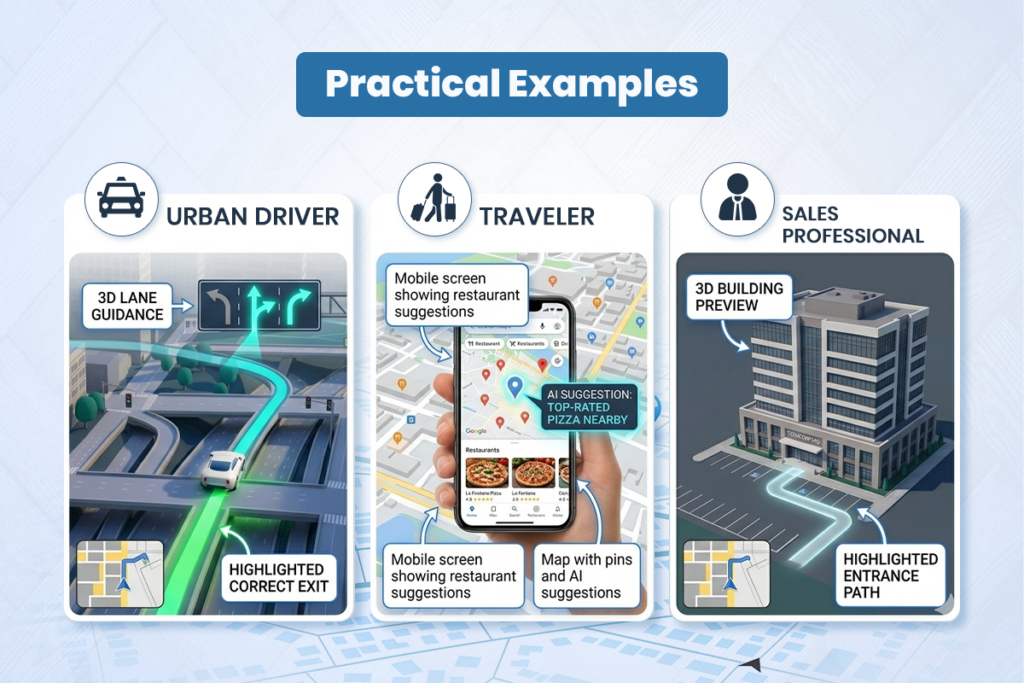
- Example 1 — A commuter successfully using the 3D view:
- A driver completely stops missing complex downtown exits. Instead, they rely on the Google Maps 3D view. That single update quickly utilizes live spatial rendering. With aggressive visual clarity, the app highlights the exact middle lane required for an upcoming tunnel. And because the on-screen bridges look identical to the real bridges, frustrating wrong turns quickly turn into seamless driving.
- Example 2 — A traveler successfully secures context:
- A family completely stops arguing over where to eat. Instead, they regularly launch the new Ask Maps conversational AI. They frequently ask for nuanced descriptions like “kid-friendly diner with outdoor seating.” With that genuine focus on context, the AI starts actively providing personalized suggestions. As a direct result, their road-trip planning becomes incredibly fast and stress-free.
- Example 3 — A professional effectively navigating arrivals:
- A salesperson repeatedly notices they arrive late because they cannot find the office parking lot. So, they quickly deploy the new Google Maps Immersive Navigation. The app clearly renders the building’s physical shape and highlights the exact side of the street to pull over on. Consequently, the entire arrival process pivots toward extreme predictability. Punctuality increases dramatically. That approach works beautifully because it perfectly matches how humans naturally recognize physical spaces.
The Real Limitations You Should Know
This exact visual upgrade definitely sounds incredibly impressive. Still, it is absolutely not instant magic. And, frankly, it is definitely not available everywhere all at once.
- The new 3D renders absolutely cannot fix a genuinely terrible cellular connection. If you lose data in a rural area, downloading dense 3D graphics simply becomes impossible.
- Securing this feature definitely takes serious patience. The Google Maps March 2026 update is currently rolling out primarily in the United States first, meaning international users will have to wait months for full expansion.
- Blindly trusting the AI is highly risky. Without genuine driver awareness, staring too closely at a beautiful 3D screen quickly makes a serious driver face an unintended collision.
- Hardware requirements matter. Real immersive impact often simply requires a relatively modern smartphone or a capable Android Auto/CarPlay setup, not a ten-year-old device that will lag under the graphics load.
The Final Takeaway for Your Daily Drive
Winning consistently on the road in 2026 is absolutely not about optimizing entirely for flat, confusing diagrams. It is, instead, entirely about building a highly spatial, realistic mental model of your route. Use the new Google Maps Immersive Navigation to rapidly increase your spatial awareness and easily secure smoother lane changes. Embrace the natural voice guidance to reliably earn a stress-free commute. And, above all else, deeply build your driving habits around the undeniable reality of this massive visual shift: the map now looks exactly like the real world, so you must aggressively use that clarity to keep your eyes safely on the road ahead.
Disclaimer:
This article is based on publicly available information about Google Maps’ March 2026 update, including Immersive Navigation and Ask Maps, at the time of writing. Features, availability, and rollout timelines may change as Google continues to update its products. Readers should refer to Google’s official announcements and support pages for the latest details and region-specific information.
FAQs
What is Google Maps’ Immersive Navigation?
Immersive Navigation is a new 3D driving experience in Google Maps that shows realistic buildings, roads, and lane details to make directions more intuitive.
What changed in the March 2026 Google Maps update?
The March 2026 update added Immersive Navigation’s 3D view and the Gemini-powered Ask Maps feature for conversational search and trip planning.
How is Immersive Navigation different from the old 2D view?
Instead of a flat line, you see a vivid 3D route with buildings, overpasses, terrain, lanes, and road signs that mirror the real world.
What is Ask Maps in Google Maps?
Ask Maps lets you speak or type natural-language questions and get AI-generated suggestions and routes based on your preferences and history.
Where is Immersive Navigation available right now?
Immersive Navigation is rolling out first in the United States, with more regions and devices to be added over the coming months.
Which devices support the new 3D Immersive Navigation?
It’s coming to eligible iOS and Android phones and to cars via Android Auto, CarPlay, and vehicles with Google built-in.
Does Immersive Navigation work offline?
You can still use offline maps, but the full 3D Immersive Navigation experience relies on a solid data connection to stream detailed visuals.
Is the new Google Maps update free?
Yes, Immersive Navigation and Ask Maps are free features within the Google Maps app.
How does Gemini AI improve driving directions?
Gemini AI helps Maps understand the environment, provide more human-sounding instructions, and answer complex, real-world questions about where to go.
Can businesses benefit from Immersive Navigation and Ask Maps?
Yes, well-optimized business profiles become more discoverable and more accurately represented in 3D views and AI-powered recommendations.