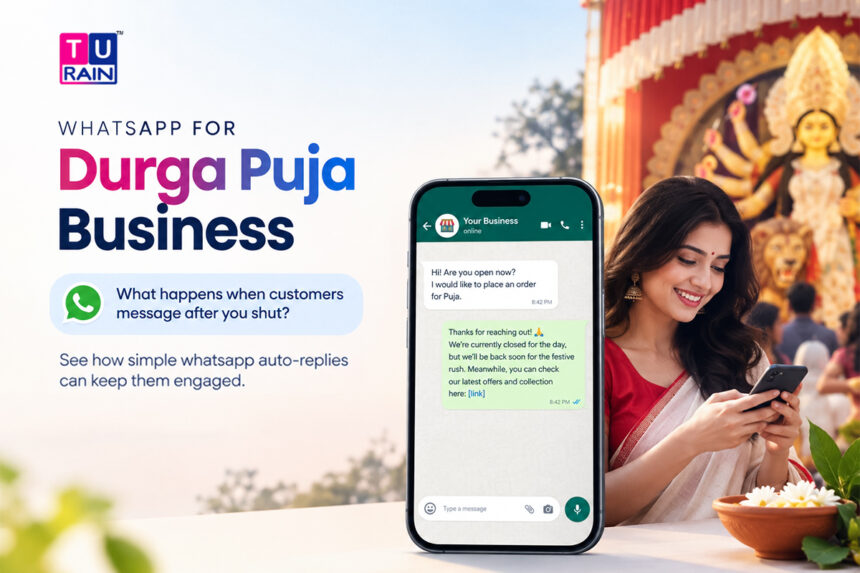
Puja is coming. So is the shutter.
Every shop owner in Bengal knows the drill. Somewhere around Shashthi, the store goes dark for a stretch of days, and every customer who wanted something during that window either waits, forgets, or — worse — buys it from whoever answered first. That last part stings the most. Not because the sale was big. Because it didn’t have to happen that way.
For local shop owners, using WhatsApp for Durga Puja business communication can help keep customer conversations active even when the shop is closed. With the right WhatsApp Business features set up before Puja, customers can receive immediate responses without someone constantly monitoring the phone.
Here’s the thing nobody tells small business owners early enough: your shop can stay shut and still answer customers. Not through a night shift, not through someone’s personal phone buzzing at midnight. Through WhatsApp, set up properly, once, before the pandal lights even go up.
Why Puja Season Actually Costs You Sales
Think about what a customer does when your shop’s closed and they need something anyway. They message you on WhatsApp. Naturally — everyone does that now. And then they wait.
If nothing comes back in a few minutes, they don’t keep waiting. They scroll to the next shop in their contacts, or the next one on Google. Gone. Not because your product was worse. Because your silence looked like closure, and closure looked like “try somewhere else.”
Durga Puja doesn’t just pause your operating hours. It compresses the busiest shopping days of the Bengali calendar into a window where you’re least available to respond. New clothes, gifts, sweets, electronics, home decor — demand spikes right when staff go on leave and shutters come down for the big days. That mismatch is the actual problem here, not the holiday itself.
The 2026 Puja Calendar, So You Know Exactly When This Hits
Before setting anything up, it helps to know precisely which days your shop is likely to be shut or running reduced hours. Based on the West Bengal government holiday calendar for 2026, here’s the core Puja stretch:
| Day | Date | Day of Week |
| Mahalaya | 10 October 2026 | Saturday |
| Maha Panchami | 16 October 2026 | Friday |
| Maha Shashthi | 17 October 2026 | Saturday |
| Maha Saptami | 18 October 2026 | Sunday |
| Maha Ashtami | 19 October 2026 | Monday |
| Maha Navami | 20 October 2026 | Tuesday |
| Vijaya Dashami | 21 October 2026 | Wednesday |
That’s a nearly two-week window where footfall, staffing, and your own attention all get pulled toward the festival, not your counter. And it’s exactly the window where an automated WhatsApp setup earns its keep.
How to Use WhatsApp Business for Durga Puja
A lot of shop owners assume you need some expensive software to “automate” WhatsApp. You don’t. Not for the basics, anyway. The free WhatsApp Business app already has three tools built in, and most shopkeepers never touch them.
1. Away Message
This one fires automatically whenever someone messages you outside your set hours — exactly the situation on Ashtami evening when you’re at the pandal, not the counter.
To set it up: open WhatsApp Business, tap the three dots in the top right, go to Settings > Business Tools > Away Message, toggle it on, and write your text. You get three scheduling choices — always send, a custom schedule for specific days and times, or automatically outside your listed business hours.
A decent Puja-season away message might read something like:
“Pronam! We’re closed for Durga Puja from Shashthi to Dashami. Your message has been received — we’ll reply the moment we’re back on [date]. Shubho Bijoya in advance!”
Simple. But it tells the customer two things that matter: you got the message, and you’re not vanishing forever.
2. Greeting Message
This one’s slightly different — it triggers the first time someone messages you, or after 14 days of no contact, regardless of your business hours. Think of it as your shop’s front door greeting, except it works at 2 AM too.
Setup path is the same: Settings > Business Tools > Greeting Message. Turn it on, write your line, and choose who receives it — all contacts, new contacts only, or a specific list.
For Puja, this is a good spot to slip in a festive note along with your usual welcome:
“Hi, thanks for messaging [Shop Name]! Puja stock has arrived — new arrivals, festive offers, everything’s ready. Let us know what you’re looking for.”
3. Quick Replies
Quick Replies aren’t automatic — an actual person still has to send them — but they cut response time down to seconds. Type “/” in the chat box, and a list of saved responses pops up. You can store up to 50 of these, each tagged with a shortcut keyword.
During Puja, the same five or six questions come in on repeat: “Is this in stock?”, “What time do you reopen?”, “Do you deliver?”, “What’s the price?” Save each answer once, and your staff — or you, standing in a pandal queue — can fire off a proper reply without typing the same thing forty times.
Setting the Right Expectation, Not Just an Auto-Reply
Here’s where a lot of shops get it wrong. They set up an away message and stop there, treating it like a “sorry, we’re closed” sign. That’s a missed opportunity.
A good away message during Puja does three things: confirms receipt, states clearly when you’ll respond, and — if it fits your business — nudges the customer toward something useful in the meantime. A clothing shop might link a WhatsApp catalog. A sweet shop might mention pre-orders for Bijoya visits. A small electronics dealer might simply list what’s currently in stock, so the customer isn’t left guessing.
None of this requires you to be online. That’s the entire point.
A Quick, Real Example
A saree shop in North Kolkata used to lose a noticeable share of pre-Puja orders every year, simply because the owner and two staff members were busy from Chaturthi onward and nobody was checking WhatsApp. In 2025, they finally set up an away message pointing customers to a catalog link, along with a greeting message mentioning their Puja collection. Nothing fancy — no paid tool, no developer, just the free app’s built-in settings, configured properly the week before Shashthi. Orders that would’ve gone cold instead sat waiting, ready to be confirmed the moment the shop reopened on Ekadashi.
That’s not a dramatic transformation. It’s a small fix that stopped a leak that had existed for years without anyone noticing it.
Where the Free App Hits Its Ceiling
Worth being upfront about this: the WhatsApp Business app is built for a single device and a single person managing it, more or less. It handles away messages, greeting messages, and quick replies well. But it can’t personalize messages with a customer’s name automatically, can’t run keyword-triggered replies, and can’t hand off to a proper chatbot flow. Those capabilities exist only on the WhatsApp Business API, which is a different setup entirely — built for businesses that need multiple team members, CRM integration, or automated order tracking at scale.
For most local shops, though, the free app’s three tools cover the actual problem: someone messaging while the shutter’s down, needing to know they haven’t been ignored.
Get Your WhatsApp Business Ready Before Durga Puja
Whether you need simple customer-response tools or a more advanced WhatsApp Business setup, prepare before the festive rush so customer enquiries don’t go unanswered.
Talk to Turain, a five-minute setup this week can save you a week’s worth of missed messages come Shashthi.
Disclaimer
This article is for informational purposes only. The Durga Puja 2026 dates mentioned are based on the standard West Bengal calendar and may vary slightly depending on specific panjika observances. Additionally, WhatsApp Business features and interface layouts are subject to change by Meta.
Frequently Asked Questions
How can I use WhatsApp Business for Durga Puja?
Local businesses can use WhatsApp Business features such as Away Messages, Greeting Messages and Quick Replies to acknowledge customers, communicate reopening times and answer common questions during the Puja holidays.
Does the away message cost anything to set up?
No. Away messages, greeting messages, and quick replies are all free, built into the standard WhatsApp Business app.
Are WhatsApp Business auto-replies free?
The article states that Away Messages, Greeting Messages and Quick Replies are available within the standard WhatsApp Business app without an additional automation tool.
Will the away message go to every single person who messages me?
Only if you set it that way. You can restrict it to all contacts, non-saved contacts only, or a specific list, depending on your settings.
Can I change the away message every day during Puja?
Yes, and it's worth doing if your reopening date shifts or your offer changes day to day. It takes under two minutes to edit and re-save.
What if I want the message to include a customer's name automatically?
That level of personalization needs the WhatsApp Business API, not the free app. The native app sends the same message to everyone.
Do I need to keep my phone connected to the internet for the Away Message to work?
Yes. For the free WhatsApp Business app to send automated Away or Greeting messages, your phone must be turned on and have an active internet connection. If your phone is switched off or in airplane mode while you are at the pandal, the auto-replies will only send once the phone reconnects to the network.
Will the Greeting Message trigger every single time someone messages me during Puja?
No. The Greeting Message only triggers the first time a new contact messages you, or if an existing contact messages you after 14 days of no conversation. It won't spam a customer who is actively chatting with you.
Can I use these free tools to blast a "Happy Puja" message to all my past customers?
No. Away and Greeting messages are reactive — they only send when a customer messages you first. If you want to send a proactive broadcast to a list of customers, you have to use the Broadcast feature (which only reaches people who have your number saved) or upgrade to the WhatsApp Business API.
Reference Links
- Setting up Away Messages: WhatsApp Help Center — How to use away messages
- Setting up Greeting Messages: WhatsApp Help Center — How to use greeting messages
- Durga Puja 2026 Schedule: West Bengal Durga Puja 2026 Dates & Rituals