
Sending a message at the perfect moment is considered a common dilemma for many users. A birthday wish may come to mind at 11:40 PM, or a good-luck note may be needed for tomorrow’s interview. Sending it immediately feels odd, whereas waiting often means forgetting.
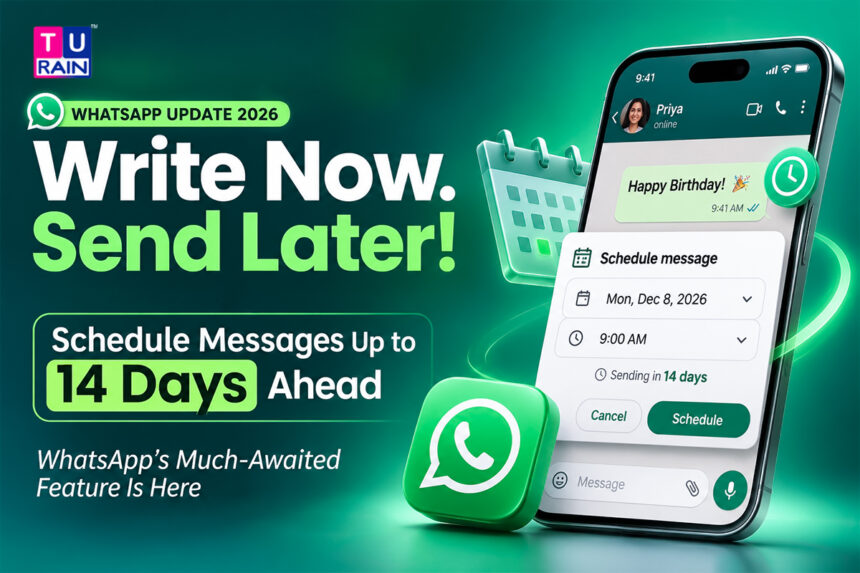
That small dilemma now has an official solution. On 25th November 2026, the much-awaited WhatsApp Message Scheduling Feature was announced, allowing users to write messages now and deliver them later.
Of all the WhatsApp new features in November 2026, this is the one that people actually asked for. This blog explains how it works, what it cannot do, and where it stops being useful for a business, because it does stop, and that line matters.
Where Things Stand as of Late November 2026
The WhatsApp Message Scheduling Feature has been announced for both Android and iPhone users, with availability expanding gradually through a staged global rollout.
There is no setting to switch on. Firstly, WhatsApp should be updated from the App Store or Google Play Store. Secondly, the send button should be pressed and held. If a scheduling menu appears, the feature is available, and if not, it should be checked again in a few days.
The feature did not come out of nowhere. It was first spotted in February and then tested on Android and iPhone betas in October. Telegram, Signal, and Google Messages have offered scheduling for a while, so WhatsApp is late, but it is here.
How to Use the WhatsApp Message Scheduling Feature
The process is simple and takes about five seconds:
- Open a one-on-one or group chat
- Type your message, or attach a photo or video
- Press and hold the send button instead of tapping it
- Pick the date and time you want it delivered
- Confirm
The window runs from 10 minutes to 14 days, which is a useful range for most personal needs. A message needed sooner than 10 minutes can simply be sent. A message needed later than 14 days cannot be handled by native scheduling.
What You Can Schedule
The WhatsApp Message Scheduling Feature currently supports the following types of content in individual and group chats.
- Texts
- Photos
- Videos
These types work in both one-on-one chats and groups. Documents are not on WhatsApp’s list, and at least one report says they are not supported at launch.
The person on the other end sees a regular message, and nothing tells them that it was planned. This is exactly why a birthday wish landing at midnight feels personal, thoughtful, and sincere.
Scheduling WhatsApp Texts Offline
One of the most interesting capabilities of the WhatsApp Message Scheduling Feature is that scheduled messages can be delivered even when the sender’s phone is switched off. WhatsApp says the message still goes out if the phone is switched off or the battery has died. In addition, privacy stays intact, as scheduled messages keep the same end-to-end encryption as other personal chats, so even WhatsApp cannot read them.
Managing Your Scheduled Messages
Scheduled messages can be managed by tapping the profile picture and opening WhatsApp message scheduler, where every queued message sits. Pressing and holding any item deletes it before it goes out. However, editing is not possible, so a changed word needs a deleted message and a new one. During the October iPhone beta, testers found this list inside the chat info screen instead, so the layout may look different on some phones.
Groups: The Catch to Know About
When using the WhatsApp Message Scheduling Feature in group chats, scheduled messages reach only the members who belonged to the group when the message was scheduled.Anyone who joins afterwards never sees it. This is a sensible safeguard, but it is still worth remembering before scheduling an announcement for a group that keeps growing.
Everyday Uses
Personal use is where this feature shines:
- Birthday and anniversary wishes at exactly 12:00 AM
- Good-luck messages the night before an exam or interview
- Morning greetings to family in a different time zone
- Reminders to a group about tomorrow’s plan
The sources do not explain how WhatsApp handles time zones, so the calculation should be done manually. In addition, the time should be confirmed in the Scheduled messages list.
What Does the WhatsApp Message Scheduling Feature Mean for Small Businesses?
A physiotherapy clinic seeing three patients a day is a good example of a small business. The receptionist books a Thursday 10 AM slot, and on Wednesday evening a reminder should go out. With native scheduling, she can queue that reminder in advance, which works fine for a handful of patients.
However, there is a catch. WhatsApp Business is left out for now, according to WhatsApp’s Help Center. If the clinic runs the free Business app, the new button is not there. That app offers greeting messages, away messages, and quick replies, which are automated replies, not scheduled outbound messages.
Moreover, scheduling is manual even on the standard app, as it handles one message at a time. There are no templates, no opt-in records, no CRM link, and no campaign reporting. It is fine for a few messages, but not suitable for a growing customer base.
WhatsApp Business Automation: Where the API Takes Over
Native scheduling is built for people, whereas the WhatsApp Business Platform, accessed through an approved provider, is built for businesses. The gap between them is wide, and it can affect how a business plans its communication.
| Native Scheduling | WhatsApp Business Platform (API) | |
| Built for | Personal chats, light use | Businesses at scale |
| Timing | 10 minutes to 14 days, set by hand | Controlled by your provider’s or system’s own scheduler |
| Triggers | Manual date and time | Time-, event- and behaviour-based (order placed, payment failed) |
| Content | Text, photo, video | Approved templates, plus free-form replies inside the 24-hour window |
| Opt-in | Not tracked | Required before you message |
| Personalisation | Manual | CRM-driven |
| Availability | Rolling out on Android and iOS; Business app excluded for now | Through approved providers |
The rules that come with the API shape everything, so they are listed below:
- Businesses can message only people who have opted in
- An approved message template must be used to start a conversation
- When a customer messages a business, a 24-hour customer service window opens, and it resets with each new message from the customer.
- Inside that window, free-form replies can be sent, and after it closes, only approved templates are allowed.
- Templates fall into three categories: marketing, utility, and authentication.
Costs apply too, as Meta charges per delivered template message, and it changed its pricing again on 1st October 2026. The current rate card should be checked before planning a campaign.
One warning is necessary here. Unofficial tools that reach into a WhatsApp account outside the official API can breach WhatsApp’s terms and put the number at risk. If scheduling at scale is needed, the Business Platform should be used.
The Simple Rule
Native scheduling is suitable for one-off, personal nudges, whereas the Business Platform is suitable for anything repeated, consent-based, or tied to customer data.
Outgrowing one-by-one reminders? Talk to Turain‘s team about WhatsApp Business API automation. Our team will map your reminders, templates, and opt-ins before you scale. When looking for a perfect and effective automation setup, only talk to our team.
Disclaimer
Product Rollout & Messaging Compliance Notice: WhatsApp’s native message scheduling feature was announced on 25 November 2026 as a staged global rollout for personal Android and iOS accounts. Availability, supported media types, and interface placement may vary by device and app version during rollout, and the feature is not currently supported on the free WhatsApp Business app. Businesses automating scheduled customer reminders or campaigns via the WhatsApp Business Platform (API) must comply with Meta’s Business Messaging Policies, template approval rules, and per-message pricing, as well as India’s Digital Personal Data Protection (DPDP) Act, 2023 regarding explicit user opt-in. Using unofficial third-party scheduling apps or browser extensions to automate personal or Business app accounts violates WhatsApp’s Terms of Service and can result in temporary or permanent number bans.
Frequently Asked Questions WhatsApp Message Scheduling
Can I schedule WhatsApp messages from WhatsApp Web or Desktop as well?
Early reports following the 25 November 2026 rollout note a clock icon appearing next to the send button on WhatsApp Web and Desktop for eligible accounts, replacing the mobile long-press gesture. Because the rollout is staged across accounts and platforms, mobile users on the latest iOS and Android builds are seeing it first.
Why can’t a small business just use a Chrome extension or Android accessibility app to schedule WhatsApp Business messages?
Unofficial browser extensions and third-party automation apps bypass WhatsApp’s authorised interfaces by simulating taps or injecting scripts into WhatsApp Web. Meta actively detects unauthorised automation, which puts your business phone number at risk of restriction or permanent suspension. For recurring reminders or bulk campaigns, the official WhatsApp Business Platform (API) is the only compliant route.
Can I use native message scheduling for WhatsApp Channels or Business Broadcasts?
No. Native scheduling is designed strictly for one-on-one and group personal chats, and WhatsApp has not confirmed support for Channels at launch. Meanwhile, the WhatsApp Business app currently excludes native chat scheduling—though businesses in select markets can schedule paid Business Broadcasts or set time-based Away Messages inside the Business app’s Tools menu.
What happens if I want to change the wording or delivery time of a scheduled message?
WhatsApp does not let you edit a queued message or adjust its scheduled timestamp once confirmed. Open Scheduled messages by tapping your profile picture, long-press the queued item, delete it, and compose a fresh message with the updated text or time.
Can I schedule messages on the WhatsApp Business app?
Not for now. WhatsApp's Help Center leaves it out, and the Business app supports greeting messages, away messages, and quick replies only.
Will the recipient know a message was scheduled?
No, it looks like any other message to the recipient.
What happens if my phone is off at the scheduled time?
WhatsApp says the message still goes out, even if the phone is switched off or has died.
Can I edit a scheduled message?
No. A scheduled message can be deleted from the Scheduled messages list, and a new one should be written.
Can the WhatsApp Message Scheduling Feature Schedule Messages Beyond 14 Days?
Yes. The native scheduling feature described in the November 2026 announcement supports scheduling messages from 10 minutes to 14 days ahead.
Why Is the WhatsApp Message Scheduling Feature Not Showing on My Phone?
The rollout is gradual, so the app should be updated and tried again in a few days.
Official Reference Links
- WhatsApp Blog – Say It at the Right Time With Scheduled Messages: blog.whatsapp.com/say-it-at-the-right-time-with-scheduled-messages
- WhatsApp Help Center – How to Schedule a Message (Android & iOS): faq.whatsapp.com/26520821867570209
- WhatsApp Help Center – How to Use Away Messages (WhatsApp Business App): faq.whatsapp.com/2565868990219715