If your WhatsApp support line has felt like a free lunch for the past couple of years, that lunch is ending.
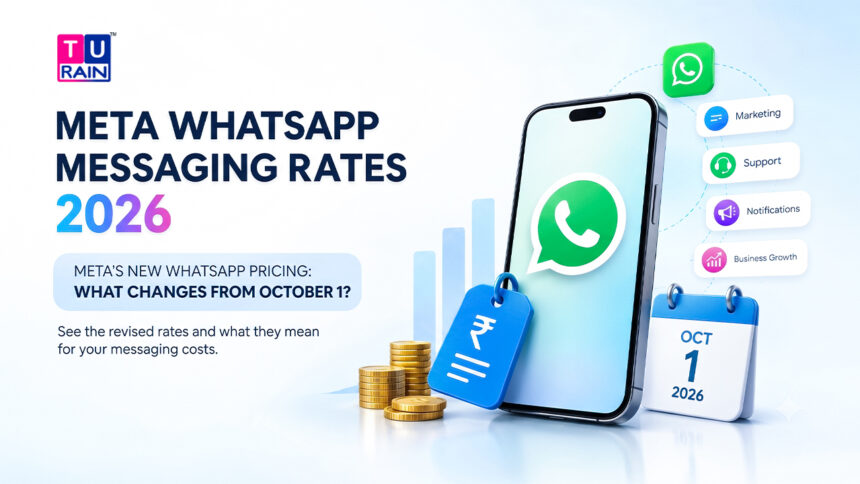
Starting October 1, 2026, at 12:00 AM (WABA local time), Meta is rolling out one of the more significant pricing changes to hit the WhatsApp Business Platform in a while. Service messages — the free-form replies your team or chatbot sends during an open conversation — stop being free. Utility messages sent inside that same window lose their free ride too. None of this is rumour or early speculation. It’s confirmed, published, and sitting right there in Meta’s own developer documentation.
Here’s what’s actually changing, and what it means for how you budget your WhatsApp conversations going forward.
WhatsApp Business App vs WhatsApp Business Platform: Who Is Affected?
Not every business using WhatsApp is affected in the same way.
The October 2026 pricing change discussed in this article concerns Service messages on the WhatsApp Business Platform. This is the infrastructure businesses use when WhatsApp is connected to chatbots, automation platforms, CRM systems, or other business tools.
The WhatsApp Business app, on the other hand, is designed for businesses that manage conversations directly from the app.
| Feature | WhatsApp Business App | WhatsApp Business Platform/API |
|---|---|---|
| Main use | Manual customer conversations | Business communication at scale |
| Replies | Usually sent manually | Can be sent through agents, chatbots or integrations |
| Automation | Basic built-in tools | Advanced automation and integrations |
| CRM integration | Limited | Supported |
| Multiple team members | Limited compared with Platform setups | Designed for team/integration use |
| Service-message pricing discussed in this update | Not the same Platform billing model | Yes |
| Typical users | Small/local businesses | Businesses with support, sales or automation workflows |
The key distinction: if your business simply uses the WhatsApp Business app to manually respond to customers, don’t assume that the new Platform Service-message pricing applies to those app conversations. If your WhatsApp number is connected to the Business Platform through a chatbot, CRM, or third-party automation platform, the new Service-message billing is relevant.
Important: The exact billing setup can depend on how your WhatsApp account is configured and which platform/provider you use. Check your Meta Business Manager or BSP account before making a pricing decision.
First, What Exactly Is a Service Message?
Let’s define this clearly, because the whole update hinges on it.
A Service message is any standard, open-ended reply — sent by a human agent or a third-party chatbot — during an active 24-hour customer service window. Nothing fancy. Just a normal reply to a normal question.
Picture this: a customer messages your business at 10:00 AM asking, “Where is my order?” Your team, or your bot, replies a minute later: “Your order is out for delivery and will reach you by tomorrow!”
That reply, sent at 10:01 AM, is a Service message. Simple as that.
How the 24-Hour Window Actually Works
This part hasn’t changed, and it’s worth being precise about it, because a lot of confusion around this update comes from people assuming the window mechanics are shifting too. They aren’t.
The 24-hour window opens the moment a customer sends you a message. It resets every time the customer messages you again. Send a reply within that window, and it counts as a Service message. Nothing about that behaviour is new. What’s new is simply that Meta now charges for what happens inside it.
What’s Actually Changing on October 1
Two things, specifically:
1. Service messages become billable. Once a business phone number exhausts its free monthly quota, every Service message sent after that is charged. The rate matches whatever Utility and Authentication messages already cost for that recipient’s country. There’s no separate, made-up “Service rate” — Meta simply applies the existing per-country Utility/Authentication rate to Service messages too.
2. Utility messages sent inside the 24-hour window stop being free. Until now, Utility templates delivered inside an open customer service window carried no charge — a courtesy that’s been in place since July 2025. From October 1, that courtesy ends. These messages get billed at the standard Utility rate, same as any Utility template sent outside the window.
What About Meta Business Agent?
There is another development businesses using WhatsApp automation should know about: Meta Business Agent.
Unlike a standard Service message sent through a third-party platform, the Meta Business Agent uses AI to handle customer interactions. The pricing model described in the video source is different: instead of charging for each Service message, the agent is charged based on token usage.
The video source states a rate of $2 per 1 million tokens and estimates this can work out to approximately 4–5 cents per message, depending on usage.
This creates two different approaches to automated WhatsApp conversations:
- Third-party automation/platform: Service-message billing applies.
- Meta Business Agent: usage is calculated through token consumption.
For businesses considering AI-powered WhatsApp automation, this distinction is worth understanding before choosing an implementation.
Note: Token consumption varies according to the AI interaction, so the per-message equivalent should be treated as an estimate rather than a fixed WhatsApp message price.
The Free Allowance: 1,000 Messages a Month, Per Number
Here’s the part that actually softens the blow for most small and mid-sized businesses.
Every WhatsApp Business Number gets 1,000 free Service messages per month. Charges only begin from the 1,001st message onward. This allowance:
- Resets every month
- Does not roll over if left unused
- Applies separately to each business phone number — so a business running five numbers effectively holds five separate 1,000-message allowances, not one shared pool
If your support volume genuinely stays under 1,000 Service messages a number each month, this change may barely touch your bill. If you’re running a high-volume support desk or a chatbot fielding thousands of daily queries, it’s a different story entirely, and this is exactly the kind of business that needs to run the numbers before October arrives.
The Billing Detail Everyone Misses
This is the one clause that trips up a lot of businesses, so it’s worth calling out on its own.
Only Service messages draw from the 1,000-message free allowance. Utility templates — things like order status updates, shipping confirmations, or payment reminders — are always billed as Utility messages, regardless of how much of your free Service quota you still have sitting unused.
In other words, you can’t stretch your free Service allowance to cover Utility sends. They’re two separate buckets, billed under two separate rules, even though both happen to sit inside the same 24-hour window.
What Determines the Exact Cost
Three variables decide what you’ll actually pay once you cross the free threshold:
- Message type — Service, Utility, or Authentication
- Recipient’s country — rates are set per market, not globally, so a message to a customer in Germany won’t cost the same as one to a customer in Brazil
- Remaining free quota — how much of your 1,000-message monthly allowance is left on that specific number
There’s no flat, universal rate here. Two businesses sending the same volume of Service messages could end up with very different bills, purely because their customers are sitting in different countries.
What Stays Exactly the Same
Amid all this, a few things haven’t moved an inch, and they’re worth naming so nothing gets conflated with the actual changes:
- Inbound customer messages remain entirely free. A customer messaging you costs you nothing, before or after October 1.
- The 24-hour window mechanics are unchanged. It still opens on the first inbound message and resets with every message after that. Nothing about that logic has been touched.
Five Key Takeaways
To keep this simple, here’s the update in five points:
- Billing applies to Service messages after the first 1,000 free per month, per number.
- Utility messages sent inside the 24-hour window are now charged, ending the free treatment they’ve had since July 2025.
- Rates for Service messages match the country-specific Utility/Authentication rate — there’s no standalone Service pricing tier.
- Effective date: October 1, 2026, 12:00 AM WABA local time.
- Window mechanics remain identical — opens on inbound, resets on every subsequent customer message.
What This Means Practically
What Should Businesses Do About the Change?
The pricing update doesn’t mean every business needs to stop using WhatsApp. The right response depends on how heavily your business relies on outbound Service messages.
1. Reduce unnecessary messages
If your chatbot or support team sends several short messages where one clear response would work, consider consolidating them.
For example, instead of:
“Hi!”
“Let me check that.”
“Your order has shipped.”
“Here’s your tracking link.”
A single structured response could communicate the same information with fewer outbound messages.
The goal isn’t to make conversations robotic. It’s to reduce unnecessary message volume while keeping the customer experience clear.
2. Review your WhatsApp support workflow
Customer support can generate a large number of outbound messages.
Review:
- Average Service messages per conversation
- Number of support conversations per month
- Automated vs human-generated replies
- Repeated messages
- Chatbot conversation design
- Whether every support interaction actually needs WhatsApp
This will show where your messaging volume is coming from.
3. Consider other channels where appropriate
Not every customer interaction needs to happen on WhatsApp.
For some use cases, businesses may consider:
- Website chat
- Help-centre/self-service options
- Other support channels
The objective isn’t necessarily to remove WhatsApp. It is to determine which conversations genuinely benefit from WhatsApp and which can be handled more efficiently elsewhere.
4. Keep WhatsApp where it creates measurable value
WhatsApp can still be an important sales, marketing and support channel. Instead of looking only at the messaging cost, businesses should compare it with the value generated through:
- Leads
- Conversions
- Customer support
- Retention
- Faster response
- Completed transactions
If WhatsApp generates enough business value to justify the messaging cost, the pricing change becomes a budgeting consideration rather than a reason to abandon the channel.
How to Check Your Service-Message Volume
Before estimating the impact of the new pricing, find out how many Service messages your business is actually sending.
According to the video source, the process is:
Meta Business → Settings → WhatsApp Accounts → Select your WhatsApp account → WhatsApp Manager → Insights → Message Pricing
From there, you can review your messaging activity and select a relevant time period, such as the last 30 or 90 days.
Look specifically at your Service-message volume.
For example:
- Last 30 days → approximate monthly Service-message volume
- Last 90 days → useful for identifying your average usage
- Individual phone number → understand the allowance and usage for that number
- Multiple numbers → review them separately because the free allowance is applied per business phone number
Once you know your monthly Service-message volume, you can move to the next step: estimating your potential post-October cost.
How to Estimate Your WhatsApp Messaging Cost
Once you know your Service-message volume, estimating the potential cost is straightforward.
Basic calculation
Billable Service messages × applicable country rate = estimated Service-message cost
However, remember that the first 1,000 Service messages per month, per business phone number, are free according to the article’s pricing framework. Charges begin after that allowance.
Example
Suppose your business sends:
2,500 Service messages per month
Your free allowance:
1,000 messages
Potentially billable:
2,500 − 1,000 = 1,500 messages
If the applicable rate for your recipient market were $0.05 per message, the estimated charge would be:
1,500 × $0.05 = $75
So the estimated additional Service-message cost would be $75 for that month, before any applicable BSP fees, software charges, or taxes.
Because Meta’s rates vary by recipient country, the actual calculation should use the current rate applicable to your market. The article already notes that there is no single global Service-message rate.
Disclaimer
This article is for informational purposes only. The pricing updates discussed reflect Meta’s official announcements for the WhatsApp Business Platform taking effect on October 1, 2026. Message rates are based on Meta's base country-specific rate cards and do not include additional markups, software fees, or taxes applied by your specific Business Solution Provider (BSP). Always consult Meta's official documentation or your BSP account manager to verify exact costs for your region and traffic volume.
Frequently Asked Questions (FAQs)
If I have three phone numbers under one WhatsApp Business Account (WABA), do I share the 1,000 free messages?
No. The 1,000 free Service messages per month allowance is allocated per registered business phone number, not per overarching WABA. If you run three numbers, you effectively get 3,000 free Service messages (1,000 per number). Allowances cannot be pooled or transferred between numbers.
Will I be charged when a customer sends a message to my business?
No. Inbound messages from your customers remain completely free. You are only billed when your business sends a reply (outbound) to the customer.
Does this change affect conversations started from Click-to-WhatsApp (CTWA) ads?
No. The free entry point rules remain unchanged. If a user messages you by clicking on a Facebook or Instagram ad (or a Facebook Page Call-to-Action button), it opens a 72-hour free entry point window. During those 72 hours, any message you send—whether Service, Utility, Marketing, or Authentication—remains free.
Do Utility messages sent within the window count toward my 1,000 free limit?
No. Utility templates are billed under the standard Utility category regardless of when they are sent. They do not draw from your 1,000 free Service message allowance, meaning you will pay the Utility rate for them even if your Service allowance is entirely unused.
Reference Links
- Meta Official Rate Cards: WhatsApp Business Platform Pricing Details
- Developer Documentation: Meta for Developers – WhatsApp Billing Updates