
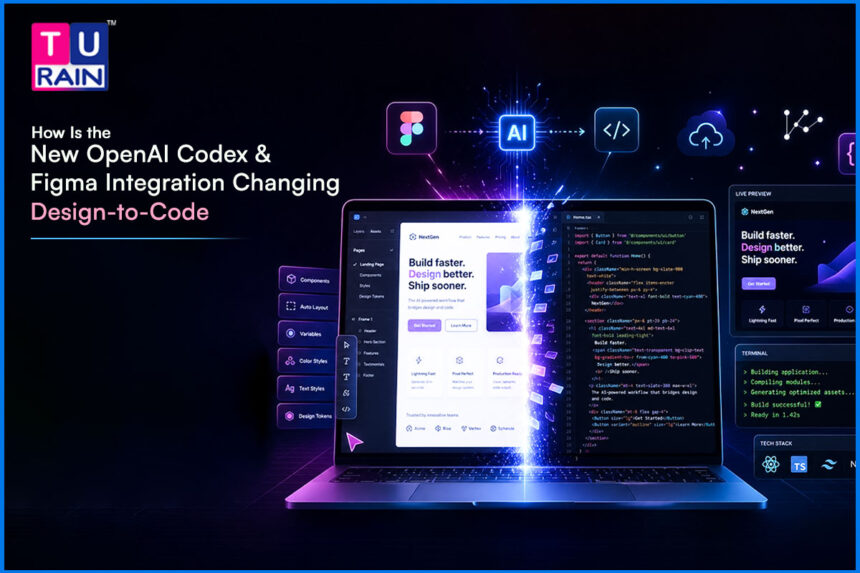
Are You Tired of the Endless Back-and-Forth Between Design and Development?
You spend hours perfecting a minimalist layout in Figma. Then the developer delivers a live page with broken padding, wrong fonts, and clunky mobile responsiveness. Sound familiar? The design-to-development “handoff” has been a notorious bottleneck for years — losing details, misreading spacing, and stalling product timelines. In digital marketing and content creation, speed to market is everything. You cannot afford to wait weeks for a developer to manually translate your visual assets into working code. That is exactly the problem the new OpenAI Codex Figma integration, launched in late February 2026, is built to solve.
What Exactly Is the OpenAI Codex and Figma Integration?
This integration is a bidirectional bridge, designed to keep both sides in sync. It connects Figma directly to OpenAI’s Codex coding agent, tying design and code together. Figma is the world’s most popular design canvas, so this bridge matters at a serious scale. The link between them runs in both directions, which keeps updates flowing smoothly.
It uses an open protocol called the Model Context Protocol (MCP), which sits quietly in the middle. This protocol was originally developed by Anthropic, and over time it has become widely adopted across the industry. MCP acts as a real-time translator, constantly syncing intent. It sits between your visual design and the functional code, turning layout into logic.
For anyone with a broken design-to-code workflow, this change is genuinely huge. It reshapes how teams move from mockups to production. It is the most significant shift in years, especially for product teams that live inside Figma every day.
Here is what it enables:
- Developers can prompt Codex to read a specific Figma frame and generate the exact React or HTML/CSS needed to build it
- If a developer makes a change in the code, Codex can push that updated UI back onto the Figma canvas as fully editable layers
- Design tokens, spacing, Auto Layout rules, and components are all extracted automatically — no manual asset export needed
This is not just a code generator. It is a live pipeline between your design file and your codebase.
Why Does This Figma and Codex Collaboration Matter So Much Now?
The gap between the design canvas and the code repository has always been expensive — in time, money, and quality. This integration directly attacks that gap.
- It removes the technical language barrier. Designers do not need to learn React or CSS to see their work come to life, and developers do not have to guess which exact shade of blue the designer intended
- It preserves visual integrity. Every design token, layout constraint, and typography choice is fed directly into the AI, so the coded output closely matches the original design
- It accelerates the entire product lifecycle. What used to take a cross-functional team two weeks of sprint planning and QA can now be prototyped, coded, and reviewed in a single day
How Does This Bidirectional AI Workflow Actually Work
The design-to-code workflow runs through the Figma MCP server, which safely exposes your design data to the Codex agent. Here is how the process flows:
Step 1 — Context Extraction: Select a specific node or frame in the Figma desktop app. The Figma MCP server extracts all critical metadata — Auto Layout rules, colors, spacing, nested component names, and more.
Step 2 — AI Code Generation: Open your OpenAI Codex interface (the macOS app or CLI) and prompt the agent to build the selected design. Codex reads the metadata and writes corresponding frontend code, mapping Figma styles to your existing project’s design tokens and component library.
Step 3 — Visual QA and Iteration: Render the generated code locally. If something looks slightly off — a button size, a gap value — prompt Codex to adjust until it matches the design precisely.
Step 4 — Reverse UI Capture: If a developer adds a new interactive state directly in the codebase, Codex can capture that running interface and push it back into Figma as an editable frame, keeping designers in sync with production.
Important note: This workflow typically achieves 80–90% visual parity in practice. It still requires iteration, especially for complex layouts or disorganized Figma files. It is not instantaneous “pixel-perfect” generation in a single prompt, as some claims suggest.
What Are the Key Features of This New Figma MCP Setup?
- Design System Awareness: Codex actively reads your existing component library and reuses your established React components instead of hardcoding new ones from scratch
- Bidirectional Roundtripping: Move from Figma to code, edit the code, then push the updated UI back into Figma as editable layers — design files stay in sync with production
- Local and Secure: The local Figma desktop MCP lets you extract context without sharing public URLs, keeping proprietary client designs private
Who Should Actually Use This Integration?
This Figma-to-code AI capability is no longer just for large tech teams. Here is who benefits most:
- Solo creators and junior designers can build functional web prototypes from visual concepts without needing a computer science background
- Frontend developers and UX engineers can skip tedious CSS scaffolding and focus on complex business logic and performance
- Digital agencies can cut overhead and client turnaround times by eliminating the traditional siloed handoff phases
- Growth and marketing teams can independently spin up, test, and launch customized promotional landing pages in hours — without waiting on an overbooked engineering team
Practical Examples of This Tech in Action
Example 1 — Rapid Landing Page Generation: A marketing designer builds a hero section in Figma for a new product launch. Instead of waiting for a developer, they use this Figma-to-code AI tool to generate a responsive HTML/Tailwind CSS component within the same working session.
Example 2 — Fixing Visual Drift in QA: An engineer’s dashboard looks slightly off from the original design. Codex compares the live code against the Figma MCP data, identifies incorrect padding values, and rewrites the CSS to restore visual parity.
Example 3 — Updating Design Systems from Code: A developer tweaks the border radius of a core button directly in the codebase to fix a rendering bug. Codex pushes the updated UI back into Figma, automatically syncing the master component for the entire design team.
What Are the Real Limitations You Should Know?
This is where many hyped articles get it wrong. Here are the honest boundaries:
- Figma file quality matters enormously. If your file is poorly organized, uses unnamed layers, or lacks proper Auto Layout, the AI generates equally messy, unusable code. Garbage in, garbage out
- Setup is technically demanding. Configuring the Figma MCP server is not point-and-click. It requires command-line interface (CLI) work, OAuth login, API environment variables, and system file editing — daunting for non-technical designers
- Legacy codebases are a challenge. For large, complex projects that do not use modern component frameworks like React, Codex will struggle to map Figma designs cleanly and will need heavy human refactoring
- “Pixel-perfect in seconds” is an overstatement. Real-world results require iteration, review, and manual tweaks — especially for nuanced or complex designs
What Will AI-Powered Product Design Look Like Next?
The era of static handoffs and manual CSS translation is rapidly ending. Here is where this technology is heading:
- The designer–developer boundary will blur further. Industry observers expect a new role of “product builder” — someone who uses AI agents to simultaneously work on the visual canvas and the codebase
- Real-time repository syncing is coming. Future iterations of the OpenAI Codex Figma integration will allow a canvas change to hot-reload instantly in a developer’s local environment without requiring manual prompt extraction
- Teams that resist this shift will fall behind. Competitors using bidirectional AI integrations can iterate significantly faster. Adapting now keeps your workflow — and your skills — highly relevant
The Final Takeaway for Your Design Workflow
The historic divide between visual design and functional code is collapsing. The OpenAI Codex Figma integration, while not magic, is a genuine step change for teams that build digital products. It will not replace skilled designers or developers — but it removes the friction that slows them down. If your Figma files are well-organized and your team is comfortable with some initial technical setup, the long-term payoff of a faster design-to-code workflow, tighter visual parity, and true design–code collaboration is absolutely worth it. Connect your Figma canvas to Codex and start building.
Disclaimer:
This blog is for informational and educational purposes only and does not constitute technical, legal, or business advice. Features, capabilities, and behavior of OpenAI Codex, Figma, and related integrations may change over time, and real-world results can vary depending on your specific design files, codebase, and tooling. Always review and test AI‑generated code in a safe environment, follow your organization’s security and compliance policies, and consult qualified professionals before making critical implementation or product decisions.
Sources for Further Reading:
- OpenAI – OpenAI Codex and Figma launch seamless code-to-design collaboration
https://openai.com/index/figma-partnership/[openai] - OpenAI for Developers – Building frontend UIs with Codex and Figma
https://developers.openai.com/blog/building-frontend-uis-with-codex-and-figma/[developers.openai] - Figma Blog – Building frontend UIs with Codex and Figma
https://www.figma.com/blog/introducing-codex-to-figma/[figma] - TechCrunch – Figma partners with OpenAI to bake in support for Codex
https://techcrunch.com/2026/02/26/figma-partners-with-openai-to-bake-in-support-for-codex/[techcrunch] - Skywork – Figma-Context-MCP Explained: MCP Server for Figma–AI Integration
https://skywork.ai/blog/figma-context-mcp-mcp-server-ai-integration/[skywork] - MLQ.ai – Figma integrates OpenAI Codex for AI-powered design
https://mlq.ai/news/figma-integrates-openai-codex-for-ai-powered-design/[mlq]
FAQs
What is the OpenAI Codex Figma integration?
It is a bidirectional link between Figma and OpenAI Codex that turns designs into code and code back into editable Figma layouts.
How does this integration help designers?
Designers can see their Figma layouts become working interfaces without writing code or relying on long developer handoffs.
How does this integration help developers?
Developers get structured, design-aligned starter code so they can focus on logic, performance, and edge cases instead of pixel-pushing.
What is a design-to-code workflow in this context?
It is the process of taking a Figma design, extracting its structure and tokens, and generating production-ready frontend code with AI.
What role does the Figma MCP server play?
The Figma MCP server securely exposes frame metadata (layout, colors, components) so Codex can understand and reproduce the UI in code.
Can this integration achieve pixel-perfect output?
It can get very close to pixel-perfect results, but complex or messy files still require manual tweaks and iterations.
Does this work with existing design systems?
Yes, Codex can read and reuse existing components and design tokens rather than hardcode new styles.
Is this Figma-to-code AI suitable for beginners?
Yes, it is helpful for beginners, as long as they can follow the setup steps or collaborate with someone comfortable with basic tooling.
Do Figma files need any special preparation?
Yes, clean Auto Layout, clear naming, and organized components are crucial for accurate code generation.
Is the setup truly no-code for designers?
No, the initial setup involves command-line tools, authentication, and environment variables, which can feel technical.
Does it work well with legacy codebases?
It works best with modern component-based stacks; older or tangled codebases usually need extra refactoring.
Can code changes be sent back to Figma?
Yes, updated UIs from the code side can be pushed back into Figma as editable frames, keeping design and code in sync.
Is the integration secure for client work?
When used via the local desktop setup, design data stays within your environment, which is suitable for sensitive client projects.
Will this replace designers or developers?
No, it augments both roles by automating repetitive translation tasks and freeing time for higher-level product decisions.
Why should teams adopt this now?
Teams that embrace this AI-powered design-to-code workflow can ship, test, and iterate significantly faster than traditional handoff-driven teams.