By using this site, you agree to the Privacy Policy and Terms of Use.
Accept
Turain Software Pvt. Ltd.Turain Software Pvt. Ltd.Turain Software Pvt. Ltd.
  • HOME
  • ABOUT US
  • SERVICES
    • Digital Marketing
      • Search Engine Optimization (SEO)
      • Social Media Marketing (SMM)
      • Google Paid Search (PPC)
      • YouTube Promotion
      • Content Marketing
    • Telecom / SMS Service
      • Bulk SMS Service
      • Transactional SMS
      • Rich Communication Services
      • DLT Registration
      • WhatsApp Marketing
      • OTP SMS
      • Voice SMS
      • Toll Free Number with IVR
      • Cloud Call Center Solution
    • Products
      • Biomax
      • Others
    • Web Design & Development
      • Web Development
      • E-Commerce Website
      • Informative Website
    • App Development
      • Mobile App Development
      • Web App Development
      • Custom Software Development
    • Graphics Design
  • BLOG
  • CONTACT US
Search
Information
  • Home
  • About Us
  • Services
  • Portfolio
  • Blogs
  • Brochure
  • DND Search
  • Bill Track
  • Privacy Policy
  • Terms and Conditions
Copyright © 2025. All Rights Reserved Turain Software Pvt. Ltd.
Reading: WhatsApp AI Scam Alerts: How Businesses Can Build Trust in Automated Conversations
Share
Notification
Font ResizerAa
Font ResizerAa
Turain Software Pvt. Ltd.Turain Software Pvt. Ltd.
  • HOME
  • ABOUT US
  • SERVICES
    • Digital Marketing
    • Telecom / SMS Service
    • Products
    • Web Design & Development
    • App Development
    • Graphics Design
  • BLOG
  • CONTACT US
Follow US
  • DND Search
  • Bill Track
  • Privacy Policy
  • Terms and Conditions
© 2026 Copyright © 2025. All Rights Reserved Turain Software Pvt. Ltd.
Turain Software Pvt. Ltd. > Blog > whatsapp marketing > WhatsApp AI Scam Alerts: How Businesses Can Build Trust in Automated Conversations
whatsapp marketingdigital marketing

WhatsApp AI Scam Alerts: How Businesses Can Build Trust in Automated Conversations

Turain Logo
Last updated: August 17, 2026 7:01 pm
Tarun Karan
Share
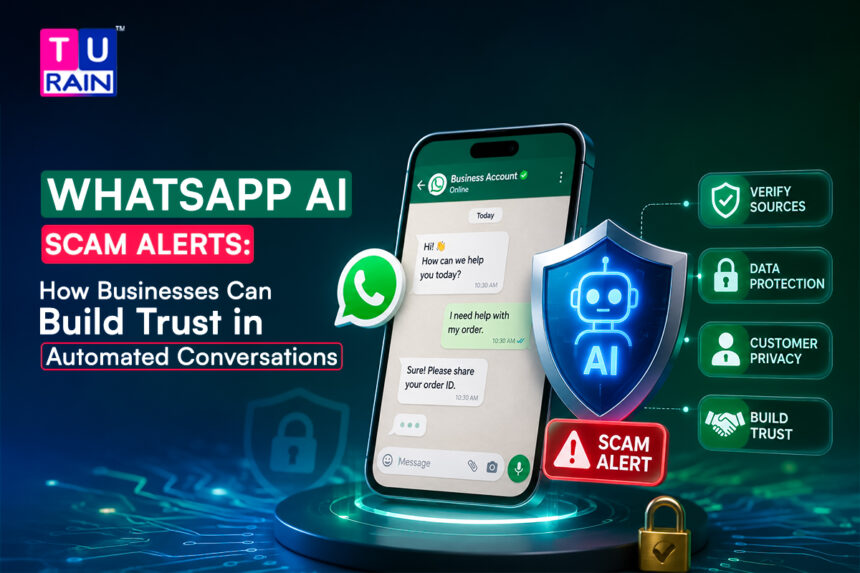
Whatsapp ai scam alerts and business messaging security
SHARE

Got a warning banner pop up in a WhatsApp chat recently and wondered what triggered it?

Table Index
What Is WhatsApp’s Scam Alert Feature?How Does It Actually Work?So, Could a Legitimate Business Get Flagged?How Businesses Can Actually Build Trust on WhatsAppWhat This Means Going ForwardDisclaimerReferences & Further Reading Frequently Asked Questions (FAQs)1. Can WhatsApp actively detect scam conversations?2. How can my business prove our WhatsApp messages are genuine?3. Does WhatsApp read my messages to detect these scams?4. Can WhatsApp detect scam conversations?5. How can businesses prove a WhatsApp message is genuine?

You’re not imagining things. Meta has quietly started testing something new — an AI system that watches for scam patterns inside your conversations and warns you before things go further. If you rely on WhatsApp for sales, you should be asking one big question. Could the app accidentally flag your own messages? Will your carefully crafted texts suddenly vanish into this hidden folder? It is a completely valid fear. You need to know exactly how this new filter works. Let us break down the actual mechanics of this update. We need to look closely at what this means for you as a seller, and what your buyers will actually see on their screens.

What Is WhatsApp’s Scam Alert Feature?

Meta is trying something totally new on WhatsApp. They are currently testing an optional feature known as Scam Alert. It is designed to catch fraudsters before they can trick you. The really impressive thing is how it actually works. It uses a smart learning model that lives directly on your device. Your private messages never get sent off to Meta’s corporate servers for scanning. Instead, your phone handles all the heavy lifting locally. It reviews your incoming chats in real time and throws up a warning if a conversation feels dangerous.

Here’s the part that matters most: nothing leaves your device. The model scans message patterns locally, decides whether something looks like a scam, and only then shows you a warning — one the sender never sees. That design choice keeps WhatsApp’s end-to-end encryption intact, since Meta isn’t reading your messages to make this call. It’s classifying patterns on-device instead.

The rollout is still limited. It’s reaching a small group of beta users for now, and Meta hasn’t confirmed a timeline for a full global launch, whatever the speculation online suggests.

How Does It Actually Work?

The model looks at conversational structure and linguistic signals — things like urgency, requests for money, or patterns that match known scam scripts — mostly in chats from people who aren’t already in your contacts. When something looks off, a banner appears inside that chat.

From there, you get a few choices:

    • Block the sender

    • Report the conversation to WhatsApp

    • Continue chatting, if you’re confident it’s legitimate

    • Mark as trusted, which clears the warning and stops future alerts for that specific chat

If you mark a chat trusted, you can also choose to voluntarily share the last five messages with WhatsApp, which helps refine the model over time. That sharing step is opt-in, not automatic.

This isn’t Meta’s first move here, either. Earlier in the year, the company rolled out a separate detection system for suspicious linked-device requests — a common tactic scammers use to hijack accounts. Scam Alert builds on that same push. And the stakes are real: the U.S. Federal Trade Commission reported $425 million in losses tied to WhatsApp scams in 2025 alone, much of it linked to so-called “pig butchering” schemes that build trust over weeks before asking for money.

So, Could a Legitimate Business Get Flagged?

This is the question every business running WhatsApp outreach should be asking right now.

The honest answer: it’s possible, though the feature currently targets messages from people outside a user’s contact list, and its stated focus is on scam-shaped language patterns — urgency, money requests, unfamiliar senders pushing quick action. A business sending a poorly worded payment reminder, an unexpected “click here to verify” link, or a message that reads like classic scam phrasing could, in theory, trip the same signals a real scammer would.

That’s not really new, though. It’s the same territory businesses have had to navigate with spam filters and quality ratings for years. Scam Alert just adds another layer of scrutiny on top.

How Businesses Can Actually Build Trust on WhatsApp

None of this requires panic. It requires the same things that have always made WhatsApp messaging trustworthy — just done a bit more deliberately.

1. Use the WhatsApp Business Platform, not a personal number. Messages sent through the official WhatsApp Business API carry your registered display name and business profile, even before a customer saves your number. A random personal number pushing offers looks exactly like what a scammer’s setup looks like. Don’t give the algorithm a reason to guess.

2. Go for verification if you qualify. WhatsApp’s verified badge — commonly called the green tick, now shown as blue after Meta’s 2024 badge unification — marks an account as an Official Business Account (OBA). Getting it means passing Meta Business Manager verification with legal documents, plus proving brand “notability,” typically through several organic press mentions. It’s not instant, and not every business will qualify. But for the ones that do, it’s the clearest authenticity signal WhatsApp currently offers.

3. Keep display names and business details consistent. A mismatch between your registered business name and what customers see is one of the most common reasons verification requests get rejected. It’s also exactly the kind of inconsistency that makes a message look less legitimate, badge or no badge.

4. Avoid scam-shaped language, even when the offer is genuine. “Act now,” “verify your account immediately,” unexplained links, requests for OTPs or payment details out of context — these are the exact phrases fraud-detection models are trained to catch. If your legitimate payment reminder reads like a phishing attempt, rewrite it. Say what it’s for, name your business clearly, and skip the artificial urgency.

5. Stick to approved message templates for outbound messaging. Template messages approved through the WhatsApp Business Platform go through Meta’s own review before they’re ever sent. That review process already filters out a lot of the phrasing that trips scam-detection systems, which makes templated messaging a quieter, safer default for anything transactional — order updates, appointment reminders, delivery alerts.

6. Let customers verify you back. Complete business profiles — address, website, category, working hours — give customers something to check against. A business that’s easy to verify independently earns trust faster than one that just claims to be legitimate.

What This Means Going Forward

Scam Alert is still a beta test, and its detection logic isn’t public. But the direction is clear: messaging platforms are shifting more fraud-detection work onto the device itself, without needing to read private conversations to do it. For businesses, that’s actually a reasonable trade — better protection for customers, without Meta scanning message content. The trust ball is just landing a bit more in businesses’ court. Verified profiles, consistent naming, approved templates, and honest language do more now than they ever have.

Make Your WhatsApp Business Messaging More Secure

Build trusted customer conversations with WhatsApp Business API, automation and professional messaging solutions.

Disclaimer

The information provided in this article is for educational and informational purposes only. Features like WhatsApp’s on-device Scam Alert are currently in limited beta testing and their detection criteria, scope, and global rollout timelines are subject to change by Meta. Readers should consult official WhatsApp and Meta Business documentation for the most up-to-date compliance guidelines and feature availability before altering their communication strategies.

This feature is currently in limited beta testing. Details on scope, detection criteria, and rollout timeline may change as Meta expands testing — check WhatsApp’s official Help Center for the latest updates before relying on any specifics here for compliance planning.

References & Further Reading

    • Messaging Security & Privacy: WhatsApp Help Center: About end-to-end encryption

    • Official Business Accounts: Meta Business Help Center: About the Official Business Account (OBA)

    • Creating High-Quality Messages: WhatsApp Business Messaging Policy

 

Frequently Asked Questions (FAQs)


1. Can WhatsApp actively detect scam conversations?

Yes, to an extent. The new Scam Alert feature uses an on-device machine-learning model to flag conversations showing patterns associated with fraud—mostly from senders outside a user’s contact list. It is a probabilistic system, not an absolute guarantee, and it is currently in limited testing.


2. How can my business prove our WhatsApp messages are genuine?

The strongest signals are using the official WhatsApp Business Platform with a verified display name. If eligible, apply for the Official Business Account badge. Ensure your business details are consistent across all Meta verification systems, and send transactional messages through pre-approved templates rather than free-form text.


3. Does WhatsApp read my messages to detect these scams?

No, not with this specific feature. Scam Alert’s classification happens entirely on the user’s own device. Message content is never sent to WhatsApp or Meta for analysis, meaning end-to-end encryption stays perfectly intact. The only exception is if a user voluntarily chooses to share their last five messages after marking a chat as trusted—and that is entirely optional.


4. Can WhatsApp detect scam conversations?

Yes, to an extent. The new Scam Alert feature uses an on-device machine-learning model to flag conversations showing patterns associated with fraud — mostly from senders outside a user’s contact list. It’s a probabilistic system, not a guarantee, and it’s still in limited testing.


5. How can businesses prove a WhatsApp message is genuine?

The strongest signals are using the official WhatsApp Business Platform with a verified display name, applying for the Official Business Account badge where eligible, keeping business details consistent across Meta’s verification systems, and sending transactional messages through pre-approved templates rather than free-form text.

6. Does WhatsApp read messages to detect scams?
No, not with this feature. Scam Alert’s classification happens on the user’s own device. Message content isn’t sent to WhatsApp or Meta for analysis, and end-to-end encryption stays intact. The only exception is if a user voluntarily chooses to share their last five messages after marking a chat as trusted — and that’s entirely optional.

You Might Also Like

What Should You Know Before Starting an Online Business in India?
What exactly is podcasting, and how does it work?
Why Social Listening Is Becoming a Core Marketing Skill in 2026
WhatsApp Marketing vs RCS Messaging in India: Which Is Better for Business in 2025?
How to Optimize Your Google Business Profile for 2025 and Boost Local Visibility

Services

  • Bulk SMS
  • WhatsApp Marketing
  • Digital Marketing
  • Web Development
  • App Development
  • Graphics Design
TAGGED:digital marketingTurain SoftwareWhatsApp AI Policy 2026WhatsApp marketing

Sign Up For Daily Newsletter

Be keep up! Get the latest breaking news delivered straight to your inbox.
* indicates required
By signing up, you agree to our Terms of Use and acknowledge the data practices in our Privacy Policy. You may unsubscribe at any time.
Share This Article
Facebook Copy Link Print
What do you think?
Angry0
Cry0
Dead0
Embarrass0
Happy0
Joy0
Love0
Sad0
Surprise0
Shy0
Sleepy0
Wink0
Turain Logo
ByTarun Karan
Follow:
Tarun Karan is a technology writer and digital innovation enthusiast who covers emerging AI tools, automation platforms, and modern no-code workflows. With a strong focus on user-centric storytelling, Tarun simplifies complex concepts and translates them into clear, practical insights for creators, businesses, and learners. His writing aims to help audiences understand how new AI ecosystems—like Google’s experimental platforms—shape the future of productivity and digital creation.
Previous Article Social commerce strategy with shoppable social media content and in-app checkout Social Commerce Strategy: How Brands Turn Social Media Into Sales
Leave a Comment

Leave a Reply Cancel reply

Your email address will not be published. Required fields are marked *

Stay Connected

25kLike
9kFollow
3.2kFollow
Turain-Software_WhatsApp-API

Latest News

Social commerce strategy with shoppable social media content and in-app checkout
Social Commerce Strategy: How Brands Turn Social Media Into Sales
Social Commerce digital marketing
Whatsapp marketing funnel for customer journey and business growth
How WhatsApp Is Evolving Into a Full-Funnel Marketing Channel
whatsapp marketing
Turain blog cover 10. 08
What WhatsApp Marketing Looks Like When Automation, Payment, and Messaging Converge
whatsapp marketing
8f25426e b51e 4822 a8f0 34c7499ea806
Turain Software Festive Customer Offer 2026 | Independence Day Offer on Business Solutions
digital marketing website development

+91 9230996919
+91 6290384889

sales@turaingrp.com
support@turaingrp.com

6/12 Poddarnagar, Kolkata-700068, WB, India.

Others Platform

glassdoor
yourstory
ambitionbox

You Might also Like

Seo content writing
BlogSEO

Why Does Understanding Search Intent Matter Before You Even Start SEO Content Writing?

Turain Logo
Tarun Karan
10 Min Read
Read More
Creator-led marketing replacing traditional influencer marketing to improve brand discovery and audience trust in 2026
Social Media Marketing

Creator-Led Marketing vs Influencer Marketing: Which Drives Better Brand Discovery in 2026?

Turain Logo
Tarun Karan
12 Min Read
Read More
Bulk sms marketing benefits
bulk SMSBulk SMS Service

Bulk SMS Marketing: Modern Methods, Benefits, and Strategies

Turain Logo
Tarun Karan
12 Min Read
Read More

+91 9230996919
+91 6290384889

sales@turaingrp.com
support@turaingrp.com

6/12 Poddarnagar, Kolkata-700068, WB, India.

Tower 1, 36/5, Hustle hub Tech Park,

Somasundarapalya Main Rd,

Bengaluru, Karnataka 560102

Others Platform
glassdoor
yourstory
ambitionbox

Information

  • Home
  • About Us
  • Services
  • Portfolio
  • Blogs
  • Brochure

Services

  • Bulk SMS
  • WhatsApp Marketing
  • Digital Marketing
  • Web Development
  • App Development
  • Graphics Design

Other links

  • DND Search
  • Bill Track
  • Privacy Policy
  • Terms and Conditions

Registered in

msme
trai

Our Other Business

dreamlink
Copyright © 2026. All Rights Reserved Turain Software Pvt. Ltd.
Welcome Back!

Sign in to your account

Username or Email Address
Password

Lost your password?