How Are Businesses Combining Payments, Automation, and Messaging on WhatsApp?
A recent customer interaction tells the story well. A bill payment. An appointment booking. A return status query. All handled inside one WhatsApp thread with a local service provider. No app download. No separate website. No hold music.
Chat, tap, done. That’s no longer a small convenience. It reflects WhatsApp marketing automation quietly forming an entire business model inside the world’s most-used messaging app.
What Does the Modern WhatsApp Business Stack Actually Include?
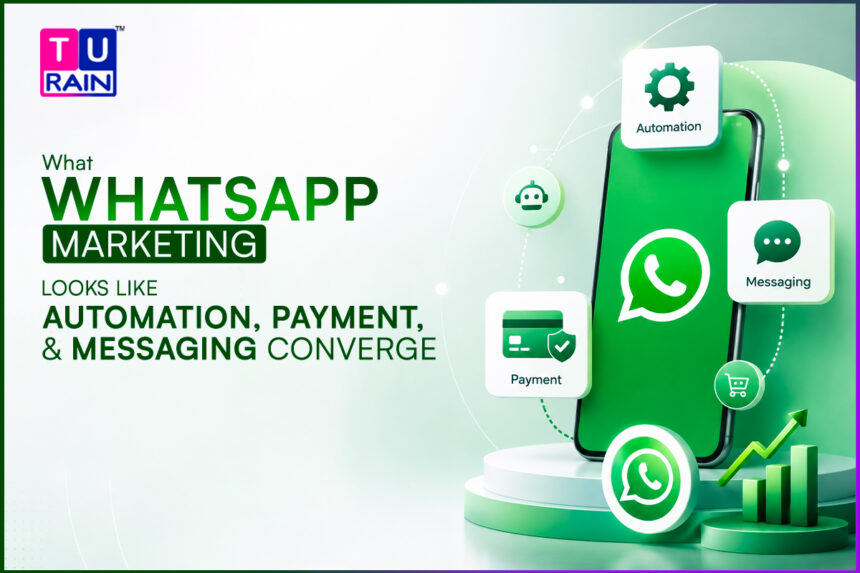
WhatsApp marketing once meant one thing. Broadcast a promotional message to a list. Hope recipients don’t mute the account. That version already feels outdated. What’s replaced it is a stack of WhatsApp business automation where automation, payments, and support all sit comfortably inside one thread.
The pieces coming together:
- Automated flows that handle FAQs, order tracking, and appointment booking without a human typing a single reply.
- In-chat payments, letting a customer move from question to completed purchase without ever leaving the conversation.
- Persistent context, where the chat remembers past orders and preferences instead of starting fresh every time.
- Catalogue browsing, letting a customer scroll products the way they’d browse a mini storefront.
- Automated reminders, gentle nudges for pending payments or upcoming appointments that need no human intervention.
- A lightweight WhatsApp CRM layer, quietly distinguishing first-time buyers from returning ones.
- Basic order-status triggers, so a customer gets an automatic update the moment a shipment status actually changes, instead of asking and waiting.
Small businesses that appear to “never miss a message” anymore are usually benefiting from exactly this stack. It represents a practical, lightweight version of conversational marketing, no elaborate dashboard required, just a chat thread doing more work than commonly recognised.
For businesses exploring how to automate WhatsApp marketing for the first time, the sensible starting point is the repetitive tasks first. Leave the actual conversation to a human team member.
Why Is India Leading This Shift Rather Than Following It?
India has long operated as a WhatsApp-first market in a way most Western markets simply haven’t. Kirana stores, clinics, and tuition centres have run informally on WhatsApp for years already. What’s new is the platform catching up to how businesses were already using it. Formalising automation and payments, instead of leaving businesses to cobble solutions together manually through saved replies and screenshots.
A tutoring centre based in Pune previously confirmed every class booking and fee payment manually over individual chats. That consumed hours daily. Imagine taking scheduling and payment chasing off your daily to-do list. Setting up an automated workflow does exactly that. Admin staff instantly get their days back. Instead of begging for payment confirmations, they can focus on actually helping new students settle in. You can see this exact same transformation across dozens of industries right now. Medical clinics use automation to seamlessly fill their daily appointment slots. Local retailers instantly verify stock levels without a human lifting a finger. Service companies automatically send out vital maintenance reminders. Before this tech, those important updates were almost always forgotten.
How Do WhatsApp Payments Actually Work for Small Businesses?
For many first-time adopters, WhatsApp payments for business sound more complicated than they turn out to be in practice. The mechanics are fairly simple once set up: a payment link or in-chat payment option gets attached to an order confirmation, the customer completes payment without switching apps, and a receipt gets generated automatically on both sides.
What tends to matter more than the setup itself is how it’s introduced to customers. A few practices that help adoption go smoothly:
- Explaining the payment step clearly the first time, since unfamiliar customers sometimes hesitate at an in-chat payment prompt they haven’t seen before.
- Keeping receipts detailed and immediate. Trust in a new payment method builds fastest when confirmation arrives instantly and clearly.
- Offering a fallback option early on. Not every customer will be comfortable paying inside a chat immediately, and having an alternative ready avoids losing the sale entirely.
- Reviewing payment completion rates regularly, since a drop-off at the payment step often points to friction worth fixing quickly.
What Should Businesses Set Up on WhatsApp Right Now?
This isn’t a “nice future feature.” It’s already available, and most small and mid-sized businesses continue to underuse it significantly.
- Map the most repeated customer questions and automate those first, rather than everything at once.
- Add payment links directly inside order confirmation flows. It cuts the extra step of switching apps mid-purchase.
- Keep a human handoff option visible. Automation should speed things up, not trap someone in a loop with no way out.
- Use chat history to personalise follow-ups. Repeat customers respond far better to context than generic reminders.
- Test flows on a small group first. First impressions matter. A clunky automated sequence damages your brand image right away. Angry customers will absolutely spread the word to their friends.
- Handle money carefully. Make sure your WhatsApp payment flow works perfectly. Deliver instant payment confirmations. You have to secure customer trust the exact moment they hand over their cash.
- Map out your texts. Create a simple schedule for all your automated messages. You never want two different follow-up alerts hitting a customer’s phone at the exact same time.
- Audit your system. Take time every three months to review your chat flows. Market trends shift quickly. A messaging sequence built six months ago is probably completely outdated by now.
- Avoid the biggest trap. The most common mistake is moving entirely too fast. Automating every single process immediately just crashes the system. It confuses your team and annoys your buyers.
What Mistakes Tend to Undermine a WhatsApp Automation Rollout?
A handful of avoidable errors show up repeatedly across small business rollouts:
- Automating too much too fast, overwhelming both the team managing the system and the customers interacting with it.
- Leaving no visible path to a human, which frustrates customers with anything slightly outside the automated script.
- Using a tone in automated messages that doesn’t match how the brand actually talks elsewhere. Consistency matters more than most teams initially expect.
- Forgetting to test the customer’s actual experience end to end, rather than just checking that each individual flow works in isolation.
How Should Businesses Measure Whether the Automation Is Actually Helping?
A working WhatsApp automation setup should be measurable in fairly concrete terms, not just judged by whether it feels convenient.
- Track average response time before and after automation. A sharp drop usually confirms the setup is doing its job, particularly outside business hours.
- Watch how often customers escalate to a human despite the automated flow being available. A high escalation rate often signals the automation isn’t covering the right questions yet.
- Compare payment completion rates through WhatsApp against other channels. If customers are abandoning the process more often here, something in the flow likely needs simplifying.
- Monitor repeat engagement. Pay attention to your repeat buyers. When customers willingly return to the same chat to buy again, it is a massive green light. It shows your automated setup is genuinely helpful, not just barely tolerable.
- You also need to check in with your staff. Ask them point-blank how much time the new system saves them daily. Dodging endless repetitive questions is a huge relief for any team. Honestly, those reclaimed hours are the clearest proof that your automation was a smart financial move.
What Does This Shift Mean for the Channel’s Future?
Most brands still treat WhatsApp purely as a place to send offers. Businesses pulling ahead treat it as an actual storefront, support desk, and payment counter rolled into one. Given how much time Indian users already spend inside that single app, ignoring this shift means leaving considerable convenience and revenue unclaimed.
Whether described as a WhatsApp messaging workflow or simply “how customers are handled now,” the businesses getting this right aren’t doing anything flashy. They’re simply making sure nothing falls through the cracks of a single chat thread.
Disclaimer
The information provided in this article is for educational and informational purposes only. Features, pricing, and policies related to the WhatsApp Business API and Meta's payment integrations are subject to change. Readers should consult Meta’s official documentation and their respective legal or financial advisors before implementing new payment gateways or automation software to ensure compliance with local regulations and data privacy laws.
Frequently Asked Questions (FAQs)
1. Does automating my WhatsApp mean I’ll get banned for spamming?
Not if you follow the rules. Meta has strict guidelines for the WhatsApp Business API. As long as you only send automated messages (templates) to customers who have explicitly opted in, and you provide a clear way to unsubscribe or speak to a human, you are operating within their guidelines. Overusing promotional broadcasts without consent is what usually triggers a ban.
2. What happens if a customer asks a complex question that the automation doesn't understand?
This is why a "human handoff" is crucial. A well-designed automated flow should have a default fallback option. If the system doesn't recognize a keyword, it should automatically reply with something like, "I'm not quite sure how to help with that, let me connect you with a human agent," and then route the chat to your team's inbox.
3. Do I lose my existing business number if I switch to the WhatsApp Business API for automation?
You can use your existing number, but there is a catch. Once a phone number is registered with the official WhatsApp Business API (which is required for advanced automation and integrations), you can no longer use it on the standard WhatsApp Business mobile app. You will manage your messages through the dashboard of whatever third-party CRM or API provider you choose to partner with.
References & Further Reading
- Understanding the WhatsApp Business Platform: Meta for Business: Overview of WhatsApp Business API
- Best Practices for Customer Communication: Meta Business Help Center: Quality Rating and Messaging Limits
- Case Studies on Indian Market Adoption: Think with Google: How Indian brands are leveraging conversational commerce (Note: Conceptual link illustrating broader industry trends)